You might also like:
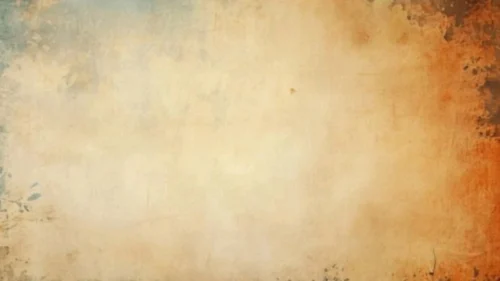
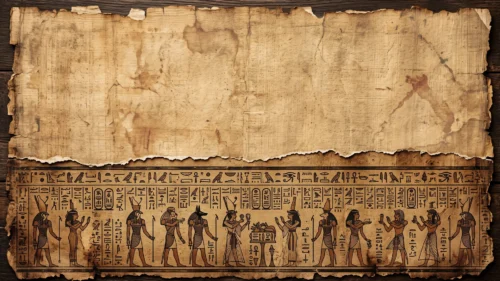
This background is for anyone who wants the warmth of old paper without the drama of torn edges and heavy stains. It’s a full HD 16:9 aged paper texture background, a soft cream-to-beige canvas with a gentle vignette pulling toward warm brown in the corners. Free to download, no watermark, ready for PowerPoint, Google Slides, or as a plain wallpaper.
What This Aged Paper Texture Background Looks Like
Unlike a crumpled or burnt parchment sheet, this one reads more like a canvas or a lightly aged wall than a piece of paper pulled out of an old chest. The surface is fairly even and light across most of the frame, in soft cream and pale gold, with faint mottled clouding rather than sharp stains. A handful of thin scratch marks and hairline creases run through the middle, almost like faded pencil strokes, and the color deepens gradually into rust and umber only at the very edges, heaviest along the top and the right side. There’s no cracking, no torn border, no ink spots — just a calm, worn surface with a subtle vignette framing it.
Design Notes: Why I Kept the Contrast This Soft
I wanted a texture that could sit behind text on almost any slide without competing for attention, so I pushed the palette toward a narrower range than a typical vintage paper background. Most of the frame sits within two or three tonal steps of cream and light tan, and I let the vignette do the framing work instead of dark blotches scattered across the middle. That decision matters for readability: dark text placed anywhere in the central two-thirds of this image lands on roughly the same brightness, so you don’t get the patchy look where a headline is crisp in one spot and hard to read six inches to the left. The faint scratch lines add character without adding contrast, which is the balance I was going for — texture you notice on a second look, not one that shouts.
The warmer, denser color in the corners is there mostly for visual anchoring. It gives the eye a frame to rest on and keeps the background from feeling flat, but it stays far enough from the center that it never interferes with a title, a logo, or a block of body text.
Where to Use This Aged Paper Slide Background
- Academic papers, thesis defenses, and research presentations
- Quote slides, journaling templates, or minimalist storytelling decks
- Wedding invitations or save-the-date slides with a rustic feel
- Book clubs, literature classes, or author events
- Menus, certificates, or diploma-style layouts
- Desktop or phone wallpaper for a warm, understated look
Key features at a glance:
- Full HD resolution, 16:9 aspect ratio
- No watermark, no logo, free for personal and commercial use
- Soft cream and beige palette with a warm brown vignette
- Even, low-contrast center built for text legibility
- Subtle scratch and crease texture instead of heavy stains or tears
- Works as a PowerPoint background, Google Slides background, or wallpaper
How to Apply This Background in PowerPoint
Once you’ve downloaded the file:
- Open your PowerPoint presentation and go to the Design tab
- Click Format Background on the right side of the ribbon
- Select Picture or texture fill, then Insert from a file
- Choose the downloaded aged paper image
- Click Apply to All if you want it on every slide, or leave it on just the current one
How to Apply It in Google Slides
- Open your presentation and click Background in the toolbar
- Click Choose image, then Upload from computer
- Select the aged paper file and confirm
- Click Done, or Add to theme to carry it across every slide automatically
Readability Tip
Because this background stays fairly light and even, it pairs well with darker text than you might expect — deep brown, charcoal, or true black all read cleanly across the center. If you want a more formal or academic look, a serif font like Georgia or Garamond fits the paper texture naturally; for something more contemporary, a clean sans-serif still reads fine given how flat the contrast is.
FAQ
Is this aged paper background free?
Yes. It’s a single free download, no watermark, no account required.
Does it work in Google Slides, or only PowerPoint?
Both. It’s a plain image file, so it uploads the same way into either tool.
What resolution do I get?
Full HD, 1920×1080, in a 16:9 aspect ratio — sharp on any modern screen or projector.
Can I use it as a wallpaper instead of a slide background?
Yes, the same file works as a desktop or phone wallpaper without needing to resize it for most widescreen displays.
Specs
- 1920 x 1080 px · 16:9 widescreen
- JPG, high quality, no compression artefacts
- PowerPoint · Google Slides · Keynote · Canva
- No watermark · no sign-up
- Free for personal and commercial use
You can use this Soft Aged Paper Background Ideal for Academic and Minimalist Presentations as a Wallpaper or use it as a background for slides.
Looking for something different? Browse all our free PPT Backgrounds, or see how to set a background in PowerPoint and Google Slides.