You might also like:
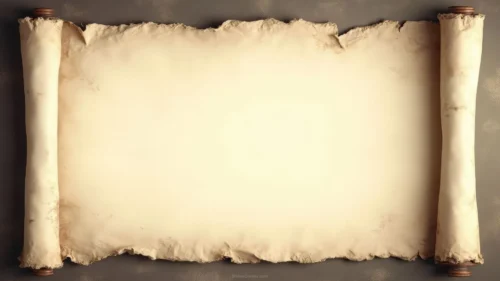
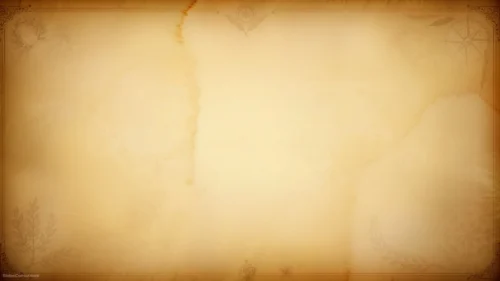
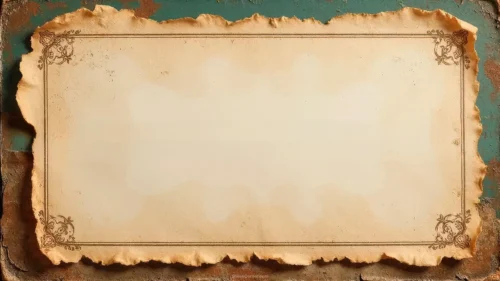
This background is for anyone who needs their slides to feel like they were pulled out of an old chest rather than a template gallery. It’s a free old paper background for PPT, Google Slides, or desktop wallpaper: a crumpled, aged parchment sheet in HD 16:9, with a bright cream center and deep burnt-brown edges that frame the whole slide naturally. One image, no watermark, ready to download.
What Makes This Old Paper Background Different
I built this texture around a single tension: it had to look genuinely worn without becoming noisy. The center sits in a soft ivory-cream range (close to #F2E8D5), and I deliberately kept the creases there faint — thin fold lines and light wrinkles you notice up close but that never compete with a headline. The drama lives at the edges. The paper darkens through warm tan into scorched umber, almost coffee-stained, and the outermost rim reads like charred wood. That gradient does real compositional work: it pulls the eye inward, toward wherever your content sits.
The palette is intentionally narrow. Everything stays inside a sepia and brown family, which means any slide built on it feels cohesive even before you add a single element. I designed it thinking about history lessons, literature units, and storytelling decks, where the background should whisper “old document” while the text does the talking. A wider palette would have fought with photos and diagrams; this one absorbs them.
Where This Vintage Paper Background Works Best
The obvious home is a history presentation: timelines, ancient civilizations, primary-source analysis, biographies. It’s just as strong for literature and poetry slides, treasure-map themed classroom games, genealogy projects, restaurant menus with a rustic feel, and certificates or invitations that need an antique touch. Off the slide, the 16:9 ratio makes it a warm, low-distraction desktop wallpaper.
- HD resolution in 16:9, matching modern PowerPoint and Google Slides layouts
- Clean, bright center reserved for titles and body text
- Burnt-edge vignette that frames content without extra design work
- Crumpled parchment texture with realistic fold lines and stains
- Warm cream, tan, and dark brown palette that pairs well with black or dark brown text
- Completely free, no watermark, single-file download
How to Apply This Old Paper Background in PowerPoint and Google Slides
In PowerPoint: download the image, then go to Design > Format Background > Picture or texture fill > Insert > From a File and select it. Click Apply to All if you want it on every slide, or leave it on one for section dividers. Because the file is already 16:9, it fills the slide with no stretching or black bars.
In Google Slides: open your deck, click Slide > Change background > Choose image, upload the file, and pick Add to theme to apply it deck-wide. Google Slides won’t tile or distort it; the aspect ratio matches the default widescreen canvas exactly.
As wallpaper: right-click the downloaded image on Windows and choose Set as desktop background, or on macOS drop it into System Settings > Wallpaper.
Keeping Your Text Readable on a Textured Background
I kept the center clean precisely so you could place text there, so use it. Keep titles and paragraphs inside the cream zone and let the dark burnt border act as your margin. Dark chocolate brown (#3B2314 or similar) reads beautifully on this paper and feels more period-appropriate than pure black, though black works fine too. Avoid white or pale yellow text — it disappears into the parchment. If you must place a caption near the dark edges, switch that one element to cream or add a subtle text shadow. Serif fonts like Garamond, Playfair Display, or EB Garamond complete the aged-document effect; a chunky modern sans-serif will fight it.
FAQ About This Old Paper Background for PPT
Is this old paper background really free?
Yes. You download the full HD image at no cost, with no watermark and no sign-up.
Does it work in Google Slides as well as PowerPoint?
It does. The 16:9 format matches the default widescreen canvas in both, so it applies edge to edge with no cropping.
What resolution is the image?
It’s full HD at 1920 × 1080 pixels in 16:9, sharp on projectors, laptop screens, and shared PDFs alike.
Can I use it as a wallpaper?
Absolutely. The same 16:9 file fits standard monitors, and the warm, low-contrast texture makes desktop icons easy to spot against it.
Download the background, drop it into your deck, and let the paper do the storytelling.
Specs
- 1920 x 1080 px · 16:9 widescreen
- JPG, high quality, no compression artefacts
- PowerPoint · Google Slides · Keynote · Canva
- No watermark · no sign-up
- Free for personal and commercial use
You can use this Rustic Old Paper Background with Burnt Edges for History and Vintage PowerPoint Presentations as a Wallpaper or use it as a background for slides.
Looking for something different? Browse all our free PPT Backgrounds, or see how to set a background in PowerPoint and Google Slides.