




Abstract Oil Paint Background For PPT With a Diagonal Gold Sweep
Free abstract oil paint background for PPT with thick diagonal strokes in gold, pink, and blue, HD 16:9.
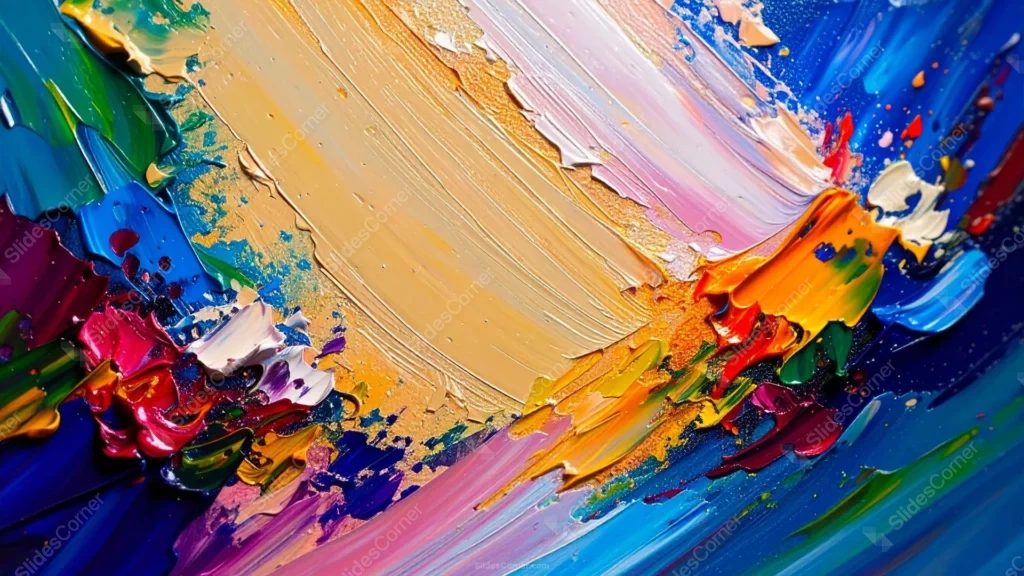
This abstract oil paint background for PPT stays fully non-representational, no flowers, no recognizable shapes, just thick, sweeping strokes of gold, pink, and blue cutting diagonally across the whole canvas.
Denser clusters of saturated magenta, red, green, purple, and orange paint gather at the lower-left and right thirds, while deep blue anchors the right edge of the frame.
What This Abstract Oil Paint Background For PPT Looks Like
A broad diagonal sweep of gold, tan, and soft pink runs from the upper-left down toward the lower-right, the single calmest, most uninterrupted passage in an otherwise busy painting.
Every stroke shows real palette-knife texture, ridges, drag marks, and thick raised paint, the kind of surface only visible on an actual canvas up close.
There’s no flat, empty space anywhere on the piece. Even the calmest gold diagonal still carries visible brushwork and small color flecks throughout.
Where This Abstract Oil Paint Background Fits
It suits art and design portfolio covers, creative agency decks, music or event promotion, and bold branding pitches that want color and energy as a backdrop rather than a literal image.
It works best behind a short title or a logo rather than long-form text, since the goal here is texture and movement, not a quiet reading surface.
Design Choices Behind the Strokes and Color
I kept this fully abstract on purpose, no recognizable subject, so the piece reads as pure energy and movement rather than competing with your message the way a literal image can.
Every good abstract painting needs one letting-up point. The gold diagonal sweep is that breathing room, calmer in tone even though it still carries texture, giving the eye somewhere to rest.
I let the densest, most saturated color cluster at the edges rather than spread evenly, similar to how a photographer frames with negative space, so the busiest paint frames the piece instead of fighting the middle.
How to Apply It in PowerPoint
- Open your slide, go to Design > Format Background.
- Choose Picture or texture fill, then Insert from file and select the downloaded image.
- Click Apply to All for a full-deck texture, or use it on a single cover or divider slide.
How to Apply It in Google Slides
- Open Slide > Change background.
- Click Choose image and upload the downloaded file.
- Select Done. Repeat on each slide you want to match, since Slides applies backgrounds one at a time.
Legibility Tip for This Abstract Oil Paint Background
Since there’s no dedicated clear space, place a short title directly on the gold diagonal sweep in dark espresso or white type. For longer copy, add a semi-transparent box behind the text first.
Frequently Asked Questions
Is this abstract oil paint background free?
Yes, it’s a free download with no watermark and no account required.
Does it work in Google Slides too?
Yes. It’s a standard image file, so it uploads and applies the same way it does in PowerPoint.
What resolution is included?
1920×1080 px, HD 16:9, suited to slides and to a desktop or phone wallpaper.
Can I use it as a wallpaper?
Yes, the 16:9 ratio matches most laptop and desktop screens.
Features at a Glance
- HD 1920×1080 resolution, 16:9 ratio
- Free download, no watermark
- Thick, non-representational palette-knife brushwork throughout
- Calmer diagonal gold, tan, and pink sweep across the middle
- Dense clusters of saturated color framing the edges
- Works as a PowerPoint background, Google Slides background, or wallpaper
Specs
- 1920 x 1080 px · 16:9 widescreen
- JPG, high quality, no compression artefacts
- PowerPoint · Google Slides · Keynote · Canva
- No watermark · no sign-up
- Free for personal and commercial use
You can use this Abstract Oil Paint Background For PPT With a Diagonal Gold Sweep as a Wallpaper or use it as a background for slides.
Looking for something different? Browse all our free PPT Backgrounds, or see how to set a background in PowerPoint and Google Slides.








