





Colorful Abstract Frame Background For Google Slides With Glossy Paint Swirls
Free colorful abstract frame background for Google Slides with thick glossy paint swirls, HD 16:9.
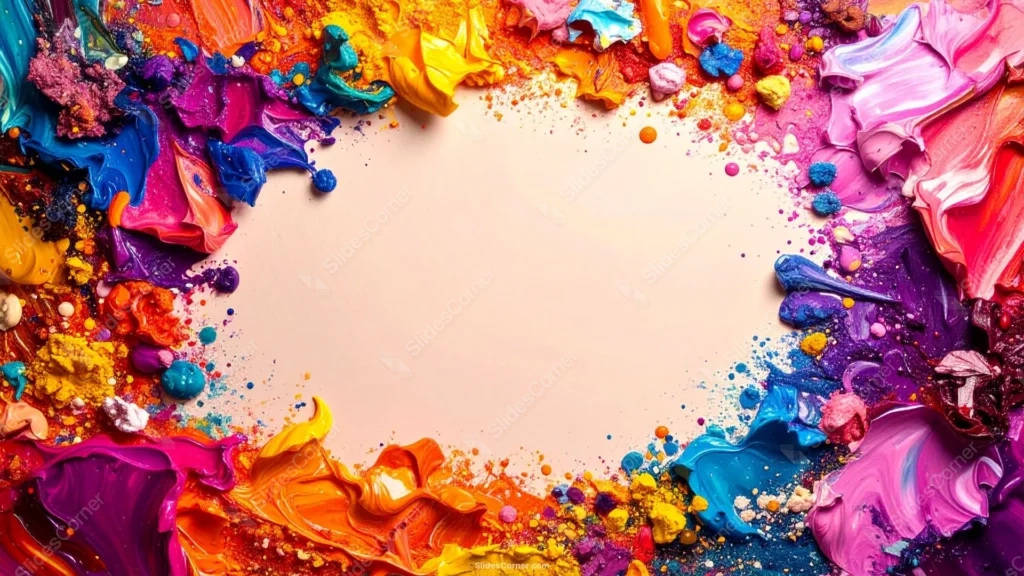
This colorful abstract frame background for Google Slides looks like an actual artist’s palette after a long session. Thick, glossy paint swirls in blue, teal, magenta, purple, orange, yellow, and pink crowd every edge, framing a plain, soft blush-cream oval in the middle.
Unlike a flat color pattern, this paint has real dimension: visible ridges, thick smears, and small specular highlights where the light catches the wet-looking surface.
What This Colorful Abstract Frame Background Looks Like
Colors bleed into one another at the seams rather than staying in strict zones, blue meeting purple, magenta meeting orange, the way paint actually mixes on a real palette.
Small paint-splatter dots and tiny clumps of pigment scatter inward from the thick border, drifting toward the empty center without ever crossing into it.
The center itself stays completely plain, a soft blush-cream oval untouched by any color, giving you one calm, neutral space after all that density at the edges.
Where This Colorful Abstract Frame Background Fits
It suits art class and studio branding, creative agency decks, music festival or event promotion, kids’ art presentations, and any pitch that wants maximum energy on the page.
The bold, saturated border also works well as a striking cover slide, where the plain center holds a title while the paint does all the visual heavy lifting.
Design Choices Behind the Palette and Texture
I went with a full rainbow instead of a limited palette on purpose, this piece is meant to feel maximalist and energetic, like a real palette after a session, not a curated color scheme.
Keeping the paint glossy and dimensional, with visible ridges and highlights, instead of flat color, is what sells the idea of thick, real paint rather than a printed graphic.
I left the center completely untouched by color or splatter on purpose. With that much visual density at the edges, the design needed one genuinely calm, neutral space for content.
How to Apply It in Google Slides
- Open Slide > Change background.
- Click Choose image and upload the downloaded file.
- Select Done. Repeat on each slide you want to match, since Slides applies backgrounds one at a time.
How to Apply It in PowerPoint
- Open your slide, go to Design > Format Background.
- Choose Picture or texture fill, then Insert from file and select the downloaded image.
- Click Apply to All for the whole deck, or leave it on a single title or cover slide.
Legibility Tip for This Colorful Abstract Frame Background
Keep text in the plain center oval, clear of the paint border. Dark charcoal or black type reads cleanly there, since that’s the only genuinely neutral space on the slide.
Frequently Asked Questions
Is this colorful abstract frame background free?
Yes, it’s a free download with no watermark and no account required.
Does it work in PowerPoint too?
Yes. It’s a standard image file, so it uploads and applies the same way it does in Google Slides.
What resolution is included?
1920×1080 px, HD 16:9, suited to slides and to a desktop or phone wallpaper.
Can I use it as a wallpaper?
Yes, the 16:9 ratio matches most laptop and desktop screens.
Features at a Glance
- HD 1920×1080 resolution, 16:9 ratio
- Free download, no watermark
- Thick, glossy rainbow paint swirls with real dimension and highlights
- Small paint-splatter dots drifting toward the open center
- Plain blush-cream center oval built for text
- Works as a Google Slides background, PowerPoint background, or wallpaper
Specs
- 1920 x 1080 px · 16:9 widescreen
- JPG, high quality, no compression artefacts
- PowerPoint · Google Slides · Keynote · Canva
- No watermark · no sign-up
- Free for personal and commercial use
You can use this Vivid Rainbow Paint Splatter Frame Background for Creative Presentations as a Wallpaper or use it as a background for slides.
Looking for something different? Browse all our free PPT Backgrounds, or see how to set a background in PowerPoint and Google Slides.








