You might also like:



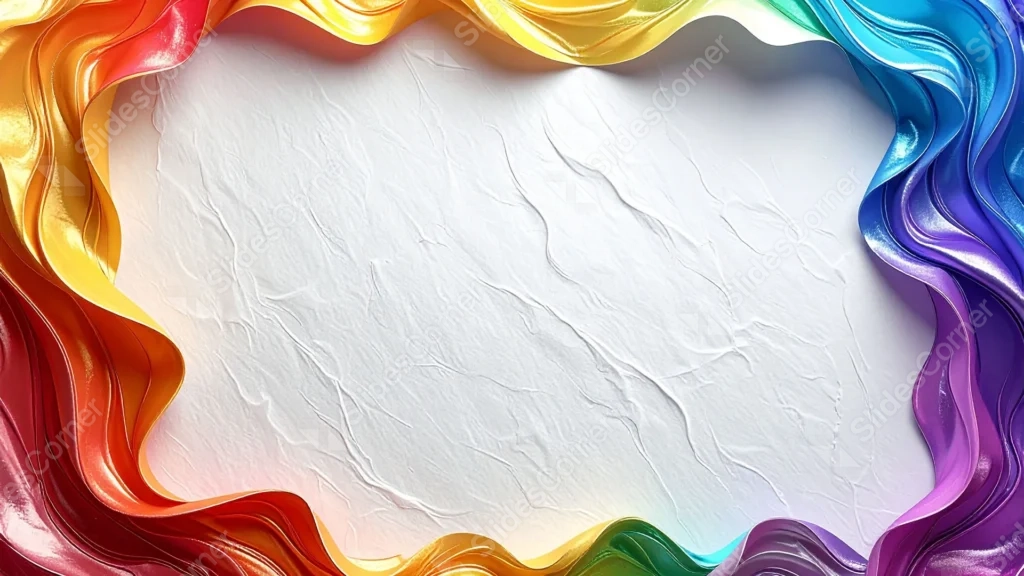
This background is for a slide that wants color at the edges and nothing but clean space in the middle. A thick, glossy ribbon that flows through every shade of the rainbow curves around all four sides, framing a plain, lightly textured white sheet at the center. Free, HD, and watermark-free for PowerPoint or Google Slides.
What This Colorful Frame Background Looks Like
The ribbon twists and folds like liquid satin, catching sharp highlights as it shifts from red and orange through yellow, green, blue, and violet around the border.
Inside that colorful border, the center is a soft white paper texture with faint creases and fine grain, left completely plain so nothing competes with a title or logo.
Where This Background Fits
It works well for creative agency decks, art and design portfolios, pride and diversity content, kids’ education slides, and any presentation that wants energy at the edges without cluttering the center.
Design Choices Behind This Rainbow Ribbon Frame
I gave the ribbon a glossy, almost liquid finish instead of a flat rainbow gradient, so it reads as a deliberate design object rather than a stock color bar.
Keeping the entire center plain and textured, rather than adding any pattern behind the text area, was the priority: the color does its job at the border and steps back everywhere else.
How to Apply This Background in PowerPoint
- Open your PowerPoint presentation and go to the Design tab.
- Click Format Background, then Picture or texture fill.
- Select Insert picture from a file and choose the downloaded image.
- Click Apply to All to use it on every slide.
How to Apply This Background in Google Slides
- Download and unzip the file, then open your Google Slides presentation.
- Go to Slide, then Change background.
- Click Choose image and upload the downloaded file.
- Click Done, or apply it from the master slide for a consistent look across the deck.
Legibility Tip for This Background
Keep all text inside the plain white center, well clear of the ribbon border. Dark gray or black text gives the cleanest contrast against the paper texture.
FAQ
Is this colorful frame background free? Yes, it’s a free download with no watermark and no attribution required.
Does it work in Google Slides? Yes, it’s a standard image file, so it applies the same way in both Google Slides and PowerPoint.
What resolution is the file? It’s full HD at 1920×1080, so it stays sharp on any screen or projector.
Can I use this as a wallpaper? Yes, the glossy rainbow border and clean white center work well as a bright desktop background too.
Features at a Glance
- Free HD 1920×1080 download, no watermark
- Glossy, liquid-satin rainbow ribbon border
- Full spectrum of color from red through violet
- Plain, lightly textured white paper center
- Works in PowerPoint, Google Slides, and as a wallpaper
- Suited to creative, education, and pride-themed decks
Specs
- 1920 x 1080 px · 16:9 widescreen
- JPG, high quality, no compression artefacts
- PowerPoint · Google Slides · Keynote · Canva
- No watermark · no sign-up
- Free for personal and commercial use
You can use this Vibrant Rainbow Ribbon Frame Background For PowerPoint as a Wallpaper or use it as a background for slides.
Looking for something different? Browse all our free PPT Backgrounds, or see how to set a background in PowerPoint and Google Slides.