


Abstract Art Background For PowerPoint With an Impasto Wildflower Border
Free abstract art background for PowerPoint with an impasto wildflower border in oil paint, HD 16:9.
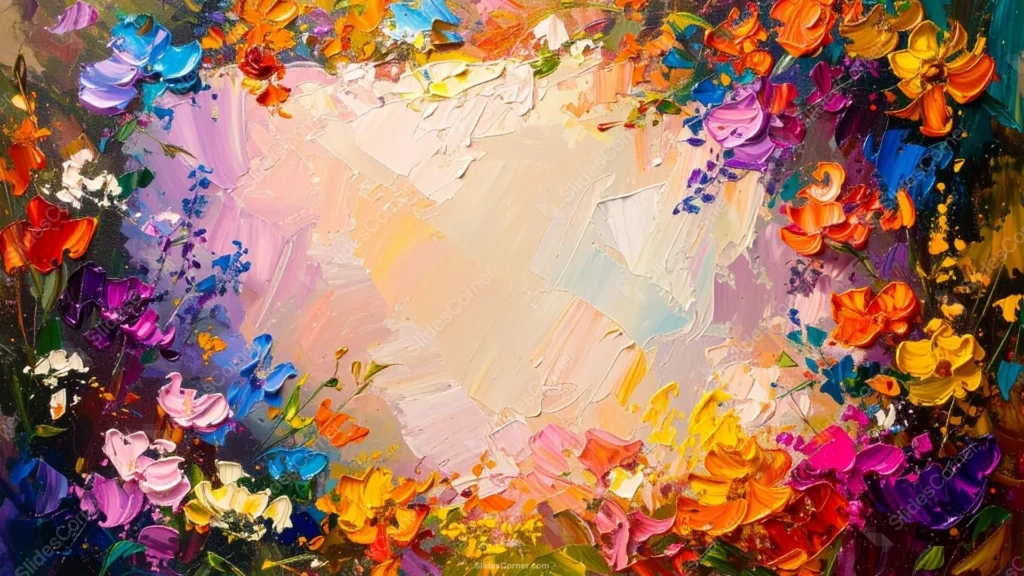
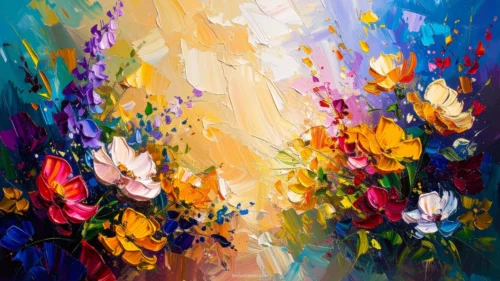
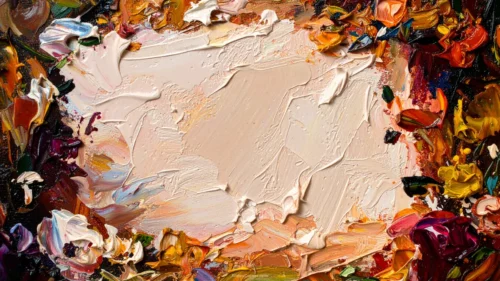
This abstract art background for PowerPoint is painted, not drawn. A thick, palette-knife wreath of wildflowers in orange, yellow, magenta, purple, blue, and red circles the frame, each petal built from real ridges of oil paint rather than flat color.
At the center, the paint softens into pale cream, blush, and blue, still textured but much calmer, like a sunlit clearing in the middle of a wildflower field.
What This Abstract Art Background For PowerPoint Looks Like
Every flower is loose and gestural rather than botanically precise, built from a handful of confident knife strokes that suggest petals without rendering every detail.
The paint itself catches light unevenly, with visible ridges and thick, dimensional strokes across the whole border, the kind of texture only a real canvas has.
The pastel center keeps some of that same knife texture, just in softer, lighter tones, so it reads as part of the same painting rather than a flat cutout dropped in the middle.
Where This Abstract Art Background Fits
It suits art gallery and exhibition invitations, creative studio branding, wedding or event decks that want a painterly, gallery-quality feel, and floral shop or garden brand presentations.
The soft pastel center also works well for a poetry reading or literary event cover, where a quote can sit against the calmer paint without competing with the vivid border.
Design Choices Behind the Brushwork and Palette
I chose a thick, palette-knife style instead of a flat illustration, since the raised paint ridges catch light the way a real canvas does, giving the piece genuine gallery texture.
Keeping the flowers loose and gestural rather than botanically exact was deliberate. Impressionist wildflowers read as energetic and alive, matching the vivid palette better than precise, decorative petals would.
Softening the center into pastel tones instead of leaving it flat white keeps it feeling like part of the same painted scene, a lit clearing rather than a rectangle cut out of the artwork.
How to Apply It in PowerPoint
- Open your slide, go to Design > Format Background.
- Choose Picture or texture fill, then Insert from file and select the downloaded image.
- Click Apply to All for the whole deck, or leave it on a single title or cover slide.
How to Apply It in Google Slides
- Open Slide > Change background.
- Click Choose image and upload the downloaded file.
- Select Done. Repeat on each slide you want to match, since Slides applies backgrounds one at a time.
Legibility Tip for This Abstract Art Background
Keep text in the pastel center, clear of the vivid wildflower border. Dark plum, charcoal, or espresso-brown type all read well against the soft, textured middle.
Frequently Asked Questions
Is this abstract art background free?
Yes, it’s a free download with no watermark and no account required.
Does it work in Google Slides too?
Yes. It’s a standard image file, so it uploads and applies the same way it does in PowerPoint.
What resolution is included?
1920×1080 px, HD 16:9, suited to slides and to a desktop or phone wallpaper.
Can I use it as a wallpaper?
Yes, the 16:9 ratio matches most laptop and desktop screens.
Features at a Glance
- HD 1920×1080 resolution, 16:9 ratio
- Free download, no watermark
- Thick impasto, palette-knife wildflower border in vivid multicolor
- Softer pastel center with matching painted texture
- Genuine gallery-painting quality, ideal for artistic and creative decks
- Works as a PowerPoint background, Google Slides background, or wallpaper
Specs
- 1920 x 1080 px · 16:9 widescreen
- JPG, high quality, no compression artefacts
- PowerPoint · Google Slides · Keynote · Canva
- No watermark · no sign-up
- Free for personal and commercial use
You can use this as a Wallpaper or use it as a background for slides.
Looking for something different? Browse all our free PPT Backgrounds, or see how to set a background in PowerPoint and Google Slides.








