




Abstract Doodle Background For Google Slides With Wavy Ink Splatters
Free abstract doodle background for Google Slides with hand-drawn wavy swirls and ink splatter dots, HD 16:9.
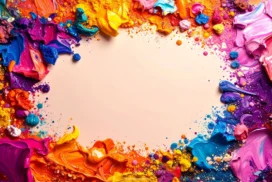
This abstract doodle background for Google Slides is drawn, not vectored. Wavy, hand-inked bands of orange, red, navy, and cream wrap around an open oval center like a loose wreath, each band filled with sketchy contour lines instead of flat color.
Small ink dots and splatters, in the same four colors, drift into the empty center from the edges. They’re the bridge between the busy frame and the plain space, so the transition never feels like a hard cutoff.
What This Abstract Doodle Background Looks Like
Every wavy band is built from dozens of thin, hand-drawn contour lines, closer together at the edges of each shape and looser toward the middle, giving the illusion of texture and depth without any actual shading.
The four colors interlock rather than sit in separate zones: orange curls into red near the top, navy threads down the left side, and pale cream shapes weave between all of them at the edges.
The center stays a warm, unmarked cream, wide enough for a full title and subtitle, with only a scatter of small dots drifting in from the border to keep it connected to the rest of the design.
Where This Abstract Doodle Background For Google Slides Fits
It works for creative agency pitches, design and art portfolios, workshop or webinar intros, personal branding decks, podcast title slides, and any presentation that wants energy without going corporate.
It’s also a natural fit for classroom or kids’ content, since the loose, drawn-by-hand line quality reads as friendly rather than sharp or clinical.
Design Choices Behind the Line Work and Palette
I limited the palette to four colors on purpose, orange, red, navy, and cream. Hand-drawn line work already carries a lot of visual noise, so adding a fifth or sixth color would have tipped it into clutter.
Keeping the contour lines close together at each shape’s edge and loosening them toward the center was a deliberate way to fake dimension. It reads as rounded, almost sculptural, without a single gradient or shadow layer.
The ink dots scattered near the center do double duty: they add a bit of movement to the empty space, and they stop the cream area from feeling like a separate, pasted-in rectangle.
How to Apply It in Google Slides
- Open Slide > Change background.
- Click Choose image and upload the downloaded file.
- Select Done. Repeat on each slide you want to match, since Slides applies backgrounds one at a time.
How to Apply It in PowerPoint
- Open your slide, go to Design > Format Background.
- Choose Picture or texture fill, then Insert from file and select the downloaded image.
- Click Apply to All for the whole deck, or leave it on a single title or divider slide.
Legibility Tip for This Abstract Doodle Background
Keep text in the plain cream center, away from the wavy color bands. Dark navy or black type reads cleanest there; place headlines above the busiest cluster of ink dots rather than directly on top of them.
Frequently Asked Questions
Is this abstract doodle background free?
Yes, it’s a free download with no watermark and no account required.
Does it work in PowerPoint too?
Yes. It’s a standard image file, so it uploads and applies the same way it does in Google Slides.
What resolution is included?
1920×1080 px, HD 16:9, suited to slides and to a desktop or phone wallpaper.
Can I use it as a wallpaper?
Yes, the 16:9 ratio matches most laptop and desktop screens.
Features at a Glance
- HD 1920×1080 resolution, 16:9 ratio
- Free download, no watermark
- Hand-drawn wavy bands in orange, red, navy, and cream
- Scattered ink splatter dots bridging the frame and the open center
- Wide open cream center built for a title and subtitle
- Works as a Google Slides background, PowerPoint background, or wallpaper
Specs
- 1920 x 1080 px · 16:9 widescreen
- JPG, high quality, no compression artefacts
- PowerPoint · Google Slides · Keynote · Canva
- No watermark · no sign-up
- Free for personal and commercial use
You can use this Playful Hand-Drawn Wave Background for Creative Google Slides Decks as a Wallpaper or use it as a background for slides.
Looking for something different? Browse all our free PPT Backgrounds, or see how to set a background in PowerPoint and Google Slides.








