







Colorful Floral Frame Background For PowerPoint With A Glowing Purple Center
Download this free colorful floral frame background for PowerPoint with a glowing purple center.
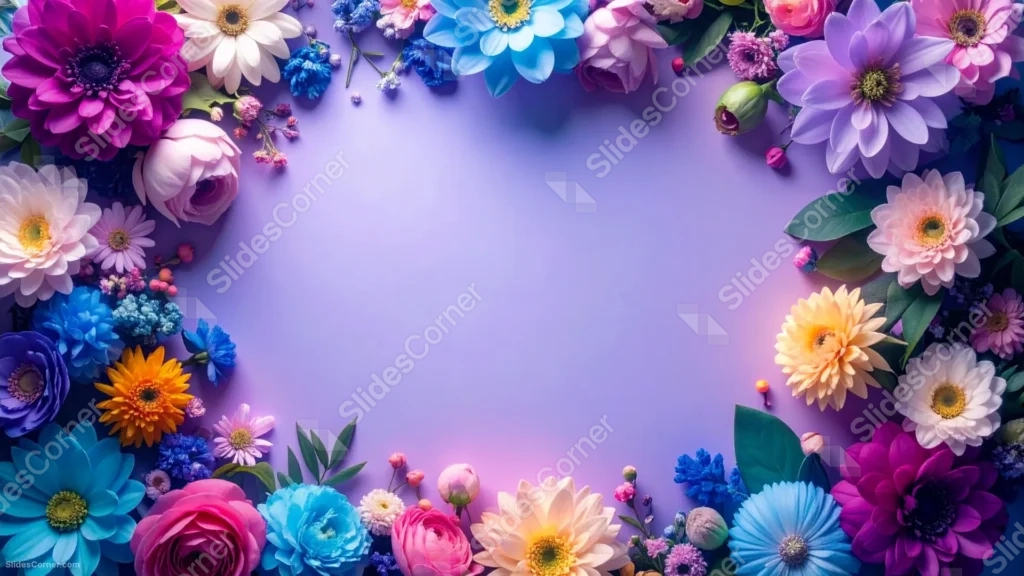
This colorful floral frame background for PowerPoint surrounds a soft, glowing purple center with a dense ring of real photographed flowers in a dozen different hues.
Magenta dahlias, blue gerberas, orange chrysanthemums, and pale roses all sit shoulder to shoulder, so no single color dominates the border.
What This Colorful Floral Frame Looks Like
A thick, uneven ring of flowers wraps every edge of the frame, thickest along the top and bottom and tapering along the sides, leaving a wide oval of open space in the middle.
The flowers are genuine studio photography, not illustration, so each petal shows real texture, shadow, and gloss.
Inside that ring, the background shifts from a deep violet at the edges to a lighter, glowing lavender at the center, like a soft spotlight.
Where This Colorful Floral Frame Background For PowerPoint Fits
It works well for wedding and event decks, spring or garden-themed presentations, beauty and lifestyle brand slides, and any title page that wants a bright, celebratory feel.
The open lavender center is generous enough for a full title and subtitle.
Design Choices Behind the Glowing Purple Center
I mixed a dozen different flower types and colors into one border instead of sticking to a single palette, because a true flat-lay of cut flowers rarely comes in one tone, and the variety reads as more alive.
The center brightens gradually toward the middle, almost like light falling on the flowers from above, so the open space feels lit rather than flat or empty.
Keeping that glow in cool purple and lavender, rather than white, ties the open space back into the same color family as the border instead of looking like a cutout.
How to Apply It in PowerPoint
- Go to Design > Format Background.
- Choose Picture or texture fill, then Insert from file.
- Click Apply to All to use it across the whole deck.
How to Apply It in Google Slides
- Open Slide > Change background.
- Click Choose image and upload the downloaded file.
- Select Done, repeating on any other slides you want to match.
Legibility Tip for This Colorful Floral Frame
Use a dark purple or near-black font in the open center, since the light lavender there is bright enough to wash out anything paler.
Frequently Asked Questions
Is this colorful floral background free?
Yes, it’s a free download with no watermark and no account required.
Does it work in Google Slides too?
Yes, it’s a standard image file, so it applies the same way in both PowerPoint and Google Slides.
What resolution is included?
1920×1080 px, HD 16:9, suited to slides and to a desktop or phone wallpaper.
Can I use it as a wallpaper?
Yes, the 16:9 ratio matches most laptop and desktop screens.
Features at a Glance
- HD 1920×1080 resolution, 16:9 ratio
- Free download, no watermark
- Photographic ring of a dozen different flower types and colors
- Glowing lavender-to-violet gradient center
- Wide open oval space for a title and subtitle
- Works as a PowerPoint background, Google Slides background, or wallpaper
Specs
- 1920 x 1080 px · 16:9 widescreen
- JPG, high quality, no compression artefacts
- PowerPoint · Google Slides · Keynote · Canva
- No watermark · no sign-up
- Free for personal and commercial use
You can use this Vivid Colorful Floral Frame Background For PowerPoint Presentations as a Wallpaper or use it as a background for slides.
Looking for something different? Browse all our free PPT Backgrounds, or see how to set a background in PowerPoint and Google Slides.







