







Colorful Floral Frame Background For PowerPoint With Alcohol Ink Blooms
Download this free colorful floral frame background for PowerPoint with ink blooms.
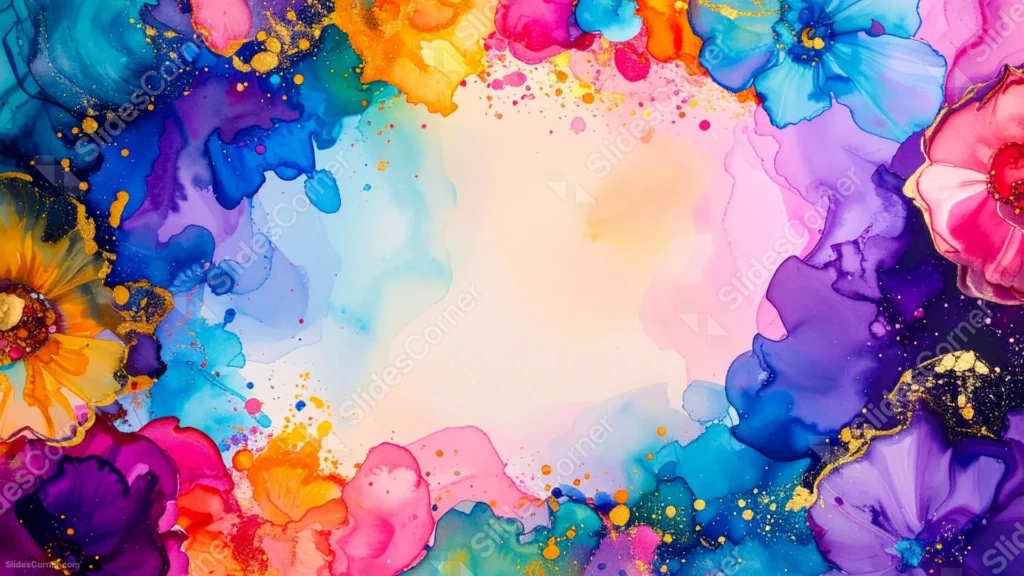
This colorful floral frame background for PowerPoint wraps a border of free-flowing alcohol ink around a pale, glowing cream center, with real flowers worked into the wash.
A poppy, a gerbera daisy, and clusters of gold-flecked blue and pink blooms sit directly in the marbled ink.
What This Colorful Floral Frame Background Looks Like
A dense border of marbled ink in teal, blue, magenta, orange, and violet wraps the frame, thickest along the corners and lower edge.
Recognizable flowers, an orange gerbera daisy, a pink poppy, blue and purple blooms, sit embedded directly in the ink rather than layered separately on top.
Fine gold flecks scatter unevenly throughout the border, catching light like flakes of real metal pressed into the wash.
Where This Colorful Floral Frame Background For PowerPoint Fits
- Art, design, or creative brand presentations
- Weddings, invitations, or celebration decks
- Beauty or lifestyle brand slides
- Any title slide wanting a vivid, artistic finish
Design Choices Behind the Alcohol Ink Blooms
I let the alcohol ink bleed and marble on its own rather than controlling every edge, so the border keeps the organic, slightly unpredictable quality real ink has on non-porous paper.
Working recognizable flowers directly into the free-flowing ink, instead of painting them separately, lets illustration and abstract wash merge into a single border.
I scattered fine gold flecks throughout the ink rather than only along outlines, so the metallic catches light unevenly and reads as a natural mineral texture.
How to Apply It in PowerPoint
- Go to Design > Format Background.
- Choose Picture or texture fill, then Insert from file.
- Click Apply to All to use it across the whole deck.
How to Apply It in Google Slides
- Open Slide > Change background.
- Click Choose image and upload the downloaded file.
- Select Done, repeating on any other slides you want to match.
Legibility Tip for This Colorful Floral Frame Background
Keep text in the pale cream center, using a dark charcoal or navy font so it reads clearly against the light background.
Frequently Asked Questions
Is this colorful floral frame background free?
Yes, it’s a free download with no watermark and no account required.
Does it work in Google Slides too?
Yes, it’s a standard image file, so it applies the same way in both PowerPoint and Google Slides.
What resolution is included?
1920×1080 px, HD 16:9, suited to slides and to a desktop or phone wallpaper.
Can I use it as a wallpaper?
Yes, the 16:9 ratio matches most laptop and desktop screens.
Features at a Glance
- HD 1920×1080 resolution, 16:9 ratio
- Free download, no watermark
- Marbled alcohol ink border in teal, magenta, and violet
- Real flowers embedded directly in the ink wash
- Scattered fine gold flecks throughout
- Works as a PowerPoint background, Google Slides background, or wallpaper
Specs
- 1920 x 1080 px · 16:9 widescreen
- JPG, high quality, no compression artefacts
- PowerPoint · Google Slides · Keynote · Canva
- No watermark · no sign-up
- Free for personal and commercial use
You can use this Vibrant Colorful Floral Frame Background For PowerPoint Presentations as a Wallpaper or use it as a background for slides.
Looking for something different? Browse all our free PPT Backgrounds, or see how to set a background in PowerPoint and Google Slides.







