


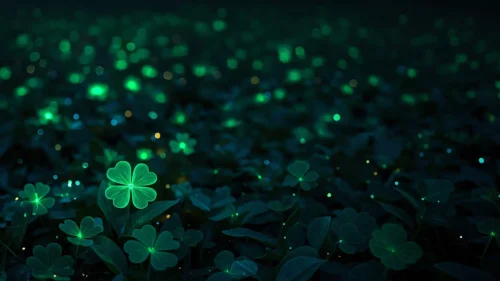





Green Background For PowerPoint With A Soft Glowing Leaf Sprig
Download this free green background for PowerPoint with a delicate glowing leaf sprig and bokeh.
This green background for PowerPoint pairs soft, glowing wave-like leaf forms with a single delicate sprig illustration floating near the center.
Fine gold and white line traces run along the curves of the green waves, while warm bokeh dots drift softly through the background.
What This Green Background Looks Like
Large, soft-edged leaf-like waves curve in from both the left and right sides of the frame, glowing brightest where a warm light source sits in the upper left corner.
A tiny, delicate sprig of leaves and buds, rendered almost like a watercolor sketch, floats in the open space at the center.
Soft cream and pink bokeh circles are scattered faintly across the deeper green background, adding a quiet sparkle without overwhelming the scene.
Where This Green Background For PowerPoint Fits
- Wellness, botanical, or organic beauty brand presentations
- Sustainability or nature-focused decks
- Spring or growth-themed talks
- Any title slide wanting a calm, dreamy green mood
Design Choices Behind the Leaf Sprig
I added the small sprig illustration deliberately, rather than leaving the waves fully abstract, so there’s a single quiet focal point for the eye to rest on.
The thin gold line traces along the wave edges give the piece a hand-drawn quality that a flat gradient wave wouldn’t have on its own.
I kept the bokeh dots soft and low in contrast, so they read as atmosphere rather than competing with the sprig for attention.
How to Apply It in PowerPoint
- Go to Design > Format Background.
- Choose Picture or texture fill, then Insert from file.
- Click Apply to All to carry it across the whole deck.
How to Apply It in Google Slides
- Open Slide > Change background.
- Click Choose image and upload the downloaded file.
- Select Done, repeating on any other slides you want to match.
Legibility Tip for This Green Background
Place text in the brighter upper left glow, using a deep forest green or white font so it stays clear against the softer waves.
Frequently Asked Questions
Is this green background free?
Yes, it’s a free download with no watermark and no account required.
Does it work in Google Slides too?
Yes, it’s a standard image file, so it applies the same way in both PowerPoint and Google Slides.
What resolution is included?
1920×1080 px, HD 16:9, suited to slides and to a desktop or phone wallpaper.
Can I use it as a wallpaper?
Yes, the 16:9 ratio matches most laptop and desktop screens.
Features at a Glance
- HD 1920×1080 resolution, 16:9 ratio
- Free download, no watermark
- Delicate floating leaf sprig illustration
- Soft green waves with fine gold line traces
- Warm, low-contrast bokeh dots
- Works as a PowerPoint background, Google Slides background, or wallpaper
Specs
- 1920 x 1080 px · 16:9 widescreen
- JPG, high quality, no compression artefacts
- PowerPoint · Google Slides · Keynote · Canva
- No watermark · no sign-up
- Free for personal and commercial use
You can use this Dreamy Green Background For PowerPoint as a Wallpaper or use it as a background for slides.
Looking for something different? Browse all our free PPT Backgrounds, or see how to set a background in PowerPoint and Google Slides.








