







Rainbow Background For PowerPoint With A Painted Arch And Pastel Clouds
A free pastel rainbow background for PowerPoint with a painted arch and glowing clouds.
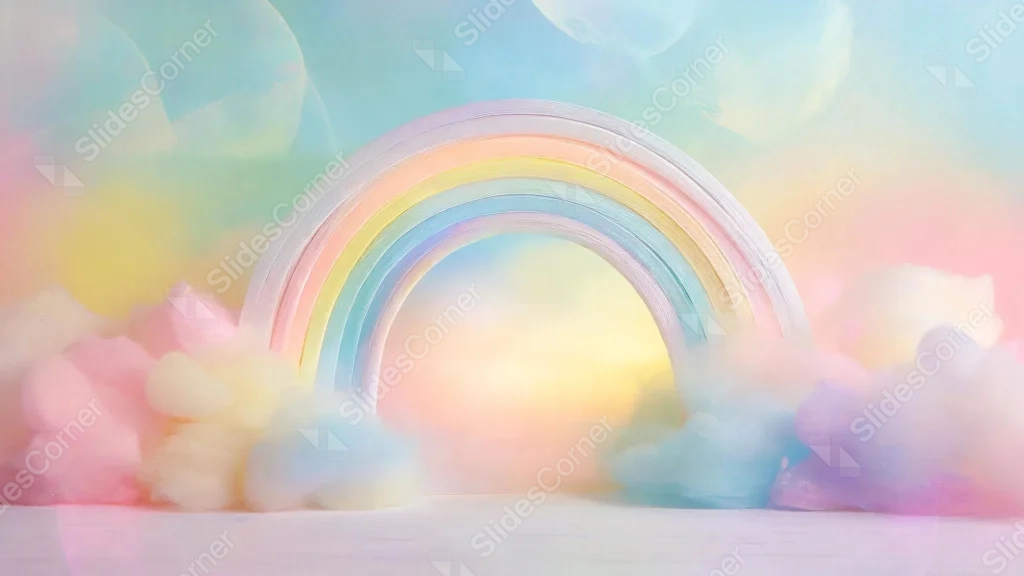
This background is for a slide that wants a soft, storybook kind of magic. A single rainbow arch, painted with visible brushstroke texture, rises out of fluffy pastel clouds, with warm light glowing through its center like a little portal. Free, HD, and watermark-free for PowerPoint or Google Slides.
What This Rainbow Background Looks Like
The rainbow itself reads more like a sculpted, hand-painted object than a flat illustration, with soft ridges of color running from pink through yellow to blue against a pale, chalky white outer edge.
It sits on a smooth pastel surface, surrounded by cotton-soft clouds in pink, blue, and lilac, while the sky above blends teal, peach, and cream in loose, painterly brushstrokes.
Where This Background Fits
It works well for kids’ content, birthday and baby shower decks, dreamy or whimsical brand presentations, and any slide that wants a soft, magical, feel-good mood.
Design Choices Behind This Painted Rainbow Arch
I gave the rainbow real texture instead of a flat gradient, so it feels almost like a physical object sitting in the scene rather than a sticker pasted over a sky.
The glow inside the arch was the key decision: it pulls the eye straight to the center and gives the whole composition a light source, so the surrounding pastel haze reads as atmosphere rather than a flat color fill.
How to Apply This Background in PowerPoint
- Open your PowerPoint presentation and go to the Design tab.
- Click Format Background, then Picture or texture fill.
- Select Insert picture from a file and choose the downloaded image.
- Click Apply to All to use it on every slide.
How to Apply This Background in Google Slides
- Download and unzip the file, then open your Google Slides presentation.
- Go to Slide, then Change background.
- Click Choose image and upload the downloaded file.
- Click Done, or apply it from the master slide for a consistent look across the deck.
Legibility Tip for This Background
The glowing archway under the rainbow is the brightest spot in the image, so keep long text off it. White or soft gray text works well against the darker clouds on either side.
FAQ
Is this rainbow background free? Yes, it’s a free download with no watermark and no attribution required.
Does it work in Google Slides? Yes, it’s a standard image file, so it applies the same way in both Google Slides and PowerPoint.
What resolution is the file? It’s 2560×1463, a high-resolution 16:9 image that stays sharp on any screen or projector.
Can I use this as a wallpaper? Yes, the painted rainbow and glowing clouds make it a charming desktop background too.
Features at a Glance
- Free HD download, no watermark
- Textured, hand-painted rainbow arch
- Glowing light at the center of the arch
- Soft pastel clouds in pink, blue, and lilac
- Works in PowerPoint, Google Slides, and as a wallpaper
- Suited to whimsical, kids’, and celebration decks
Specs
- 1920 x 1080 px · 16:9 widescreen
- JPG, high quality, no compression artefacts
- PowerPoint · Google Slides · Keynote · Canva
- No watermark · no sign-up
- Free for personal and commercial use
You can use this Whimsical Painted Rainbow Background For PowerPoint as a Wallpaper or use it as a background for slides.
Looking for something different? Browse all our free PPT Backgrounds, or see how to set a background in PowerPoint and Google Slides.







