




Vintage Frame Background For PowerPoint With Nested Rainbow Borders
A free vintage frame background for PowerPoint with nested rainbow border lines on aged parchment.
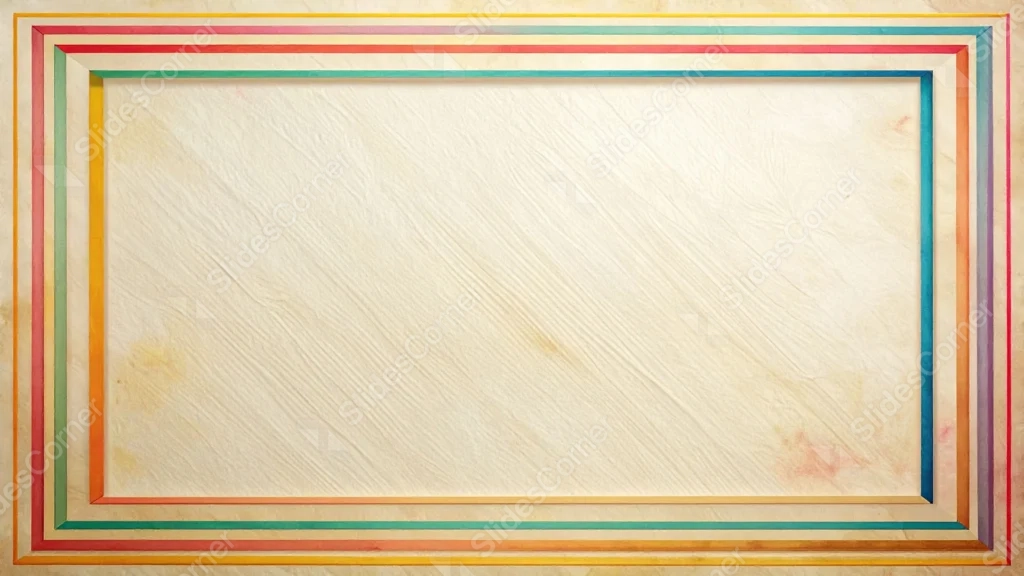
This background is for a slide that wants the formality of a certificate without feeling stiff. Several thin, rainbow-colored lines nest inside one another like a classic picture-frame border, surrounding a warm, deckle-edged sheet of aged parchment. Free, HD, and watermark-free for PowerPoint or Google Slides.
What This Vintage Frame Background Looks Like
The border is built from four or five concentric rectangles, each traced in a different color running from red and orange through green, teal, and violet, mimicking the layered mats of a framed print.
Inside the frame, the parchment carries a visible diagonal grain and faint age spots in the corners, giving the center just enough texture to feel authentic without ever getting busy.
Where This Background Fits
It works well for certificates and diplomas, award or recognition slides, formal invitations, and any presentation that wants a classic, framed look with a touch of color.
Design Choices Behind This Nested Rainbow Border
I stacked the colored lines as clean, concentric rectangles rather than a single thick band, so the frame reads as formal and architectural, closer to a matted picture frame than a craft-paper border.
Using a true parchment texture in the center, with visible grain and light staining, keeps the whole piece grounded and vintage even with a full spectrum of color running around the edge.
How to Apply This Background in PowerPoint
- Open your PowerPoint presentation and go to the Design tab.
- Click Format Background, then Picture or texture fill.
- Select Insert picture from a file and choose the downloaded image.
- Click Apply to All to use it on every slide.
How to Apply This Background in Google Slides
- Download and unzip the file, then open your Google Slides presentation.
- Go to Slide, then Change background.
- Click Choose image and upload the downloaded file.
- Click Done, or apply it from the master slide for a consistent look across the deck.
Legibility Tip for This Background
Keep text well inside the innermost border line, in the plain parchment area. Dark brown or black text reads cleanly against the warm cream tone.
FAQ
Is this vintage frame background free? Yes, it’s a free download with no watermark and no attribution required.
Does it work in Google Slides? Yes, it’s a standard image file, so it applies the same way in both Google Slides and PowerPoint.
What resolution is the file? It’s full HD at 1920×1080, so it stays sharp on any screen or projector.
Can I use this as a wallpaper? Yes, the warm parchment tone and colorful nested border work well as a classic desktop background too.
Features at a Glance
- Free HD 1920×1080 download, no watermark
- Concentric, picture-frame-style rainbow border
- Aged parchment texture with a deckled edge
- Full spectrum of color from red through violet
- Works in PowerPoint, Google Slides, and as a wallpaper
- Suited to certificates, awards, and formal decks
Specs
- 1920 x 1080 px · 16:9 widescreen
- JPG, high quality, no compression artefacts
- PowerPoint · Google Slides · Keynote · Canva
- No watermark · no sign-up
- Free for personal and commercial use
You can use this Classic Vintage Rainbow Border Background For PowerPoint as a Wallpaper or use it as a background for slides.
Looking for something different? Browse all our free PPT Backgrounds, or see how to set a background in PowerPoint and Google Slides.