You might also like:




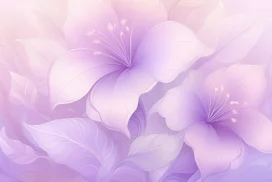

This purple floral background for PowerPoint renders a glassy, dimensional purple flower and leaf cluster in the bottom right corner, over a soft lilac field.
A translucent ribbon sweeps across the top, catching a few bright sparkle points along its curve.
What This Purple Floral Background Looks Like
A large, glassy purple bloom sits in the bottom right corner, its petals catching light along their curved edges like real glass or crystal.
Slender crystalline leaves and delicate sprigs surround the flower, echoed by smaller leaf clusters in the top left and bottom left corners.
A translucent ribbon curves across the top of the frame, dotted with a handful of bright sparkle points rather than glowing evenly along its length.
Where This Purple Floral Background For PowerPoint Fits
- Weddings, engagements, or bridal shower presentations
- Beauty, jewelry, or luxury brand decks
- Invitation or announcement mockups
- Any title slide wanting a soft, glossy finish
Design Choices Behind the Glassy Crystal Bloom
I rendered the flower and its leaves in a glassy, dimensional material instead of flat illustration, so light passes through the petals and catches along their curved edges like real glass.
Running a single translucent ribbon across the top, dotted with a few bright sparkle points instead of an even glow, makes it read as glass catching stray light rather than a lit line.
I kept the whole piece to one tight range of purple, from pale lilac at the center to richer violet in the flower, so the glassy rendering stays the main source of interest.
How to Apply It in PowerPoint
- Go to Design > Format Background.
- Choose Picture or texture fill, then Insert from file.
- Click Apply to All to use it across the whole deck.
How to Apply It in Google Slides
- Open Slide > Change background.
- Click Choose image and upload the downloaded file.
- Select Done, repeating on any other slides you want to match.
Legibility Tip for This Purple Floral Background
Keep text in the open lilac center, using a deep violet or charcoal font so it stays crisp against the light background.
Frequently Asked Questions
Is this purple floral background free?
Yes, it’s a free download with no watermark and no account required.
Does it work in Google Slides too?
Yes, it’s a standard image file, so it applies the same way in both PowerPoint and Google Slides.
What resolution is included?
1920×1080 px, HD 16:9, suited to slides and to a desktop or phone wallpaper.
Can I use it as a wallpaper?
Yes, the 16:9 ratio matches most laptop and desktop screens.
Features at a Glance
- HD 1920×1080 resolution, 16:9 ratio
- Free download, no watermark
- Glassy, dimensional purple flower and leaves
- Translucent ribbon with sparkle highlights
- Wide open lilac center for text
- Works as a PowerPoint background, Google Slides background, or wallpaper
Specs
- 1920 x 1080 px · 16:9 widescreen
- JPG, high quality, no compression artefacts
- PowerPoint · Google Slides · Keynote · Canva
- No watermark · no sign-up
- Free for personal and commercial use
You can use this Luminous Purple Floral Background For PowerPoint Presentations as a Wallpaper or use it as a background for slides.
Looking for something different? Browse all our free PPT Backgrounds, or see how to set a background in PowerPoint and Google Slides.