



Elegant Purple Floral Background For PowerPoint With Gold And Diamonds
Free elegant purple floral background for PowerPoint with gold ribbons and diamonds.
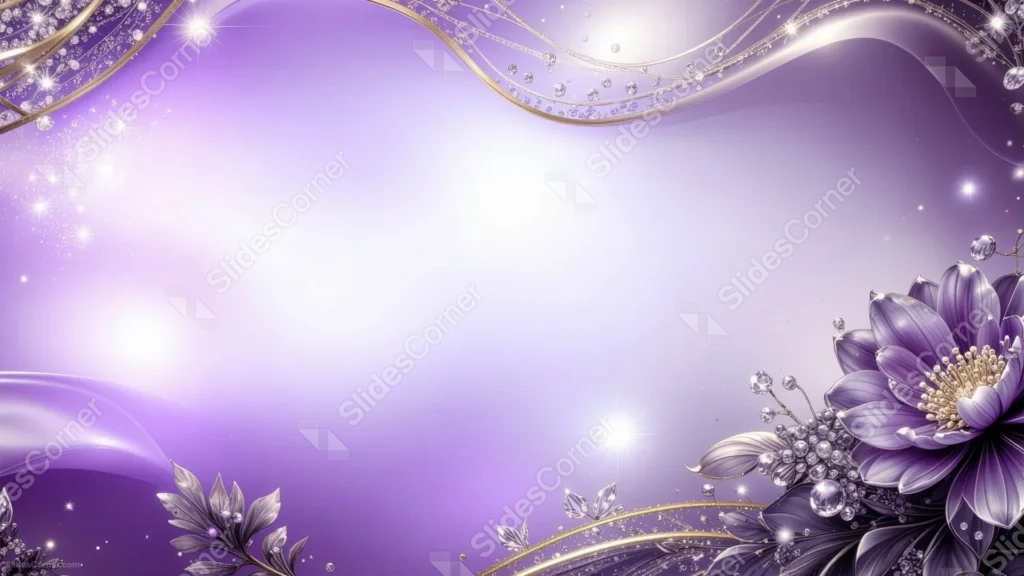
This elegant purple floral background for PowerPoint traces a thin gold ribbon strung with diamonds across the top of the frame, with a single deep purple bloom anchoring the bottom right corner.
Sparkling star bursts and scattered dust catch the light on both sides, while the center opens into a soft, glowing lavender haze.
What This Elegant Purple Floral Background Looks Like
A wavy gold line, dotted with small clear gems, runs along the top of the frame like a delicate necklace draped across the sky.
In the lower right, a large purple flower with fine, radiating petal lines sits among dark leaves and clusters of diamond-like beads.
Bright star sparkles punctuate both the upper left and lower middle of the frame, while the very center stays clear, glowing almost white against the surrounding purple.
Where This Elegant Purple Floral Background For PowerPoint Fits
- Wedding, quinceañera, or gala invitations
- Luxury, jewelry, or beauty brand presentations
- Award ceremonies or milestone celebration decks
- Any title slide wanting a glamorous, jeweled finish
Design Choices Behind the Gold and Diamond Accents
I kept the flower and jewelry details confined to the top edge and bottom right corner, on purpose, so the large center stays completely open for a headline.
Pairing warm gold with cool purple was a deliberate contrast: the gold reads as luxurious against the purple without ever competing for attention with the flower itself.
I scattered the sparkle bursts unevenly across the frame rather than symmetrically, since imperfect placement always reads as more natural, like real light hitting real jewels.
How to Apply It in PowerPoint
- Go to Design > Format Background.
- Choose Picture or texture fill, then Insert from file.
- Click Apply to All to carry it across the whole deck.
How to Apply It in Google Slides
- Open Slide > Change background.
- Click Choose image and upload the downloaded file.
- Select Done, repeating on any other slides you want to match.
Legibility Tip for This Elegant Purple Floral Background
Keep your headline in the glowing center, using a dark plum or black font, since that area is the lightest and calmest part of the whole design.
Frequently Asked Questions
Is this elegant purple floral background free?
Yes, it’s a free download with no watermark and no account required.
Does it work in Google Slides too?
Yes, it’s a standard image file, so it applies the same way in both PowerPoint and Google Slides.
What resolution is included?
1920×1080 px, HD 16:9, suited to slides and to a desktop or phone wallpaper.
Can I use it as a wallpaper?
Yes, the 16:9 ratio matches most laptop and desktop screens.
Features at a Glance
- HD 1920×1080 resolution, 16:9 ratio
- Free download, no watermark
- Gold ribbon with diamond accents across the top
- Large purple flower with dark leaves in the corner
- Wide, glowing open center for text
- Works as a PowerPoint background, Google Slides background, or wallpaper
Specs
- 1920 x 1080 px · 16:9 widescreen
- JPG, high quality, no compression artefacts
- PowerPoint · Google Slides · Keynote · Canva
- No watermark · no sign-up
- Free for personal and commercial use
You can use this Glamorous Elegant Purple Floral Background For PowerPoint as a Wallpaper or use it as a background for slides.
Looking for something different? Browse all our free PPT Backgrounds, or see how to set a background in PowerPoint and Google Slides.








