

You might also like:

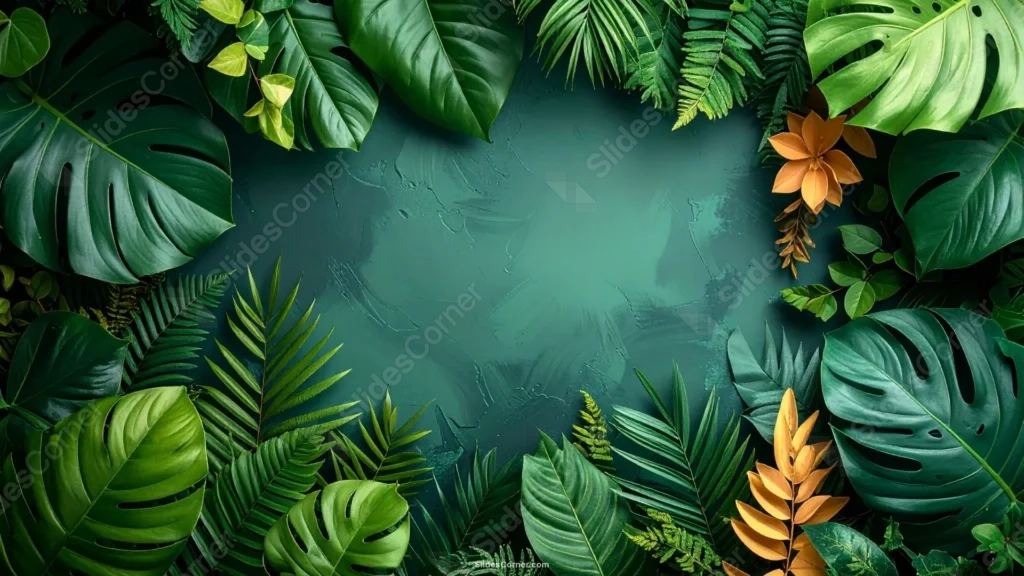
This pastel green PowerPoint background rings a textured stone center with real monstera, palm, and fern leaves in deep green, shot as a genuine photograph rather than an illustration.
A few dried golden leaves break the palette along the right side, adding one warm accent among the surrounding green.
What This Pastel Green Background Looks Like
Large monstera leaves with their signature cut-out holes overlap with narrow fern fronds and palm leaves, densely packing every edge of the frame.
The exact center is a hand-painted, textured teal-green stone surface, with visible brushstrokes and cracks rather than a smooth, flat color.
A small cluster of dried golden leaves sits along the right edge, standing out clearly against the surrounding greens.
Where This Pastel Green Background For PowerPoint Fits
It works well for botanical or plant shop branding, eco and sustainability decks, spa and wellness presentations, and any slide wanting a lush, jungle-like frame.
The textured center also suits a bold, centered title or a short mission statement.
Design Choices Behind the Monstera Leaf Frame
I shot real monstera, palm, and fern leaves in a dense photographic ring, rather than illustrating them, so every vein and glossy highlight reads as genuine plant life.
Leaving the exact center a textured, hand-painted stone surface, rather than smooth green, gives the open space real depth even where it’s technically empty.
Adding a few dried, golden leaves along the right side breaks the all-green palette with one warm accent, instead of spreading color evenly around the frame.
How to Apply It in PowerPoint
- Go to Design > Format Background.
- Choose Picture or texture fill, then Insert from file.
- Click Apply to All to use it across the whole deck.
How to Apply It in Google Slides
- Open Slide > Change background.
- Click Choose image and upload the downloaded file.
- Select Done, repeating on any other slides you want to match.
Legibility Tip for This Pastel Green Background
Keep text in the textured stone center, using white or pale cream type, since the leaf frame is dense enough to compete with darker text colors.
Frequently Asked Questions
Is this pastel green background free?
Yes, it’s a free download with no watermark and no account required.
Does it work in Google Slides too?
Yes, it’s a standard image file, so it applies the same way in both PowerPoint and Google Slides.
What resolution is included?
1920×1080 px, HD 16:9, suited to slides and to a desktop or phone wallpaper.
Can I use it as a wallpaper?
Yes, the 16:9 ratio matches most laptop and desktop screens.
Features at a Glance
- HD 1920×1080 resolution, 16:9 ratio
- Free download, no watermark
- Real photographed monstera, palm, and fern leaves
- Textured, hand-painted stone center
- Dried golden leaf accent along the right edge
- Works as a PowerPoint background, Google Slides background, or wallpaper
Specs
- 1920 x 1080 px · 16:9 widescreen
- JPG, high quality, no compression artefacts
- PowerPoint · Google Slides · Keynote · Canva
- No watermark · no sign-up
- Free for personal and commercial use
You can use this Lush Pastel Green PowerPoint Background For Presentations as a Wallpaper or use it as a background for slides.
Looking for something different? Browse all our free PPT Backgrounds, or see how to set a background in PowerPoint and Google Slides.








