You might also like:






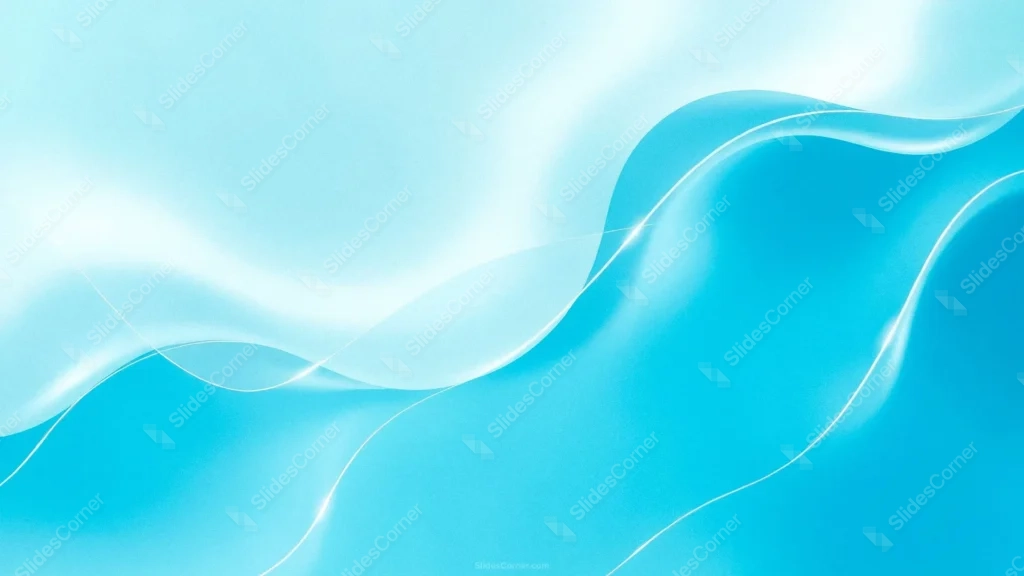
This turquoise abstract background for PowerPoint splits into two glossy wave bands, a saturated turquoise wave above and a pale, icy-white wave rising from the bottom left.
Thin, glowing thread-like lines trace diagonally across both bands, catching light the way a strand of silk or fiber-optic cable would.
What This Turquoise Abstract Background Looks Like
The upper wave holds a deep, saturated cyan-turquoise, shaded to look glossy and rounded rather than flat, like the surface of a smooth liquid.
Below it, a much paler, almost white wave rises diagonally from the lower left, its edge glowing softly where it meets the darker turquoise above.
Several bright, thin lines weave across both waves, some crossing each other, giving the whole piece a sense of tangled light strands resting on the surface.
Where This Turquoise Abstract Background For PowerPoint Fits
- Tech and SaaS product launch decks
- Spa, beauty, and wellness presentations
- Water, ocean, or travel-themed content
- Any keynote wanting a sleek, modern, high-gloss look
The pale lower wave gives a natural, calm zone for a title or body text.
Design Choices Behind the Silk Waves
I split the frame into two distinct wave bands instead of one continuous gradient, so the background offers a clear darker zone and a clear lighter zone for different kinds of text or content.
The glowing thread lines are thinner and more numerous than a simple rim-light edge, meant to suggest fiber-optic strands or silk catching light rather than a single folded surface.
Keeping the lower wave nearly white, rather than a mid-tone turquoise, makes it read clearly as the calmer, more legible half of the composition.
How to Apply It in PowerPoint
- Go to Design > Format Background.
- Choose Picture or texture fill, then Insert from file.
- Click Apply to All for the whole deck.
How to Apply It in Google Slides
- Open Slide > Change background.
- Click Choose image and upload the downloaded file.
- Select Done, repeating on each slide you want to match.
Legibility Tip for This Turquoise Abstract Background
Place text in the pale lower wave for the cleanest contrast with dark navy or charcoal text. White text also works well over the darker upper band.
Frequently Asked Questions
Is this turquoise abstract background free?
Yes, it’s a free download with no watermark and no account required.
Does it work in Google Slides too?
Yes, it’s a standard image file, so it applies the same way in both PowerPoint and Google Slides.
What resolution is included?
1920×1080 px, HD 16:9, suited to slides and to a desktop or phone wallpaper.
Can I use it as a wallpaper?
Yes, the 16:9 ratio matches most laptop and desktop screens.
Features at a Glance
- HD 1920×1080 resolution, 16:9 ratio
- Free download, no watermark
- Glossy turquoise and pale icy-white wave bands
- Glowing thread-like light lines across the surface
- Calm pale zone suited to text
- Works as a PowerPoint background, Google Slides background, or wallpaper
Specs
- 1920 x 1080 px · 16:9 widescreen
- JPG, high quality, no compression artefacts
- PowerPoint · Google Slides · Keynote · Canva
- No watermark · no sign-up
- Free for personal and commercial use
You can use this Silky Turquoise Wave Background with Glowing Threads for Sleek Presentations as a Wallpaper or use it as a background for slides.
Looking for something different? Browse all our free PPT Backgrounds, or see how to set a background in PowerPoint and Google Slides.