

Turquoise Plain Background For PowerPoint And Google Slides With Concrete Texture
Download this free turquoise plain background for PowerPoint and Google Slides with concrete texture.
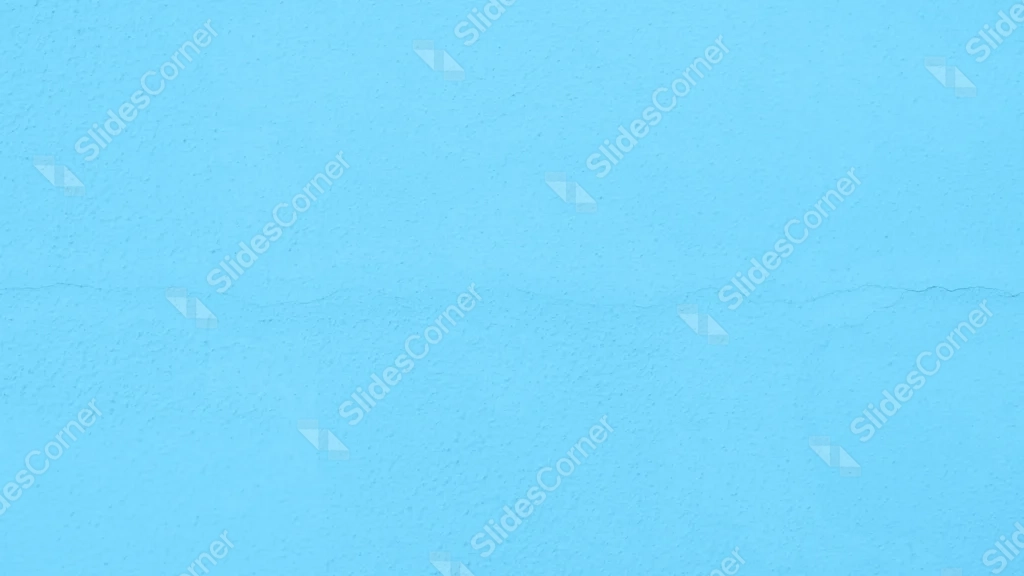
This turquoise plain background photographs a painted concrete wall in bright sky blue-turquoise, its grainy surface crossed by a single natural crack.
It shares the same raw, textured concrete look as the light plain background in this series, just recolored into a fresh turquoise.
What This Turquoise Plain Background Looks Like
The entire frame holds one bright turquoise tone, its surface covered in a fine, sandy grain typical of raw concrete or textured plaster.
A single thin crack runs horizontally just below center, following a slightly wavy, organic path from one edge to the other.
The lighting stays flat and even across the whole frame, with no brighter or darker corner pulling focus.
Where This Turquoise Plain Background For PowerPoint And Google Slides Fits
- Beach, travel, or summer brand presentations
- Playful or youthful decks wanting a raw, textured base
- Any slide with dense text, charts, or images needing a bright, textured background
- Wallpaper for anyone wanting a fresh, concrete-inspired turquoise
Design Choices Behind This Turquoise Tone
I kept the same sandy concrete grain from the light plain version in this series, since that texture is what gives this collection its shared, tactile identity.
Recoloring it into a bright turquoise, instead of leaving it off-white, gives this version a completely different mood, playful rather than neutral.
There’s no focal point here by design. Every part of the frame works equally well behind a headline, a photo, or a full block of text.
How to Apply It in PowerPoint
- Go to Design > Format Background.
- Choose Picture or texture fill, then Insert from file.
- Click Apply to All to carry it across the whole deck.
How to Apply It in Google Slides
- Open Slide > Change background.
- Click Choose image and upload the downloaded file.
- Select Done, repeating on any other slides you want to match.
Legibility Tip for This Turquoise Background
Because the tone is bright but even, a white, navy, or black font will read clearly no matter where you place your text.
Frequently Asked Questions
Is this turquoise plain background free?
Yes, it’s a free download with no watermark and no account required.
Does it work in both PowerPoint and Google Slides?
Yes, it’s a standard image file, so it applies the same way in both.
What resolution is included?
1920×1080 px, HD 16:9, suited to slides and to a desktop or phone wallpaper.
Can I use it as a wallpaper?
Yes, the 16:9 ratio matches most laptop and desktop screens.
Features at a Glance
- HD 1920×1080 resolution, 16:9 ratio
- Free download, no watermark
- Bright turquoise concrete texture with visible sandy grain
- Single natural horizontal crack
- No focal point, works from any corner
- Works as a PowerPoint background, Google Slides background, or wallpaper
Specs
- 1920 x 1080 px · 16:9 widescreen
- JPG, high quality, no compression artefacts
- PowerPoint · Google Slides · Keynote · Canva
- No watermark · no sign-up
- Free for personal and commercial use
You can use this Fresh Turquoise Plain Background as a Wallpaper or use it as a background for slides.
Looking for something different? Browse all our free PPT Backgrounds, or see how to set a background in PowerPoint and Google Slides.