






Blue Wavy Background For Google Slides With Cyan Side Curtains
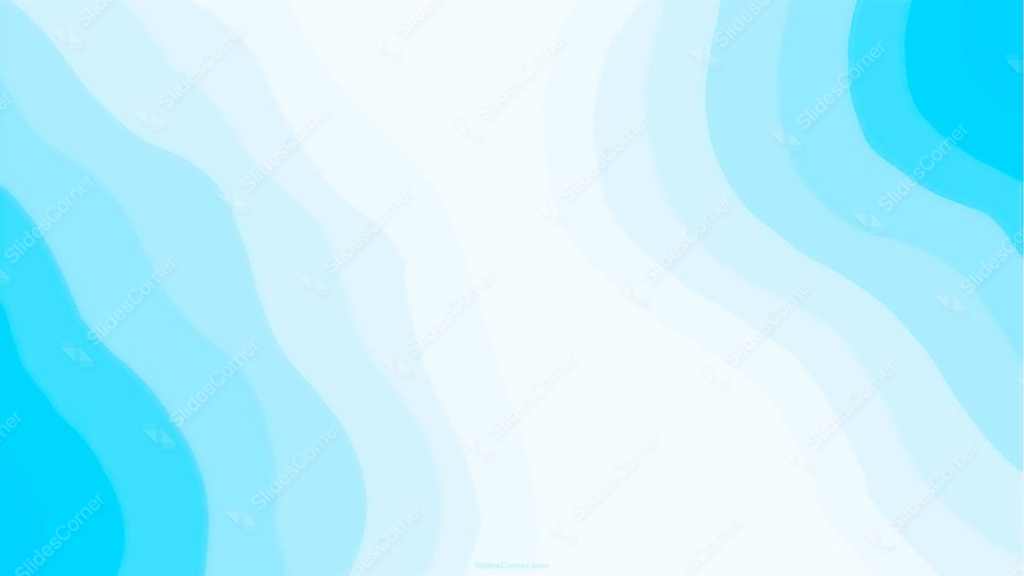
Free blue wavy background for Google Slides with cyan wave shapes framing an open white center, HD 16:9.
This blue wavy background for Google Slides keeps its center almost entirely open and white, framed on both sides by layered cyan wave shapes that curl in from the edges.
Rather than filling the whole frame, the waves act more like parted curtains, leaving a wide, clear middle section for content.
What This Blue Wavy Background Looks Like
On both the left and right edges, several vertical wave shapes stack in layers, each a slightly different shade of blue, from a pale near-white through mid-tone light blue to a saturated cyan at the very edge.
The right side sits a touch brighter and more saturated than the left, giving the composition a subtle asymmetry rather than a mirrored, static look.
Each wave edge curves gently rather than following a straight line, so the whole shape reads as organic and flowing, closer to water than a graphic pattern.
Where This Blue Wavy Background For Google Slides Fits
It suits water and ocean-themed presentations, tech and SaaS product decks, healthcare and wellness content, and any keynote that wants a fresh, open feel with plenty of clear space for text or images.
The wide white center works especially well for slides carrying a lot of text or a full data table.
Design Choices Behind the Cyan Waves
I left the center almost entirely open instead of filling the frame with waves, treating the shapes more like a frame or curtain than a full-bleed pattern.
Layering several wave shapes at each edge, rather than a single flat band, adds a sense of depth and perspective without needing any drop shadows.
Making the right side slightly brighter than the left keeps the design from feeling perfectly symmetrical, which would otherwise read as static.
How to Apply It in Google Slides
- Open Slide > Change background.
- Click Choose image and upload the downloaded file.
- Select Done, repeating on each slide you want to match.
How to Apply It in PowerPoint
- Go to Design > Format Background.
- Choose Picture or texture fill, then Insert from file.
- Click Apply to All, or leave it on a single slide.
Legibility Tip for This Blue Wavy Background
Keep text in the open white center, clear of the wave edges. Dark navy or charcoal text reads cleanest there.
Frequently Asked Questions
Is this blue wavy background free?
Yes, it’s a free download with no watermark and no account required.
Does it work in PowerPoint too?
Yes, it’s a standard image file, so it applies the same way in both PowerPoint and Google Slides.
What resolution is included?
1920×1080 px, HD 16:9, suited to slides and to a desktop or phone wallpaper.
Can I use it as a wallpaper?
Yes, the 16:9 ratio matches most laptop and desktop screens.
Features at a Glance
- HD 1920×1080 resolution, 16:9 ratio
- Free download, no watermark
- Layered cyan wave shapes framing both edges
- Wide, open white center for text or images
- Subtle left-right asymmetry for a natural feel
- Works as a Google Slides background, PowerPoint background, or wallpaper
Specs
- 1920 x 1080 px · 16:9 widescreen
- JPG, high quality, no compression artefacts
- PowerPoint · Google Slides · Keynote · Canva
- No watermark · no sign-up
- Free for personal and commercial use
You can use this Fresh Cyan Wave Frame Background with Open White Center for Slides as a Wallpaper or use it as a background for slides.
Looking for something different? Browse all our free PPT Backgrounds, or see how to set a background in PowerPoint and Google Slides.








