You might also like:




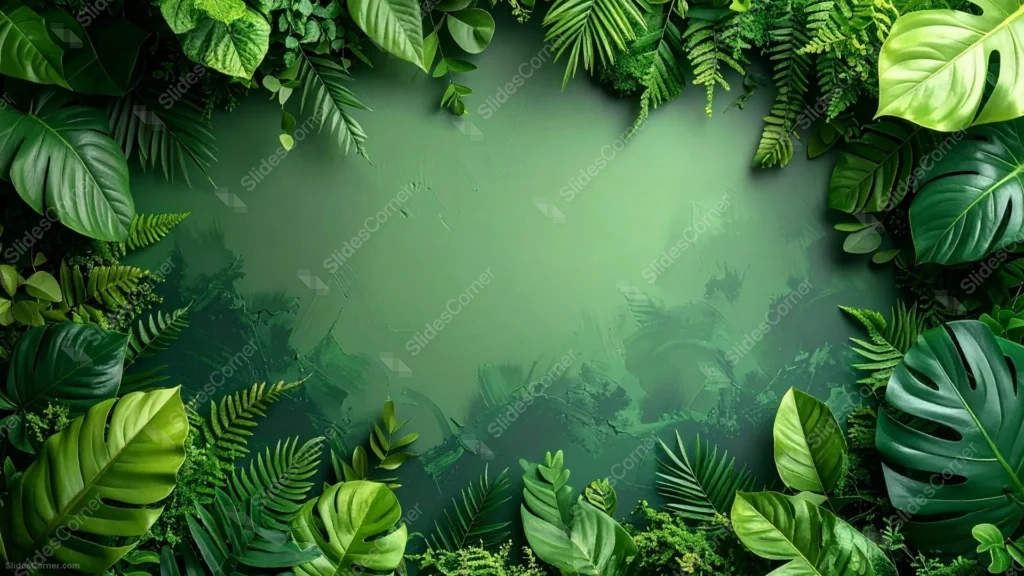
This green botanical background for PowerPoint frames a textured, painted-looking wall with a dense border of real tropical leaves, monstera, ferns, palm fronds, and small rounded leaves, all in overlapping shades of green.
The center isn’t flat color. It reads like a plastered wall with visible brush strokes and a mossy patina, so the empty space feels like part of the same overgrown surface as the leaves around it.
What This Green Botanical Background For PowerPoint Looks Like
Large monstera leaves with their signature splits and holes anchor the corners, while ferns, palm fronds, and smaller oval leaves fill the gaps between them along all four edges.
Each leaf shows real vein detail and slightly different shades of green, from deep forest tones to brighter lime, so the border reads as a genuine mix of plants rather than one leaf repeated.
The center lightens slightly compared to the corners, a subtle brightening that reads like a small clearing in the foliage, wide enough for a full title and supporting text.
Where This Green Botanical Background Fits
It suits eco and sustainability brand decks, plant shop or botanical presentations, nature and travel content, wellness and spa branding, and restaurant or juice bar menus.
The textured, jungle-wall quality of the center also makes it a strong fit for biology or environmental science lessons that want something more atmospheric than a plain green slide.
Design Choices Behind the Leaves and Texture
I mixed several distinct leaf shapes instead of repeating one, since variety in size and silhouette, monstera next to fern next to palm, reads as an actual overgrown wall rather than a stamped pattern.
Giving the center a painted, textured quality instead of flat solid color ties the empty space back to the leaves. The whole piece feels like one continuous surface rather than foliage pasted onto a digital rectangle.
Lightening the very center just slightly does double duty: it reads like a clearing in the plants, and it quietly boosts the contrast for whatever text lands there.
How to Apply It in PowerPoint
- Open your slide, go to Design > Format Background.
- Choose Picture or texture fill, then Insert from file and select the downloaded image.
- Click Apply to All for the whole deck, or leave it on a single title or divider slide.
How to Apply It in Google Slides
- Open Slide > Change background.
- Click Choose image and upload the downloaded file.
- Select Done. Repeat on each slide you want to match, since Slides applies backgrounds one at a time.
Legibility Tip for This Green Botanical Background
Keep text in the lightened center clearing, away from the busiest leaf edges. White, cream, or dark forest-green type all read well against the textured wall.
Frequently Asked Questions
Is this green botanical background free?
Yes, it’s a free download with no watermark and no account required.
Does it work in Google Slides too?
Yes. It’s a standard image file, so it uploads and applies the same way it does in PowerPoint.
What resolution is included?
1920×1080 px, HD 16:9, suited to slides and to a desktop or phone wallpaper.
Can I use it as a wallpaper?
Yes, the 16:9 ratio matches most laptop and desktop screens.
Features at a Glance
- HD 1920×1080 resolution, 16:9 ratio
- Free download, no watermark
- Dense border of monstera, fern, and palm leaves in mixed greens
- Textured, painted jungle-wall center with a mossy patina
- Lightened center clearing built for a title and text
- Works as a PowerPoint background, Google Slides background, or wallpaper
Specs
- 1920 x 1080 px · 16:9 widescreen
- JPG, high quality, no compression artefacts
- PowerPoint · Google Slides · Keynote · Canva
- No watermark · no sign-up
- Free for personal and commercial use
You can use this Lush Tropical Leaf Frame Background for Nature-Inspired Presentations as a Wallpaper or use it as a background for slides.
Looking for something different? Browse all our free PPT Backgrounds, or see how to set a background in PowerPoint and Google Slides.