You might also like:

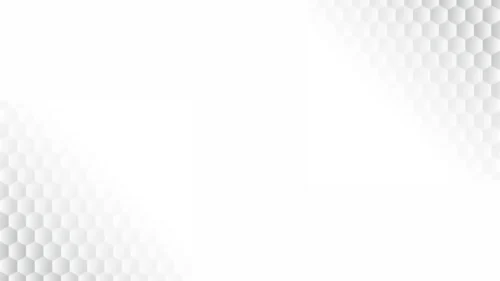



This background is for slides that need to disappear behind the content, offering just enough shape to feel designed without ever calling attention to itself. This minimal PPT background is almost entirely white, with soft pale gray curves sweeping in from the corners to frame a clean, lens-shaped white space in the middle. It is a free HD 16:9 download with no watermark, ready for PowerPoint, Google Slides, or a desktop wallpaper.
What this minimal PPT background looks like
The base is pure white (#FFFFFF), and the only detail comes from two overlapping curved bands in the faintest grays, roughly #E9E9E9 and #F3F3F3, that arc in from the top-right and bottom-left corners. Where they cross, they carve out a wide, almond-shaped white area running across the center of the slide, like a spotlight left completely empty. The tones sit so close together that the shapes read more as a change in light than as distinct objects, which is exactly the point.
The design thinking behind the white and gray curves
I built this on almost no contrast on purpose, since a background this quiet has to earn its place by feeling premium rather than empty. The curves are there to stop a plain white slide from feeling like a blank document, giving it just enough structure and depth to look intentional, while staying light enough that they never pull focus from your headline or chart. Placing the two curves in opposite corners, rather than one single sweep, keeps the layout balanced and stops the eye from drifting to one side. The central lens shape is the real payoff: it is the cleanest, most neutral area on the whole canvas, built specifically to hold dark text, logos, or data at maximum contrast. I made this for content that has to look serious and buttoned-up without any visual personality of its own: corporate templates, consulting and finance decks, annual reports, academic and research presentations, and any deck destined for print or a strict brand system where a bold color background would clash.
Where to use this white minimal background
It is built to be a workhorse, not a statement piece. Use it as the default background across a long, data-heavy deck, on a title slide that needs to stay brand-neutral, or behind a table or chart where you cannot afford any background noise competing with the numbers.
- Free download with no watermark and no sign-up required
- HD 16:9 that fills any widescreen PPT or Slides canvas edge to edge
- Near-white palette with barely-there gray curves for subtle depth
- Clean central lens shape built for text, logos, and data
- Neutral enough to sit behind any brand color or chart palette
- Works as a PowerPoint background, a Google Slides theme, or a wallpaper
How to apply it in PowerPoint and Google Slides
In PowerPoint, open the Design tab, choose Format Background, select Picture or texture fill, and Insert the downloaded image. Use “Apply to All” to set it across the deck. To keep it fixed, open View → Slide Master and place the image on the master layout so it stays put while you build slides.
In Google Slides, open Slide → Change background, click Choose image next to Image, and upload the file. Press “Add to theme” to apply it to every slide at once.
A legibility tip for this one: because contrast on the background itself is so low, put the weight of contrast entirely on your text. Dark charcoal or black type on the central white area will look crisp and professional, and there is no need for shadows or overlays. Just keep body copy inside that central lens rather than drifting into the curved gray corners, where contrast softens.
Frequently asked questions
Is this minimal PPT background free? Yes. Download and use it at no cost, with no watermark and no account needed.
Does it work in Google Slides? It does. The same file loads into Google Slides as a slide or theme background just as it does in PowerPoint or Keynote.
What resolution is the file? It is HD at a 16:9 widescreen ratio, so it fills a standard modern slide with no stretching or borders.
Can I use it as a wallpaper? Yes. The 16:9 format fits most laptop and desktop screens, making it a clean, unobtrusive wallpaper.
Specs
- 1920 x 1080 px · 16:9 widescreen
- JPG, high quality, no compression artefacts
- PowerPoint · Google Slides · Keynote · Canva
- No watermark · no sign-up
- Free for personal and commercial use
You can use this Clean White Minimal Wave Background for Corporate PPT Decks as a Wallpaper or use it as a background for slides.
Looking for something different? Browse all our free PPT Backgrounds, or see how to set a background in PowerPoint and Google Slides.