
You might also like:






This professional PPT background keeps everything clean and corporate: a deep navy-and-slate surface with a soft glow rising from the center and a fine, subtle texture across it, like woven fabric or brushed charcoal. There are no shapes, icons, or distractions — just a calm, dark gradient that makes whatever you place on top look sharp and considered. It’s the kind of understated backdrop that reads as serious business without any effort.
I designed this to disappear behind your content, in the best way. A gentle radial glow toward the middle lifts the center just enough to frame a title, while the edges fall away darker to keep the focus inward. The faint texture stops the surface from looking flat or cheap — it catches light like a real material and adds a quiet sense of quality. I chose navy over pure black on purpose: it feels professional and confident but softer and less harsh than black, which makes long viewing easier and pairs better with both cool and warm accent colors.
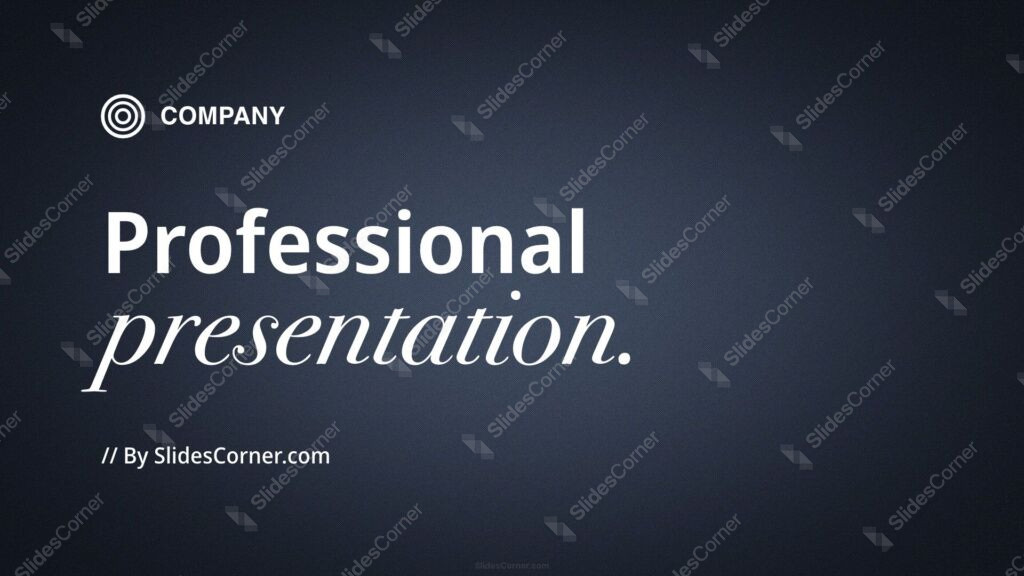
What this professional PPT background is
This is a free, high-definition 16:9 background with no watermark, sized for slides and screens. It works as a title slide, a section divider, a data slide, or a full wallpaper for a laptop or phone. It’s built for PowerPoint, Google Slides, and Keynote, and exports cleanly to a JPG you can set as a desktop image.
Where I pictured you using it
I designed this dark corporate background for clean, credible, business-focused content. It fits:
- Corporate, business, and consulting presentation decks
- Company updates, board meetings, and strategy PPT slides
- Sales pitches, proposals, and investor Slides
- Finance, tech, and professional-services reports
- Webinars, keynotes, and conference talks
- Portfolios, case studies, and agency decks
- Onboarding, training, and internal PowerPoint slides
- Product launches and executive summaries
- A clean, professional wallpaper for a work laptop
- Any Background where understated credibility beats bold color
The design decision I care about most: readability for text and data
A dark background makes content shine when you set the contrast right. The lifted center is your prime headline zone; bright white or light-gray type there reads cleanly and looks premium. Keep dark text off this background entirely — navy-on-navy is the fastest way to lose a slide. For accents and charts, cool tones (cyan, teal, light blue) and warm highlights (gold, amber) both pop nicely against the navy, so pick one accent color and stay consistent. If you use a logo, a white or light version sits far better here than a full-color one on a busy mark.
How to apply this professional PPT background in PowerPoint and Google Slides
In PowerPoint: open your deck, go to Design → Format Background → Picture or texture fill → Insert → From a File, and select the JPG. Choose Apply to All for a consistent corporate theme across the deck, or keep it on the title slide only. Add a text box in the lifted center and set the font to white or light gray so it stays crisp.
In Google Slides: open Slide → Change background, click Choose image, upload the JPG, then pick Add to theme to apply it deck-wide or Done for a single slide. Insert a text box and switch the text color to white or a light tone under Format → Format options.
Readability tip that saves most dark decks: pick one bright accent color and use it for every heading and chart highlight across the deck. On a dark navy base, that single consistent accent makes the whole presentation feel designed rather than assembled.
FAQ
Is this professional PPT background free?
Yes. It’s a free download with no watermark, ready for personal and everyday presentation projects.
Does it work in Google Slides?
Yes. Upload the JPG through Slide → Change background. It also works in PowerPoint and Keynote the same way.
What resolution is it?
It’s HD 16:9, sized for widescreen slides and standard laptop and monitor screens.
Can I use it as a wallpaper?
Absolutely. Set the JPG as your desktop or phone wallpaper for a clean, professional look between decks.
Specs
- 1920 x 1080 px · 16:9 widescreen
- JPG, high quality, no compression artefacts
- PowerPoint · Google Slides · Keynote · Canva
- No watermark · no sign-up
- Free for personal and commercial use
You can use this Sleek Dark Navy Professional Background for Corporate Business PowerPoint Slides as a Wallpaper or use it as a background for slides.
Looking for something different? Browse all our free PPT Backgrounds, or see how to set a background in PowerPoint and Google Slides.