You might also like:




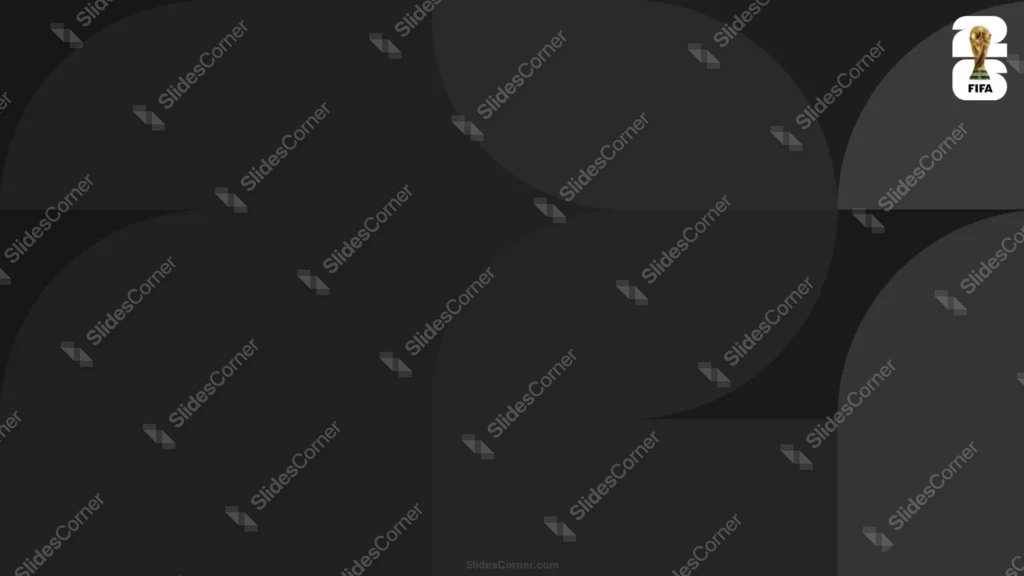
This World Cup 2026 background is for people who want the tournament on their slides without the noise. It’s built almost entirely in black and charcoal: a near-black base with large geometric curves and arches layered in barely-lighter grays, so the shapes reveal themselves slowly as tone-on-tone rather than hard color blocks. The official FIFA 26 trophy mark sits in the top-right corner in warm gold and white, and that small glint is the only real accent on the whole frame. That restraint is the point.
The reason I kept the contrast between the grays so tight is mood and flexibility. Loud sports graphics have their place, but a lot of decks — corporate sponsorship pitches, hospitality menus, premium event invites, film-style intros — need something that feels expensive and calm. By nesting charcoal curves over a deeper black, I get depth and movement that you only notice on a second look, and the darkness gives bright text somewhere dramatic to sit. Dark backgrounds also reduce eye strain in a dimmed room and make projected slides feel cinematic instead of clinical.
What this World Cup 2026 background is
This is a free, high-definition 16:9 background with no watermark, made for slides and screens. It works as a moody title slide, a section divider, or a full wallpaper for a laptop or phone. It’s built for PowerPoint, Google Slides, and Keynote, and exports cleanly to a JPG you can set as a desktop image.
Where I pictured you using it
I concept’d this dark World Cup 2026 background for sophisticated, low-clutter moments rather than busy data slides. It fits:
- Sponsorship and hospitality presentation decks that need to look premium
- Match-day event invites and VIP screening announcements
- Cinematic title and closing slides in PowerPoint
- Sports-brand and agency pitch Slides with bold white or gold type
- Bar, restaurant, and venue promos for tournament screenings
- Countdown and “the wait is almost over” teaser graphics
- A sleek dark wallpaper for laptop or phone during the cup
- Podcast or livestream cover frames and lower-thirds
- Any deck already using a dark theme that needs a tournament touch
- Any Background where restraint and elegance beat bright color
The design decision I care about most: readability on a dark canvas
Here’s what I obsessed over. A dark background is only as good as the text you put on it. I kept the center of the frame in the deepest, most even black precisely so a bright headline can land there with maximum contrast. My tested combination: pure white or the same warm gold as the trophy for headlines, with a slightly lighter gray for supporting lines. Avoid dark or mid-gray text — it disappears into the tonal curves. If you’re placing a logo, a white or knockout version reads far better here than a full-color one. The trophy mark is small and cornered on purpose so it never fights your words.
How to apply this World Cup 2026 background in PowerPoint and Google Slides
In PowerPoint: open your deck, go to Design → Format Background → Picture or texture fill → Insert → From a File, and select the JPG. Use Apply to All for a dark deck-wide theme, or keep it on the title slide only. Add a text box over the central black zone and set the font to white or gold so it pops.
In Google Slides: open Slide → Change background, click Choose image, upload the JPG, then pick Add to theme to apply it across the deck or Done for one slide. Insert a text box and switch the text color to white or gold under Format → Format options.
Readability tip that saves most dark decks: bump your body text one size larger and one shade brighter than you think you need. Dark slides eat contrast, and thin gray type that looks elegant on your monitor vanishes on a projector.
FAQ
Is this World Cup 2026 background free?
Yes. It’s a free download with no watermark, ready for personal and everyday presentation projects.
Does it work in Google Slides?
Yes. Upload the JPG through Slide → Change background. It also works in PowerPoint and Keynote the same way.
What resolution is it?
It’s HD 16:9, sized for widescreen slides and standard laptop and monitor screens.
Can I use it as a wallpaper?
Absolutely. Set the JPG as your desktop or phone wallpaper for a sleek, dark tournament look between decks.
Specs
- 1920 x 1080 px · 16:9 widescreen
- JPG, high quality, no compression artefacts
- PowerPoint · Google Slides · Keynote · Canva
- No watermark · no sign-up
- Free for personal and commercial use
You can use this Sleek Dark World Cup 2026 Background for Premium Match-Day Presentation Slides as a Wallpaper or use it as a background for slides.
Looking for something different? Browse all our free PPT Backgrounds, or see how to set a background in PowerPoint and Google Slides.