You might also like:
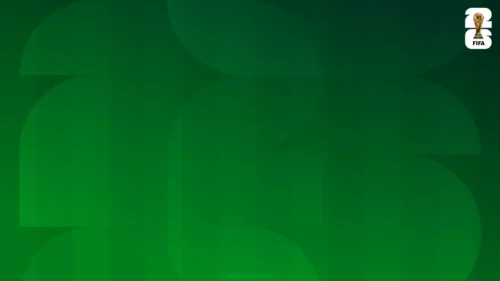

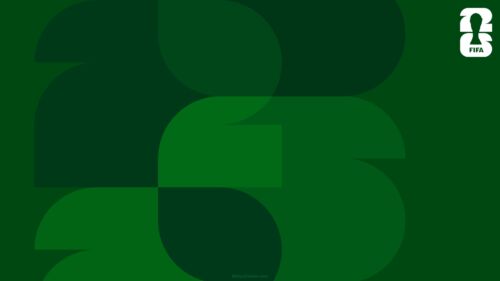
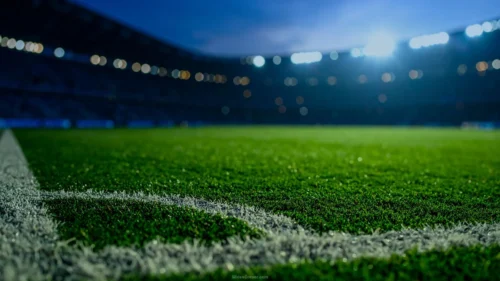
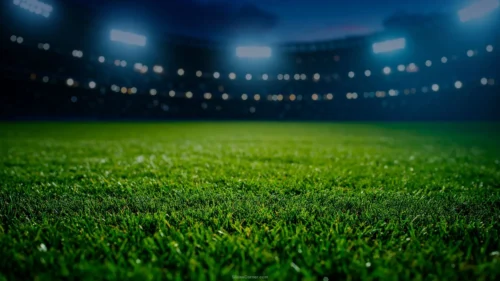
I designed this World Cup 2026 background to feel like the tournament sounds on match day: loud, warm, and impossible to ignore. The composition layers three greens — a bright lime green in the foreground, a deep emerald in the mid-ground, and a near-black forest green underneath — cut into wide organic curves that sweep in from both sides. A single red-orange band slices across the lower third to break the green and add heat, and the official FIFA 26 trophy mark sits quietly in the top-right corner so the slide reads as tournament content without shouting it.
The reason I stacked the greens instead of using one flat color is contrast and hierarchy. Flat green looks fine on a monitor and dies on a projector. By nesting a lighter lime over darker emerald curves, I built depth that survives compression, low-lumen rooms, and cheap HDMI cables. The lime green is also deliberate: it carries the energy of a pitch under stadium lights, and it pushes forward against the darker layers so your text has somewhere calm to land.
What this World Cup 2026 background is
This is a free, high-definition 16:9 background with no watermark, sized for slides and screens alike. It works as a title slide, a section divider, or a full wallpaper for a laptop or phone during the tournament. It is built for PowerPoint, Google Slides, and Keynote, and it exports cleanly to a JPG you can set as a desktop image.
Where I pictured you using it
I concept’d this World Cup 2026 background for high-energy, low-text moments rather than dense data slides. It shines for:
- Watch-party invites and event presentation title slides
- Sports club, fan group, and school tournament announcements
- Bracket reveals, group-stage recaps, and “who we’re backing” PPT decks
- Social countdown graphics and story backgrounds
- A festive laptop or phone wallpaper for the weeks the cup is on
- Opening and closing slides that need to grab a room fast
- Sports-marketing and hospitality Slides promoting screenings or menus
- Youth coaching sessions and P.E. class material
- Fantasy-league standings and prediction decks
- Any Background where green, movement, and confidence beat minimalism
The design decision I care about most: readability
Here is the criterion I obsessed over. The large curved shapes converge on the center of the frame, which is where I kept the lime green broadest and most even. I did that on purpose so you have a clean, flat zone for a headline. Green-on-green kills legibility, so I don’t recommend placing text directly on the lime unless it’s a very heavy weight. Instead, drop your title into the darker emerald or forest areas, or add a soft shadow. My tested combination: bold white or near-black type over the emerald curve reads at the back of a room; white over the red-orange band works for a short kicker line. I kept the trophy mark small and cornered so it never competes with your words.
How to apply this World Cup 2026 background in PowerPoint and Google Slides
In PowerPoint: open your deck, go to Design → Format Background → Picture or texture fill → Insert → From a File, and select the JPG. Choose Apply to All if you want it on every slide, or keep it on the title only. Then add a text box and nudge it over the darker green so the headline stays crisp.
In Google Slides: open Slide → Change background, click Choose image, upload the JPG, and pick Add to theme to apply it deck-wide or Done for a single slide. Insert a text box, then use Format → Format options → Drop shadow if your text sits near the brighter green.
Readability tip that saves most decks: keep body copy off the lime entirely. Reserve the bright center for one big line, and push supporting text into the calmer, darker corners.
FAQ
Is this World Cup 2026 background free?
Yes. It’s a free download with no watermark, and you can use it for personal and everyday presentation projects.
Does it work in Google Slides?
Yes. Upload the JPG through Slide → Change background. It also works in PowerPoint and Keynote the same way.
What resolution is it?
It’s HD 16:9, sized for widescreen slides and standard laptop and monitor screens.
Can I use it as a wallpaper?
Absolutely. Set the JPG as your desktop or phone wallpaper to keep the tournament mood going between decks.
Specs
- 1920 x 1080 px · 16:9 widescreen
- JPG, high quality, no compression artefacts
- PowerPoint · Google Slides · Keynote · Canva
- No watermark · no sign-up
- Free for personal and commercial use
You can use this Bold Green World Cup 2026 Background for High-Energy Match-Day Sports Slides as a Wallpaper or use it as a background for slides.
Looking for something different? Browse all our free PPT Backgrounds, or see how to set a background in PowerPoint and Google Slides.