
Valentine Hearts Background For PowerPoint With Paper Cut Balloons
Download this free valentine hearts background for PowerPoint with paper cut balloons.
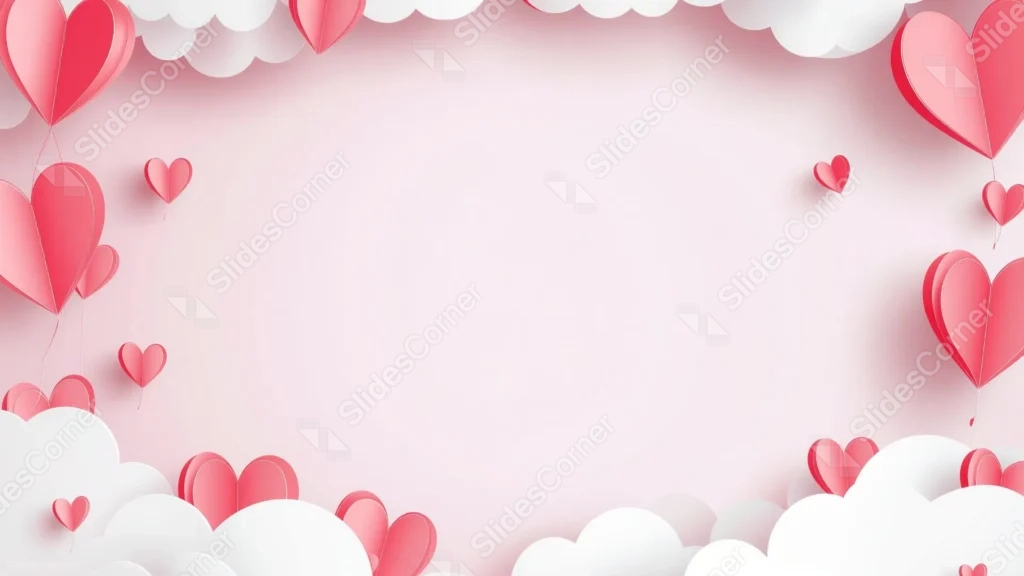
This valentine hearts background for PowerPoint lifts folded paper heart balloons out of puffy white clouds, against a soft pink sky.
Each heart hangs from its own string, with visible paper folds and a soft drop shadow underneath.
What This Valentine Hearts Background Looks Like
Puffy, layered paper clouds sit in every corner and stretch along the top and bottom edges, each with a soft drop shadow beneath it.
Folded paper heart balloons rise from the clouds, several large ones tied to long strings and many small, loose hearts scattered in between.
The center opens into a wide, softly glowing pink space, completely free of clouds or hearts.
Where This Valentine Hearts Background For PowerPoint Fits
- Valentine’s Day or love-themed presentations
- Kids’ events, birthdays, or greeting card mockups
- Wedding proposals or anniversary decks
- Any title slide wanting a playful, romantic mood
Design Choices Behind the Paper Cut Balloons
I built every heart as a folded paper balloon on its own string, with a visible fold line and drop shadow, rather than a flat sticker shape, so the piece has the layered, tactile look of real paper craft.
Letting a puffy white cloud sit at each corner and along both the top and bottom edges makes the hearts feel like they’re floating up out of the clouds, rather than scattered on a flat backdrop.
I scaled the hearts unevenly, a few large ones tied to long strings, several tiny ones drifting loose, so the composition has real visual rhythm instead of a uniform grid.
How to Apply It in PowerPoint
- Go to Design > Format Background.
- Choose Picture or texture fill, then Insert from file.
- Click Apply to All to use it across the whole deck.
How to Apply It in Google Slides
- Open Slide > Change background.
- Click Choose image and upload the downloaded file.
- Select Done, repeating on any other slides you want to match.
Legibility Tip for This Valentine Hearts Background
Keep text in the open pink center, using a deep red or charcoal font so it reads clearly against the light background.
Frequently Asked Questions
Is this valentine hearts background free?
Yes, it’s a free download with no watermark and no account required.
Does it work in Google Slides too?
Yes, it’s a standard image file, so it applies the same way in both PowerPoint and Google Slides.
What resolution is included?
1920×1080 px, HD 16:9, suited to slides and to a desktop or phone wallpaper.
Can I use it as a wallpaper?
Yes, the 16:9 ratio matches most laptop and desktop screens.
Features at a Glance
- HD 1920×1080 resolution, 16:9 ratio
- Free download, no watermark
- Folded paper heart balloons on strings
- Puffy white paper clouds in every corner
- Wide open pink center for text
- Works as a PowerPoint background, Google Slides background, or wallpaper
Specs
- 1920 x 1080 px · 16:9 widescreen
- JPG, high quality, no compression artefacts
- PowerPoint · Google Slides · Keynote · Canva
- No watermark · no sign-up
- Free for personal and commercial use
You can use this Playful Valentine Hearts Background For PowerPoint Presentations as a Wallpaper or use it as a background for slides.
Looking for something different? Browse all our free PPT Backgrounds, or see how to set a background in PowerPoint and Google Slides.