







Rose Gold Background For PowerPoint With Glowing Satin Streaks
Download this free rose gold background for PowerPoint with glowing satin light streaks.
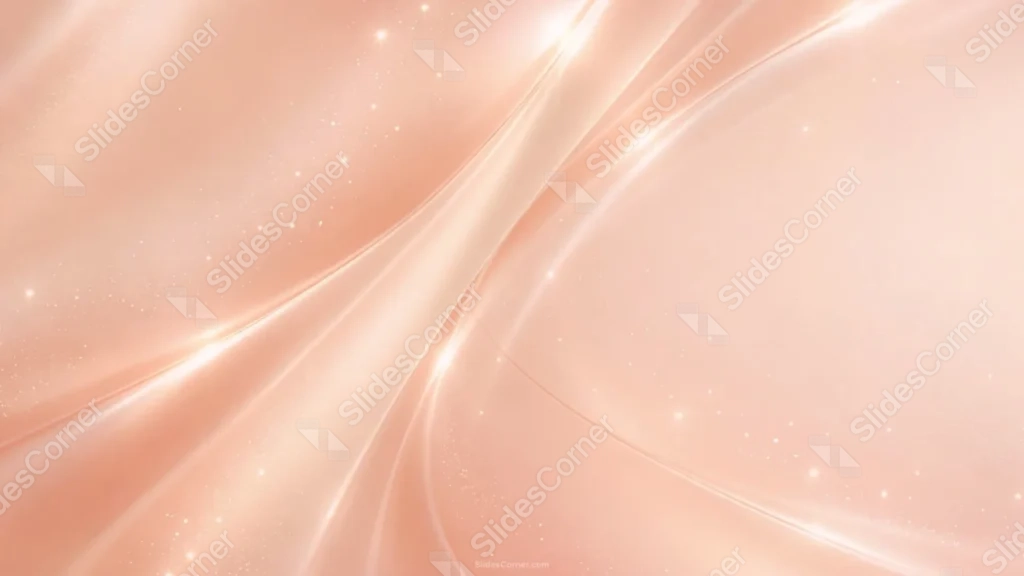
This rose gold background for PowerPoint builds a continuous, satin-smooth gradient across the whole frame, with a few sweeping diagonal folds catching bright, glowing highlights.
Fine sparkle particles drift unevenly across the surface, thickest along the darker left side.
What This Rose Gold Background Looks Like
A soft peach-to-rose gradient fills the frame, folded like satin fabric with a few sweeping diagonal creases running from the lower left to the upper right.
Bright, glowing highlights trace along the tallest folds, brightest where two creases cross near the center.
Tiny sparkle particles scatter unevenly across the surface, denser on the left and thinning out toward the calmer, more open right side.
Where This Rose Gold Background For PowerPoint Fits
- Luxury, beauty, or fashion brand presentations
- Wedding, engagement, or event decks
- Corporate title slides wanting a soft, premium feel
- Any wallpaper or background needing a warm, minimal tone
Design Choices Behind the Glowing Satin Streaks
I built the whole piece from one continuous rose gold gradient, letting a few sweeping diagonal folds catch bright, glowing highlights rather than scattering light evenly across the surface.
Keeping the right half of the frame calmer and less textured than the left gives it a clear, quiet zone for a title, even without a hard border.
I sprinkled the sparkle particles unevenly rather than in a uniform grid, so they read as drifting light instead of a repeating pattern.
How to Apply It in PowerPoint
- Go to Design > Format Background.
- Choose Picture or texture fill, then Insert from file.
- Click Apply to All to use it across the whole deck.
How to Apply It in Google Slides
- Open Slide > Change background.
- Click Choose image and upload the downloaded file.
- Select Done, repeating on any other slides you want to match.
Legibility Tip for This Rose Gold Background
Place text on the calmer right side, using a dark plum or brown font so it holds up against the light peach tone.
Frequently Asked Questions
Is this rose gold background free?
Yes, it’s a free download with no watermark and no account required.
Does it work in Google Slides too?
Yes, it’s a standard image file, so it applies the same way in both PowerPoint and Google Slides.
What resolution is included?
1920×1080 px, HD 16:9, suited to slides and to a desktop or phone wallpaper.
Can I use it as a wallpaper?
Yes, the 16:9 ratio matches most laptop and desktop screens.
Features at a Glance
- HD 1920×1080 resolution, 16:9 ratio
- Free download, no watermark
- Continuous satin-smooth rose gold gradient
- Glowing diagonal folds and fine sparkle particles
- Calm, open right side for text
- Works as a PowerPoint background, Google Slides background, or wallpaper
Specs
- 1920 x 1080 px · 16:9 widescreen
- JPG, high quality, no compression artefacts
- PowerPoint · Google Slides · Keynote · Canva
- No watermark · no sign-up
- Free for personal and commercial use
You can use this Radiant Rose Gold Background For PowerPoint Presentations as a Wallpaper or use it as a background for slides.
Looking for something different? Browse all our free PPT Backgrounds, or see how to set a background in PowerPoint and Google Slides.








