






Green Silk Background For PowerPoint With A Glowing Light Wave
Download this free green silk background for PowerPoint with a glowing light wave.
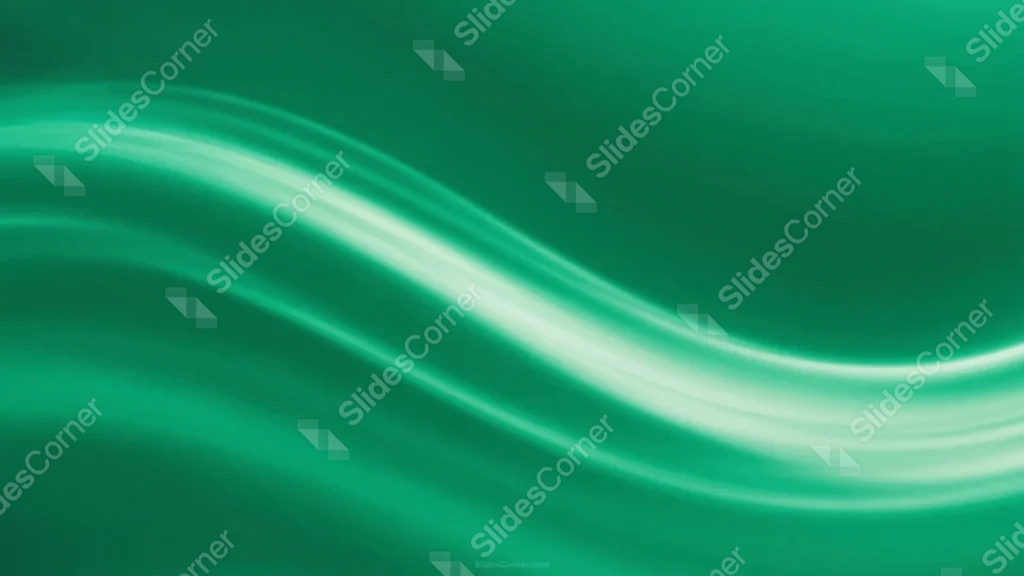
This green silk background for PowerPoint reduces the whole piece to a single glowing wave crossing a solid emerald field.
The wave brightens to near-white only at its center, fading back into deep green on both ends, and leaves the upper right corner completely open.
What This Green Silk Background Looks Like
A wide, S-shaped band of light sweeps across the lower two-thirds of the frame, brightening to near-white where it curves through the middle.
The surrounding field is a smooth, even emerald green, with just enough shading to suggest a satin surface without adding any visible folds or creases.
The upper right corner stays entirely plain, untouched by the wave or any texture.
Where This Green Silk Background For PowerPoint Fits
- Corporate, finance, or sustainability presentations
- Technology or product launch decks
- Health, wellness, or environmental slides
- Any title slide wanting a clean, modern look
Design Choices Behind the Glowing Light Wave
I reduced the whole piece to a single glowing wave crossing a solid emerald field, rather than layering multiple folds or textures, so it reads clean at a glance.
Letting the wave brighten to near-white only where it curves through the center, fading back into green on both ends, gives the eye one clear anchor point.
I left the upper right entirely plain and untouched by the wave, giving it the most open space in the piece for a title.
How to Apply It in PowerPoint
- Go to Design > Format Background.
- Choose Picture or texture fill, then Insert from file.
- Click Apply to All to use it across the whole deck.
How to Apply It in Google Slides
- Open Slide > Change background.
- Click Choose image and upload the downloaded file.
- Select Done, repeating on any other slides you want to match.
Legibility Tip for This Green Silk Background
Place text in the plain upper right corner, using a white or pale mint font so it stays crisp against the solid green.
Frequently Asked Questions
Is this green silk background free?
Yes, it’s a free download with no watermark and no account required.
Does it work in Google Slides too?
Yes, it’s a standard image file, so it applies the same way in both PowerPoint and Google Slides.
What resolution is included?
1920×1080 px, HD 16:9, suited to slides and to a desktop or phone wallpaper.
Can I use it as a wallpaper?
Yes, the 16:9 ratio matches most laptop and desktop screens.
Features at a Glance
- HD 1920×1080 resolution, 16:9 ratio
- Free download, no watermark
- Single glowing S-shaped light wave
- Smooth, even emerald green satin field
- Fully open upper right corner for text
- Works as a PowerPoint background, Google Slides background, or wallpaper
Specs
- 1920 x 1080 px · 16:9 widescreen
- JPG, high quality, no compression artefacts
- PowerPoint · Google Slides · Keynote · Canva
- No watermark · no sign-up
- Free for personal and commercial use
You can use this Sleek Green Silk Background For PowerPoint Presentations as a Wallpaper or use it as a background for slides.
Looking for something different? Browse all our free PPT Backgrounds, or see how to set a background in PowerPoint and Google Slides.








