




Pastel Baby Light Blue Background with Cute Doodle Icons
Download a free HD pastel baby light blue background with cute white doodles for baby shower and nursery slides.
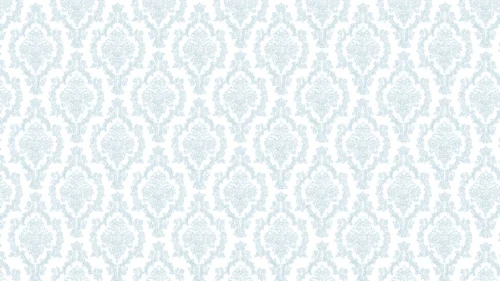
This background is for anyone building slides around babies, nurseries, and early childhood — baby showers, gender-reveal decks, parenting workshops, or a preschool welcome presentation. The whole surface is a soft pastel baby light blue, scattered with white line-art doodles: bottles, pacifiers, rocking horses, prams, rattles, and stacking rings, mixed with friendly animals and little toy vehicles. Nothing shouts. The pattern reads as gentle texture rather than busy decoration.
Why I chose this palette and pattern
I kept the blue in a light, milky range on purpose. A saturated blue would fight your content and tire the eye across a long deck; this softer tone stays calm on a projector and on a phone screen alike. The doodles are drawn as plain white outlines with no fill, so they sit quietly behind everything else, and that low contrast is the whole point. I wanted a surface that signals “this is about babies and little kids” the moment a slide appears, without a single icon competing with your headline. Every object belongs to the same small world — the nursery, the toy box, the first year — which is what makes the pattern feel intentional instead of random clip art.
Where this pastel baby light blue background works best
- Baby shower invitations, games, and slideshow decks
- Gender-reveal and pregnancy-announcement presentations
- Nursery planning boards and newborn checklists
- Pediatric, midwife, or parenting-class handouts and slides
- Preschool and daycare welcome slides
- A soft desktop or tablet wallpaper for expecting parents
Because the icons repeat edge to edge, you can crop or resize the image and still keep a complete, balanced pattern. That makes it easy to reuse as a PowerPoint master, a Google Slides theme, or a plain 16:9 wallpaper.
How to apply it in PowerPoint and Google Slides
In PowerPoint: open your deck, go to the Design tab, click Format Background, choose Picture or texture fill, then Insert and pick the downloaded image. Click Apply to All to place it on every slide at once. To lock it so you never nudge it by accident, add it through View → Slide Master instead.
In Google Slides: open Slide → Change background, click Choose image next to Image, upload the file, then hit Add to theme to apply it across the whole presentation.
One readability tip that matters with an all-over pattern like this: the doodles are subtle, but dense text still reads best over a calm base. For paragraphs or data tables, drop a white or pale-blue rectangle at 80–90% opacity behind the text and type on top. Dark navy or charcoal type on this light blue gives you strong, comfortable contrast; pure black works too, though slightly softened text feels more in keeping with the gentle theme.
What you get
- One HD background in 16:9, ready for widescreen slides
- Seamless all-over doodle pattern, balanced in every corner
- Soft pastel baby blue base that stays easy on the eyes
- No watermark and no attribution required
- Works in PowerPoint, Google Slides, Keynote, and as a wallpaper
- Free download for personal, classroom, and celebration use
FAQ
Is this background free?
Yes. Download it at no cost and use it for personal, school, and event projects, with no watermark on the file.
Does it work in Google Slides?
It does. Upload it through Slide → Change background → Choose image, then choose Add to theme to apply it everywhere.
What resolution is the file?
It is a high-definition 16:9 image sized for widescreen presentations, so it stays crisp when projected or viewed full-screen.
Can I use it as a wallpaper?
Yes. The 16:9 ratio fits most laptop and desktop screens, which makes it a sweet, low-key wallpaper for anyone in a baby-themed mood.
Specs
- 1920 x 1080 px · 16:9 widescreen
- JPG, high quality, no compression artefacts
- PowerPoint · Google Slides · Keynote · Canva
- No watermark · no sign-up
- Free for personal and commercial use
You can use this Sweet Pastel Blue Doodle Background for Baby Shower and Nursery Slides as a Wallpaper or use it as a background for slides.
Looking for something different? Browse all our free PPT Backgrounds, or see how to set a background in PowerPoint and Google Slides.