



Gold Bokeh Lights Background For PowerPoint With Hanging Fairy Bulbs
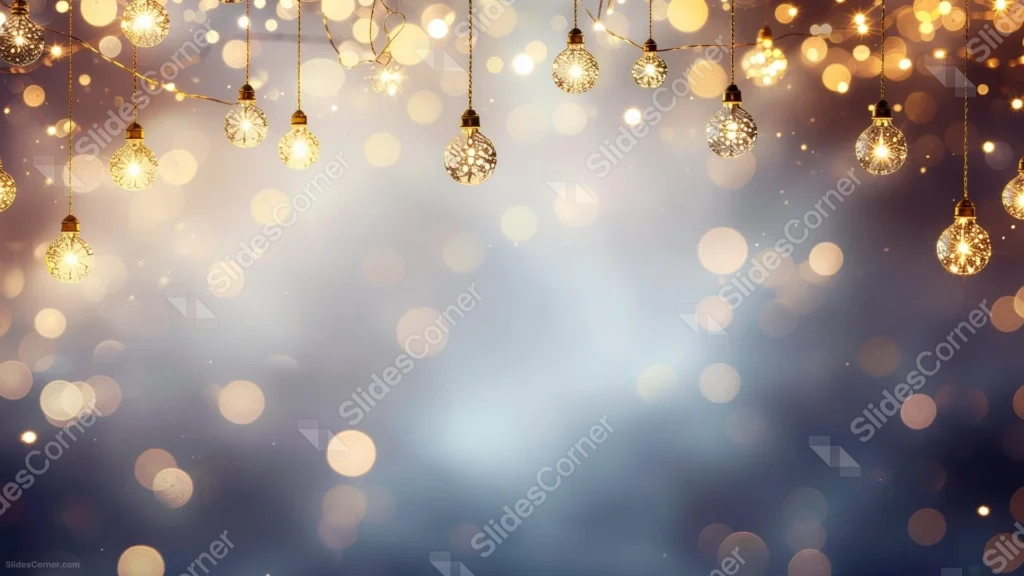
Free gold bokeh lights background for PowerPoint with hanging fairy bulbs on a soft blue glow.
This gold bokeh lights background for PowerPoint hangs strings of ornate glass fairy bulbs from the top of the frame, each one glowing against a soft, deep blue-gray haze.
Warm gold bokeh circles drift through the scene, while the lower two-thirds of the frame stay open and quiet.
What This Gold Bokeh Lights Background Looks Like
Strands of hanging bulbs cross the top edge, each bulb rendered with a delicate, lace-like filament pattern inside clear glass, catching the light like a small ornament.
Behind them, soft gold and warm-white bokeh circles of varying sizes scatter across a cool blue-gray gradient, thinning out as they move toward the bottom of the frame.
Fine, sparkling particles drift through the lower half, adding texture without ever crowding the open space.
Where This Gold Bokeh Lights Background For PowerPoint Fits
- Wedding invitations, save-the-dates, and reception slides
- Holiday parties, galas, and year-end celebration decks
- Award ceremonies or milestone announcements
- Any title slide wanting a warm, festive glow
Design Choices Behind the Hanging Bulbs
I hung the fairy bulbs only along the top and upper corners so the middle and lower two-thirds of the frame stay genuinely clear for a headline or logo.
The blue-gray base was a deliberate choice: it cools down what could otherwise be an overwhelming amount of warm gold, so the glow reads as elegant rather than garish.
I kept the bokeh circles soft and varied in size, rather than uniform, because irregular light always looks more natural than a repeated pattern.
How to Apply It in PowerPoint
- Go to Design > Format Background.
- Choose Picture or texture fill, then Insert from file.
- Click Apply to All to carry it across every slide.
How to Apply It in Google Slides
- Open Slide > Change background.
- Click Choose image and upload the downloaded file.
- Select Done, repeating on any other slides you want to match.
Legibility Tip for This Gold Bokeh Lights Background
Keep your text in the lower half of the frame, where the bokeh thins out, and use white or pale gold lettering to stay in tone with the glow above.
Frequently Asked Questions
Is this gold bokeh lights background free?
Yes, it’s a free download with no watermark and no account required.
Does it work in Google Slides too?
Yes, it’s a standard image file, so it applies the same way in both PowerPoint and Google Slides.
What resolution is included?
1920×1080 px, HD 16:9, suited to slides and to a desktop or phone wallpaper.
Can I use it as a wallpaper?
Yes, the 16:9 ratio matches most laptop and desktop screens.
Features at a Glance
- HD 1920×1080 resolution, 16:9 ratio
- Free download, no watermark
- Hanging strings of ornate glass fairy bulbs
- Warm gold bokeh over a cool blue-gray gradient
- Wide, open lower area for text
- Works as a PowerPoint background, Google Slides background, or wallpaper
Specs
- 1920 x 1080 px · 16:9 widescreen
- JPG, high quality, no compression artefacts
- PowerPoint · Google Slides · Keynote · Canva
- No watermark · no sign-up
- Free for personal and commercial use
You can use this Sparkling Gold Bokeh Lights Background For PowerPoint as a Wallpaper or use it as a background for slides.
Looking for something different? Browse all our free PPT Backgrounds, or see how to set a background in PowerPoint and Google Slides.