





Gold Bokeh Background For PowerPoint With Hanging String Lights
Download this free gold bokeh background for PowerPoint with hanging string lights.
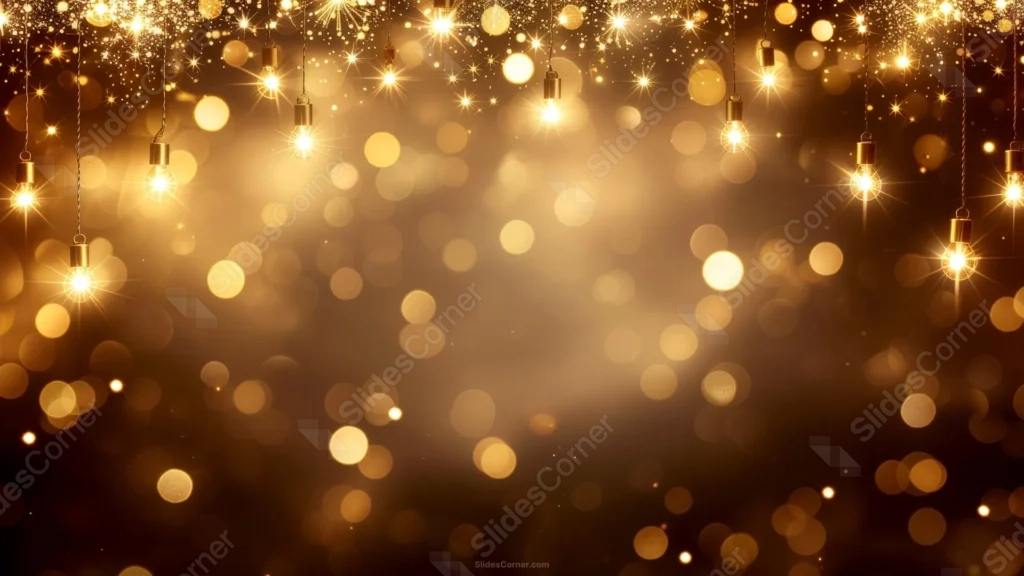
This gold bokeh background for PowerPoint hangs real Edison-style bulbs at different lengths across the top edge, glowing warm gold against a deep brown-black sky.
Dense glitter dust and sparkle stars cluster along the very top, thinning out gradually into soft, layered bokeh circles below.
What This Gold Bokeh Background Looks Like
Roughly a dozen glowing bulbs hang from thin cords at varying heights, each surrounded by its own soft halo of light against the dark backdrop.
A dense band of gold glitter and sparkle stars fills the very top of the frame, gradually giving way to large, soft bokeh circles drifting through the lower two-thirds.
The background stays a deep, warm brown-black throughout, letting every point of light stand out clearly against it.
Where This Gold Bokeh Background For PowerPoint Fits
It’s a strong match for holiday party invitations, award ceremony openers, New Year’s Eve slides, and any presentation wanting a warm, celebratory glow.
The calmer, darker patches lower in the frame give text plenty of room to stand out.
Design Choices Behind the Hanging String Lights
I hung the bulbs at different lengths and heights across the top, rather than in one even row, so the lights feel candidly strung up instead of staged.
Letting the glitter dust concentrate along the very top edge and thin out gradually toward the bottom gives the piece a clear sense of falling light.
I kept the background a deep, warm brown-black rather than pure black, so the gold bokeh glows warmer instead of looking stark and cold.
How to Apply It in PowerPoint
- Go to Design > Format Background.
- Choose Picture or texture fill, then Insert from file.
- Click Apply to All to use it across the whole deck.
How to Apply It in Google Slides
- Open Slide > Change background.
- Click Choose image and upload the downloaded file.
- Select Done, repeating on any other slides you want to match.
Legibility Tip for This Gold Bokeh Background
Place your text in the calmer, darker area toward the bottom center, using white or pale gold type, away from the busy row of hanging bulbs.
Frequently Asked Questions
Is this gold bokeh background free?
Yes, it’s a free download with no watermark and no account required.
Does it work in Google Slides too?
Yes, it’s a standard image file, so it applies the same way in both PowerPoint and Google Slides.
What resolution is included?
1920×1080 px, HD 16:9, suited to slides and to a desktop or phone wallpaper.
Can I use it as a wallpaper?
Yes, the 16:9 ratio matches most laptop and desktop screens.
Features at a Glance
- HD 1920×1080 resolution, 16:9 ratio
- Free download, no watermark
- Hanging Edison-style bulbs at varying heights
- Dense gold glitter band along the top edge
- Soft layered bokeh circles fading through the lower frame
- Works as a PowerPoint background, Google Slides background, or wallpaper
Specs
- 1920 x 1080 px · 16:9 widescreen
- JPG, high quality, no compression artefacts
- PowerPoint · Google Slides · Keynote · Canva
- No watermark · no sign-up
- Free for personal and commercial use
You can use this Festive Gold Bokeh Background For PowerPoint Slides as a Wallpaper or use it as a background for slides.
Looking for something different? Browse all our free PPT Backgrounds, or see how to set a background in PowerPoint and Google Slides.