






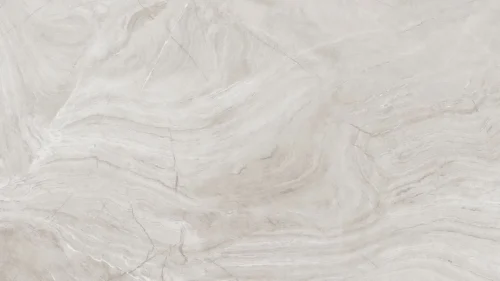

Corporate PPT Background White Geometric Panel Design
Free HD corporate PPT background with white and gray geometric panels, no watermark, for slides, wallpaper or business decks.
This background is for decks that need to look precise and business-ready without leaning on a single splash of color. This corporate PPT background is built from angular white and pale gray panels, folded like sheets of paper into arrow-like shapes with crisp edges and soft drop shadows. It is a free HD 16:9 download with no watermark, ready for PowerPoint, Google Slides, or a desktop wallpaper.
What this corporate PPT background looks like
Everything here sits inside a narrow range of off-whites and light grays, from near-white (#FAFAFA) to a slightly deeper gray (#E4E4E4). The panels are cut at sharp diagonals and stacked so they read like chevrons pointing to the right, each one lifted slightly off the one behind it by a thin, soft shadow. The left side of the slide stays flatter and quieter, while the shapes gather more density toward the right edge, giving the composition a clear sense of direction without any actual color to guide the eye.
The design thinking behind the geometric panel layout
I built the shading almost entirely from value, not hue, because a monochrome palette is what reads as neutral and trustworthy across the widest range of brand colors and industries. Every panel is a slightly different shade of white or gray, and that value shift alone is what creates the sense of layers and folded paper, no gradients needed, just clean geometry doing the work. Angling the panels to the right rather than keeping them purely vertical or horizontal gives the layout quiet forward motion, the kind of subtle energy that suits a pitch or a growth story. I deliberately left the left two-thirds of the slide calmer and less busy, since that is where a title, a bullet list, or a logo needs the most room to breathe, while the panel cluster on the right acts almost like a graphic bookend. This one is built for content that needs to look sharp and buttoned-up: corporate templates, consulting and strategy decks, sales and pitch presentations, quarterly and investor updates, and any B2B talk where a plain color background would feel out of place.
Where to use this white geometric background
It shines as a consistent base across a long business deck, since the calm left side leaves room for text on every slide type, from a cover to a dense agenda page. It also works well as a section-divider background, where the angular shapes on the right can frame a short heading without a chart or photo underneath.
- Free download with no watermark and no sign-up required
- HD 16:9 that fills any widescreen PPT or Slides canvas edge to edge
- Layered white and gray panels with a clean, folded-paper look
- Monochrome palette that pairs with any brand or accent color
- Calm left side built for text, denser detail on the right
- Works as a PowerPoint background, a Google Slides theme, or a wallpaper
How to apply it in PowerPoint and Google Slides
In PowerPoint, open the Design tab, choose Format Background, select Picture or texture fill, and Insert the downloaded image. Use “Apply to All” to set it across the deck. To keep it fixed, open View → Slide Master and place the image on the master layout so it stays put while you build slides.
In Google Slides, open Slide → Change background, click Choose image next to Image, and upload the file. Press “Add to theme” to apply it to every slide at once.
A legibility tip for this one: dark text, ideally a strong charcoal or navy rather than pure black, reads cleanly against the light panels and matches the businesslike tone. Keep your main content over the calmer left area, and use the angular right side mainly for a logo or a small accent element rather than dense paragraphs, since the shifting panel tones there slightly reduce contrast.
Frequently asked questions
Is this corporate PPT background free? Yes. Download and use it at no cost, with no watermark and no account needed.
Does it work in Google Slides? It does. The same file loads into Google Slides as a slide or theme background just as it does in PowerPoint or Keynote.
What resolution is the file? It is HD at a 16:9 widescreen ratio, so it fills a standard modern slide with no stretching or borders.
Can I use it as a wallpaper? Yes. The 16:9 format fits most laptop and desktop screens, making it a clean, professional wallpaper.
Specs
- 1920 x 1080 px · 16:9 widescreen
- JPG, high quality, no compression artefacts
- PowerPoint · Google Slides · Keynote · Canva
- No watermark · no sign-up
- Free for personal and commercial use
You can use this Sharp White Geometric Panel Background for Corporate PPT Decks as a Wallpaper or use it as a background for slides.
Looking for something different? Browse all our free PPT Backgrounds, or see how to set a background in PowerPoint and Google Slides.








