
Classy History Background for PowerPoint Google Slides
A free classy history background with an aged parchment texture and a medieval frame — HD, no watermark, ready for PowerPoint, Google Slides, or wallpaper.
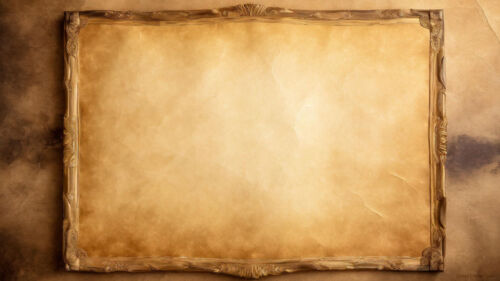
This classy history background for PPT pairs an aged parchment texture with a refined medieval frame, so your slides feel like they belong to another era without looking cluttered. The warm, antique brown tones and subtle grunge give it depth, while the open center keeps plenty of room for your titles, text, and charts. It works in 16:9 Full HD for PowerPoint and Google Slides, and just as well as a desktop wallpaper.
What Makes This History Background Work
I designed this background around one problem most “vintage” templates get wrong: they’re so busy that your text disappears into the texture. Here, the aged paper and decorative border are kept to the edges, and the center stays calm and slightly lighter. That contrast is deliberate — it frames your content like a manuscript while keeping every word easy to read. The palette leans on muted sepia and parchment browns rather than harsh black, which is what gives it that “classy” feel instead of a costume-like look. Every element was drawn in-house, so you won’t find this exact design recycled across a dozen other sites.
Where a History Background Fits Best
This design suits any project that benefits from a sense of time and heritage. It’s a natural fit for history and social-studies lessons, presentations on medieval art, literature, or mythology, and timelines that walk an audience through events. Beyond the classroom, it works for book clubs, museum or exhibition decks, genealogy and family-history projects, fantasy or worldbuilding settings, and invitations that want a vintage, ceremonial tone. If your topic has a story rooted in the past, this background sets the mood before you say a word.
How to Use It in PowerPoint and Google Slides
In PowerPoint, open your deck, go to the Design tab, choose Format Background, select Picture or texture fill, and insert the downloaded image — or right-click the slide, pick Format Background, and apply it to one slide or to all of them at once. In Google Slides, open Slide in the top menu, choose Change background, click Choose image under Image, and upload the file; use Add to theme to apply it across every slide. Because the file is 1920×1080, it stays sharp even on large projector screens, so you won’t get the soft, pixelated look that low-resolution backgrounds produce.
Tips for Keeping Your Text Readable
A textured background rewards a few small choices. Keep your body text in a clean serif or a simple sans-serif and let the background carry the “historical” personality, rather than reaching for a hard-to-read decorative font. Place your main text over the lighter central area, not the darker framed edges. And if a particular slide is text-heavy, drop a semi-transparent panel behind the text block to lift it off the texture — a quick trick that keeps long passages comfortable to read without losing the aged look.
What’s Inside the Download
You’ll get a Full HD 1920×1080 image in 16:9 widescreen, with no watermark, free for both personal and commercial use. It’s ready to drop straight into PowerPoint, Google Slides, or Keynote, and doubles as a desktop wallpaper. The file arrives in a quick .zip download.
Frequently Asked Questions
Is this history background really free?
Yes — free to download and use in personal and commercial projects, with no watermark.
Can I use it in Google Slides as well as PowerPoint?
Yes, it works in both, plus Keynote.
What resolution is it?
Full HD, 1920×1080, so it stays crisp on large screens.
Can I use it as a wallpaper?
Absolutely — the 16:9 format fits most desktop screens.
Download your free classy history background below and give your next presentation a touch of timeless character.
Specs
- 1920 x 1080 px · 16:9 widescreen
- JPG, high quality, no compression artefacts
- PowerPoint · Google Slides · Keynote · Canva
- No watermark · no sign-up
- Free for personal and commercial use
You can use this Classy Medieval History Framed Background as a Wallpaper or use it as a background for slides.
Looking for something different? Browse all our free PPT Backgrounds, or see how to set a background in PowerPoint and Google Slides.