





Aurora Sky Background For PowerPoint With A Golden Core
Free aurora sky background for PowerPoint with indigo, teal, gold, and magenta hues, HD 16:9.
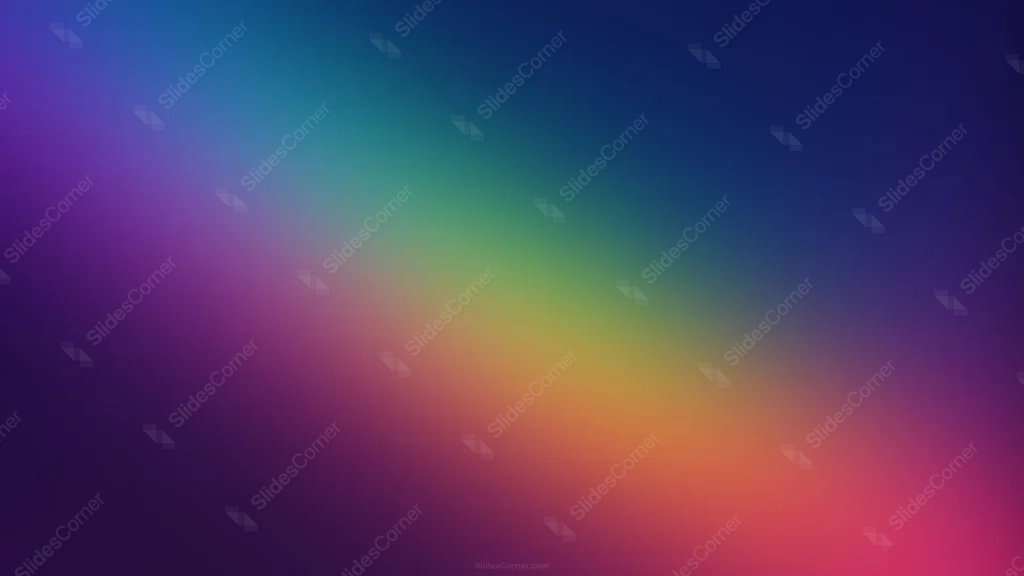
This aurora sky background for PowerPoint moves diagonally from deep indigo through teal and green into a warm golden core, before finishing in magenta and deep purple.
Unlike a cool-toned aurora, the center here glows amber-gold, giving the whole gradient real warmth at its brightest point.
What This Aurora Sky Background Looks Like
Deep indigo-blue fills the top-left corner, softening into teal and green as it approaches the center, where it warms suddenly into gold and amber.
From that golden core, the color shifts again into orange, then a rich magenta-pink toward the bottom-right corner, while a deep violet holds the bottom-left.
All four corners settle into their own distinct tone, yet nothing about the layout is symmetrical, giving it the same unpredictable movement as a real aurora.
Where This Aurora Sky Background For PowerPoint Fits
It suits creative and design portfolio decks, music festival or event slides, travel and nature presentations, and any keynote wanting a bold, colorful, dreamlike mood.
The golden core naturally draws the eye, making it a strong spot for a short title or logo.
Design Choices Behind the Golden Core
I ran the spectrum through both cool and warm halves instead of staying in one temperature, since a real aurora shifts color across the sky rather than sitting in a single hue.
Making the core golden-amber rather than white or pink gives this version a warmth that a typical cool-toned aurora background wouldn’t have.
I let each corner land on its own distinct color rather than mirroring any of them, so the composition stays balanced overall while still feeling organic and unplanned.
How to Apply It in PowerPoint
- Go to Design > Format Background.
- Choose Picture or texture fill, then Insert from file.
- Click Apply to All for the whole deck.
How to Apply It in Google Slides
- Open Slide > Change background.
- Click Choose image and upload the downloaded file.
- Select Done, repeating on each slide you want to match.
Legibility Tip for This Aurora Sky Background
Dark navy or charcoal text reads cleanly over the golden center. White text holds up better toward the deeper indigo and purple corners.
Frequently Asked Questions
Is this aurora sky background free?
Yes, it’s a free download with no watermark and no account required.
Does it work in Google Slides too?
Yes, it’s a standard image file, so it applies the same way in both PowerPoint and Google Slides.
What resolution is included?
1920×1080 px, HD 16:9, suited to slides and to a desktop or phone wallpaper.
Can I use it as a wallpaper?
Yes, the 16:9 ratio matches most laptop and desktop screens.
Features at a Glance
- HD 1920×1080 resolution, 16:9 ratio
- Free download, no watermark
- Indigo, teal, gold, and magenta blended diagonally
- Warm golden-amber core
- Four distinct corner tones for an organic, aurora-like feel
- Works as a PowerPoint background, Google Slides background, or wallpaper
Specs
- 1920 x 1080 px · 16:9 widescreen
- JPG, high quality, no compression artefacts
- PowerPoint · Google Slides · Keynote · Canva
- No watermark · no sign-up
- Free for personal and commercial use
You can use this Radiant Aurora Sky Gradient Background with a Golden Center Glow as a Wallpaper or use it as a background for slides.
Looking for something different? Browse all our free PPT Backgrounds, or see how to set a background in PowerPoint and Google Slides.








