







Sunset Sky Gradient Background For PowerPoint With Rainbow Hues
Free sunset sky gradient background for PowerPoint with blue, pink, orange, and teal hues, HD 16:9.
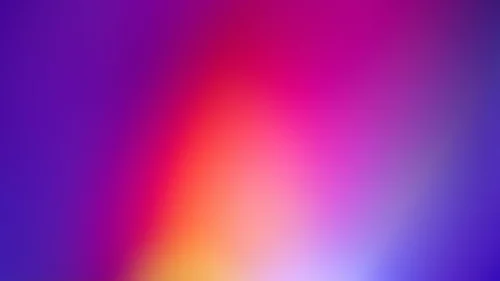
This sunset sky gradient background for PowerPoint sweeps through blue, violet, pink, and orange before cooling back into teal, all blended into one continuous sky.
At the center, where the warm and cool halves meet, the color washes out to a soft, near-white haze, the way the sky often brightens right around the sun at sunset.
What This Sunset Sky Gradient Background Looks Like
Blue holds the upper left and fades into violet-purple as it moves toward the middle, while pink and a warm coral-orange take over the upper right.
Along the bottom edge, the palette cools again into a soft turquoise-teal, giving the gradient a second temperature shift instead of a single one-directional fade.
Every color bleeds smoothly into its neighbor with no hard edges or bands, so the whole image reads as one continuous, evolving sky.
Where This Sunset Sky Gradient Background For PowerPoint Fits
It suits creative and design agency decks, music and festival event slides, travel and lifestyle presentations, and any keynote wanting a vibrant, optimistic, colorful opening.
The soft, near-white center gives a natural, legible spot for a title.
Design Choices Behind the Rainbow Sky
I let the palette run through a full range instead of staying inside a narrow warm-only sunset band, so the piece reads as a full sky caught mid-transition rather than one static hue.
Washing the center out to near-white mirrors how a real sunset sky brightens closest to the sun, which also happens to be the most legible spot for text.
Keeping every color transition soft and gradual, with nothing banded or hard-edged, was essential to making five different hues feel like one cohesive sky instead of a patchwork.
How to Apply It in PowerPoint
- Go to Design > Format Background.
- Choose Picture or texture fill, then Insert from file.
- Click Apply to All for the whole deck.
How to Apply It in Google Slides
- Open Slide > Change background.
- Click Choose image and upload the downloaded file.
- Select Done, repeating on each slide you want to match.
Legibility Tip for This Sunset Sky Gradient Background
Dark navy or charcoal text reads cleanly over the pale center. White text works better toward the more saturated edges.
Frequently Asked Questions
Is this sunset sky gradient background free?
Yes, it’s a free download with no watermark and no account required.
Does it work in Google Slides too?
Yes, it’s a standard image file, so it applies the same way in both PowerPoint and Google Slides.
What resolution is included?
1920×1080 px, HD 16:9, suited to slides and to a desktop or phone wallpaper.
Can I use it as a wallpaper?
Yes, the 16:9 ratio matches most laptop and desktop screens.
Features at a Glance
- HD 1920×1080 resolution, 16:9 ratio
- Free download, no watermark
- Blue, violet, pink, orange, and teal blended into one sky
- Soft near-white glow at the center
- Smooth, seamless color transitions with no banding
- Works as a PowerPoint background, Google Slides background, or wallpaper
Specs
- 1920 x 1080 px · 16:9 widescreen
- JPG, high quality, no compression artefacts
- PowerPoint · Google Slides · Keynote · Canva
- No watermark · no sign-up
- Free for personal and commercial use
You can use this Vibrant Multicolor Sunset Sky Gradient Background for Bold Presentations as a Wallpaper or use it as a background for slides.
Looking for something different? Browse all our free PPT Backgrounds, or see how to set a background in PowerPoint and Google Slides.








