You might also like:


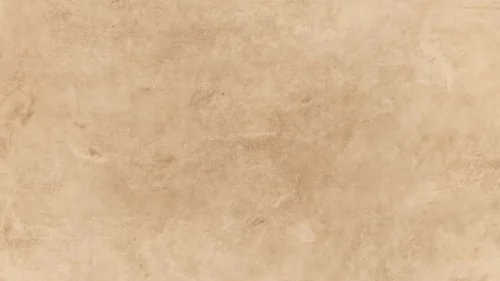
This background is for vintage-themed decks that want a gentle, painterly surface rather than a hard grunge look — history and literature lessons, poetry slides, museum and archive talks, wedding or event programs, or a soft-toned title screen. This aesthetic vintage history background for PPT is a sheet of aged paper washed in sepia like watercolor, its cloudy cream and ivory tones drifting across the sheet, with warm tan blooms along the edges and a smoky grey stain settling into the upper-right corner. The middle stays light and airy, so your text rests on calm, open paper.
Why I kept this sepia wash so soft
I built the staining as diffuse, cloud-like blooms instead of sharp marks, so the sheet feels painted rather than damaged. The sepia gathers at the corners and thins toward the center, which keeps the middle bright and gives your content a natural clearing to sit in. I let one cooler grey bloom into the top-right corner on purpose — that single cool note keeps the warm sepia from feeling flat and adds the faint smokiness of real aged paper. The whole palette stays pale and low-contrast, because I wanted an aesthetic surface that whispers “vintage” under your words rather than shouting it. Dark type reads easily on a base this light, and the soft edges frame a slide without any hard border doing the work.
Where this aesthetic vintage background works best
- History, social studies, and literature lessons
- Poetry, quotes, and classic-story slides
- Museum, archive, and heritage presentations
- Genealogy and family-history projects
- Wedding, invitation, and event programs with a soft vintage feel
- Journaling, scrapbook, and mood-board layouts
- A calm, painterly wallpaper for a vintage-minded desktop
Because the wash runs edge to edge, you can crop or resize the sheet and still keep a full, believable watercolor surface on every slide.
How to apply it in PowerPoint and Google Slides
In PowerPoint: open the Design tab, click Format Background, choose Picture or texture fill, select Insert, and load the downloaded image. Click Apply to All to place it on every slide. For a version you can’t nudge by mistake, add it through View → Slide Master instead.
In Google Slides: go to Slide → Change background, click Choose image, upload the file, and select Add to theme to apply it across the whole deck.
Readability tip: keep your text over the light center and away from the darker corner blooms, especially the grey one at the top right. Deep sepia, dark brown, or charcoal type reads cleanly on this pale paper. For a text-heavy slide, drop a soft cream rectangle at 85% opacity behind the paragraph to lift contrast while keeping the painterly mood.
What you get
- One HD background in 16:9, ready for widescreen slides
- Soft sepia watercolor paper texture with cloudy blooms
- Aesthetic vintage character with a light ivory center for your content
- A cool grey corner accent for extra depth and dimension
- No watermark and no attribution required
- Works in PowerPoint, Google Slides, Keynote, and as a wallpaper
- Free download for classroom, personal, and event use
FAQ
Is this vintage background free?
Yes. Download it at no cost and use it for lessons, personal projects, and events, with no watermark on the file.
Does it work in Google Slides?
It does. Upload it through Slide → Change background → Choose image, then pick Add to theme to use it on every slide.
What resolution is the file?
It is a high-definition 16:9 image built for widescreen presentations, so the watercolor texture stays sharp when projected or shown full-screen.
Can I use it as a wallpaper?
Yes. The 16:9 ratio fits most laptop and desktop screens, which makes it a soft, painterly wallpaper as well as a slide background.
Specs
- 1920 x 1080 px · 16:9 widescreen
- JPG, high quality, no compression artefacts
- PowerPoint · Google Slides · Keynote · Canva
- No watermark · no sign-up
- Free for personal and commercial use
You can use this Soft Sepia Watercolor History Background for Elegant Vintage Slides as a Wallpaper or use it as a background for slides.
Looking for something different? Browse all our free PPT Backgrounds, or see how to set a background in PowerPoint and Google Slides.