


You might also like:



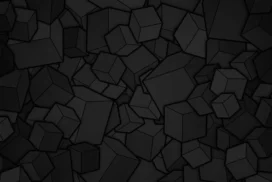


This black gold background for PowerPoint stacks a pyramid of matte black cubes on a dark, reflective floor, lit from behind by a warm amber glow.
Tiny gold-lit particles drift and scatter around the structure, as if a few of the cubes just broke apart mid-air.
What This Black Gold Background Looks Like
Dozens of black cubes of slightly different sizes stack into a rough pyramid at the center of the frame, each edge catching a thin rim of warm light.
A deep amber glow radiates from behind the stack, fading into near-total black at the top and sides of the frame.
Small fragments and glowing dust particles float around the base and drift upward, caught mid-motion against the dark floor’s soft reflection.
Where This Black Gold Background For PowerPoint Fits
- Corporate strategy, finance, or luxury brand presentations
- Product launches, keynotes, or investor decks
- Architecture, construction, or engineering slides
- Any title slide wanting a bold, high-end feel
Design Choices Behind This Cube Stack
I kept the cubes matte black instead of glossy, so the gold light reads purely as an outside source rather than a surface reflection, which keeps the mood serious rather than flashy.
Placing the glow directly behind the structure, rather than off to one side, gives the stack a strong silhouette that stays legible even at a small thumbnail size.
Adding scattered debris and floating particles around the base suggests motion and impact, so the piece feels dynamic rather than like a static product render.
How to Apply It in PowerPoint
- Go to Design > Format Background.
- Choose Picture or texture fill, then Insert from file.
- Click Apply to All to carry it across the whole deck.
How to Apply It in Google Slides
- Open Slide > Change background.
- Click Choose image and upload the downloaded file.
- Select Done, repeating on any other slides you want to match.
Legibility Tip for This Black Gold Background
Place your headline in the black upper corners, using a white or pale gold font, since those areas stay darkest and most consistent across the frame.
Frequently Asked Questions
Is this black gold background free?
Yes, it’s a free download with no watermark and no account required.
Does it work in Google Slides too?
Yes, it’s a standard image file, so it applies the same way in both PowerPoint and Google Slides.
What resolution is included?
1920×1080 px, HD 16:9, suited to slides and to a desktop or phone wallpaper.
Can I use it as a wallpaper?
Yes, the 16:9 ratio matches most laptop and desktop screens.
Features at a Glance
- HD 1920×1080 resolution, 16:9 ratio
- Free download, no watermark
- 3D-rendered stack of matte black cubes
- Warm gold backlight and floating debris
- Bold, high-contrast silhouette
- Works as a PowerPoint background, Google Slides background, or wallpaper
Specs
- 1920 x 1080 px · 16:9 widescreen
- JPG, high quality, no compression artefacts
- PowerPoint · Google Slides · Keynote · Canva
- No watermark · no sign-up
- Free for personal and commercial use
You can use this Dramatic Black Gold Background For PowerPoint as a Wallpaper or use it as a background for slides.
Looking for something different? Browse all our free PPT Backgrounds, or see how to set a background in PowerPoint and Google Slides.








