





Green Background For PowerPoint With A Glossy Lime Wave
Free green background for PowerPoint with a glossy 3D wave curving from lime to deep forest green, HD 16:9.
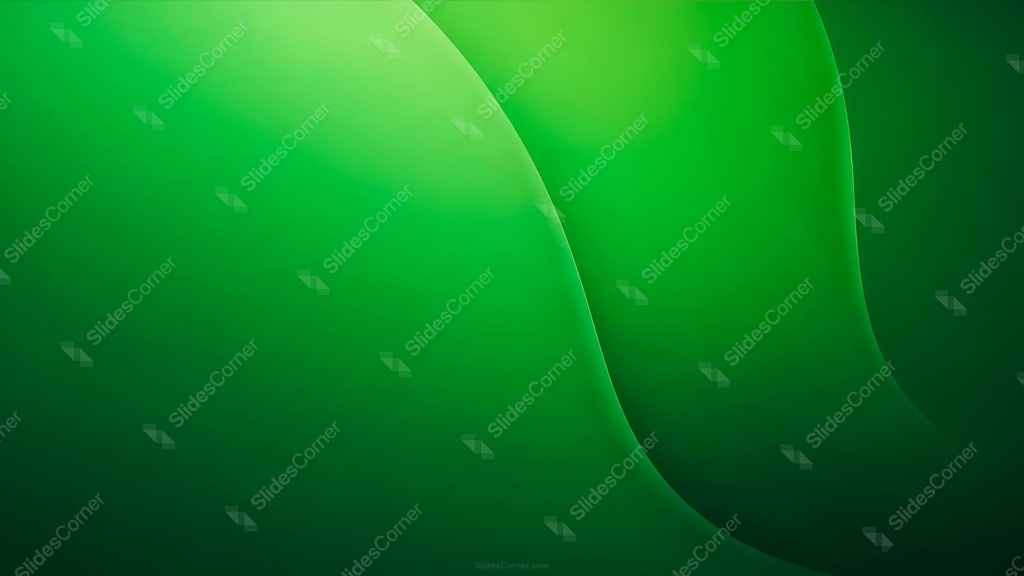
This green background for PowerPoint is built from a smooth, glossy 3D fold, curving from a bright lime highlight in the upper left into a deep green shadow in the lower right.
Unlike a flat color gradient, this one has real dimension, with a soft highlight tracing the crest of the wave the way light would catch a folded, glossy surface.
What This Green Background Looks Like
Two large curved folds sweep diagonally across the frame, each one shaded to look rounded and dimensional rather than flat, almost like folded silk or glass.
A thin, bright rim-light line runs along each curve’s edge, the kind of highlight you’d see where a glossy surface catches direct light.
The color shifts from a vivid lime-green at the brightest fold down to a much darker, almost black-green in the far corner, giving the piece a clear sense of depth and shadow.
Where This Green Background For PowerPoint Fits
It suits tech and product launch decks, sustainability and eco-brand presentations, sports and fitness content, and any keynote that wants a bold, modern, high-energy tone.
The darker lower-right shadow also gives a natural spot for a logo or caption text.
Design Choices Behind the Glossy Wave
I rendered this as a folded 3D surface instead of a flat gradient because the added highlight and shadow give it real material presence, closer to a photographed object than a screen effect.
Placing the brightest lime tone at the crest of the fold, where a light source would naturally land, keeps the shading logical and believable rather than arbitrary.
The thin rim-light line along each curve edge is what sells the glossy, almost liquid read, since a matte surface wouldn’t catch light in that same sharp, linear way.
How to Apply It in PowerPoint
- Go to Design > Format Background.
- Choose Picture or texture fill, then Insert from file.
- Click Apply to All for the whole deck.
How to Apply It in Google Slides
- Open Slide > Change background.
- Click Choose image and upload the downloaded file.
- Select Done, repeating on each slide you want to match.
Legibility Tip for This Green Background
White text reads clearly across the whole image. For the strongest contrast, place headlines over the darker lower-right shadow.
Frequently Asked Questions
Is this green background free?
Yes, it’s a free download with no watermark and no account required.
Does it work in Google Slides too?
Yes, it’s a standard image file, so it applies the same way in both PowerPoint and Google Slides.
What resolution is included?
1920×1080 px, HD 16:9, suited to slides and to a desktop or phone wallpaper.
Can I use it as a wallpaper?
Yes, the 16:9 ratio matches most laptop and desktop screens.
Features at a Glance
- HD 1920×1080 resolution, 16:9 ratio
- Free download, no watermark
- Glossy 3D fold shading from lime to deep forest green
- Bright rim-light highlight tracing each curve
- Bold, modern, high-energy look
- Works as a PowerPoint background, Google Slides background, or wallpaper
Specs
- 1920 x 1080 px · 16:9 widescreen
- JPG, high quality, no compression artefacts
- PowerPoint · Google Slides · Keynote · Canva
- No watermark · no sign-up
- Free for personal and commercial use
You can use this Sleek Glossy Green Wave Background for Bold Modern Presentations as a Wallpaper or use it as a background for slides.
Looking for something different? Browse all our free PPT Backgrounds, or see how to set a background in PowerPoint and Google Slides.