You might also like:


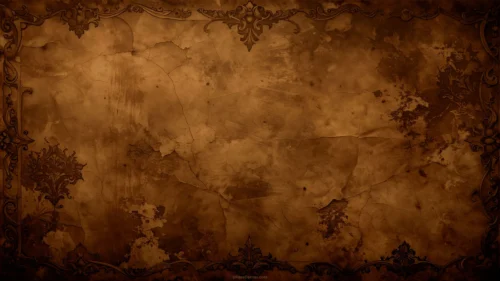
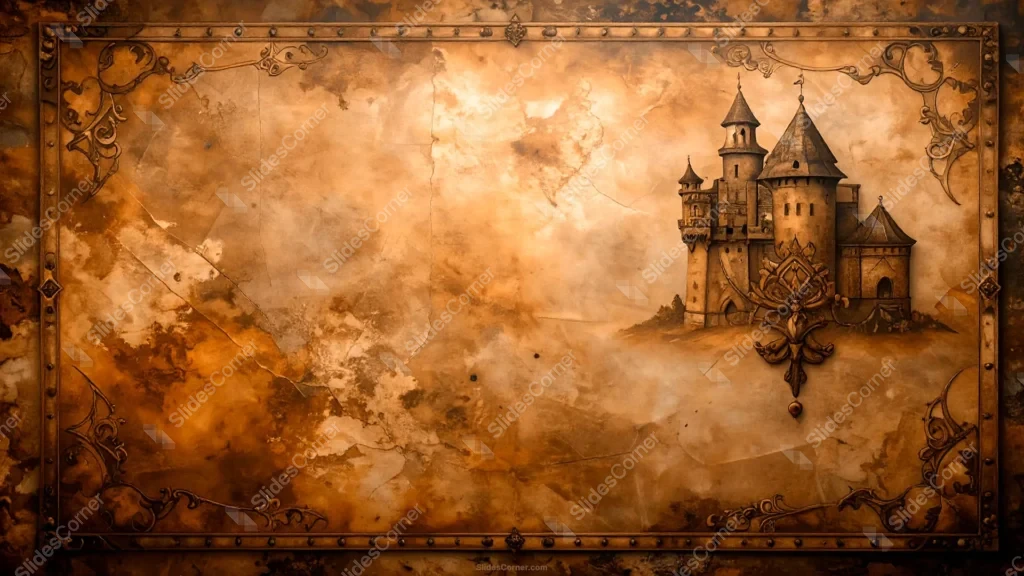
This background is for slides that tell a story from the age of castles — medieval history lessons, knights-and-kingdoms units, fantasy and RPG campaigns, chronicle or saga title screens, or a chapter divider in a period deck. It is aged sepia parchment, cracked and mottled like a wall that has stood for centuries, wrapped in a riveted ornamental border. An illustrated castle rises in the right corner: towers, turrets, and a fleur-de-lis crest, drawn straight into the parchment. The left and center stay open, so your text has a wide, atmospheric space to fill.
Why I placed the castle to one side
I set the castle in the right corner rather than the middle for a practical reason: it gives you a strong focal image and a clear run of space for titles and text on the left. A centered illustration would fight your content on every slide; off to one side, it frames the page like a scene from an illuminated chronicle while leaving the stage clear.
The palette runs through warm browns, scorched amber, and cracked cream, and I let the darkest staining pool in the corners so the lighter middle holds your words. That heavier, sootier tone is what makes it read as medieval rather than simply old — it carries the weight of stone keeps and torch-lit halls. The riveted frame and fine scrollwork trace every edge, closing the composition like the cover of an old bound tome. The castle linework stays detailed enough to set the scene, but sepia enough to never overpower a headline placed beside it.
Where this medieval history background for PowerPoint works best
- Medieval and Renaissance history lessons
- Castles, knights, and kingdom-themed units
- Fantasy and tabletop RPG campaigns and handouts
- Book, saga, or game title and chapter screens
- Museum, castle, and heritage presentations
- Storytelling, quiz, and escape-room decks
- A cinematic, ornate wallpaper for a fantasy-loving desktop
Because the frame, texture, and castle all reach the edges, the design holds together on any 16:9 slide without awkward gaps.
How to apply it in PowerPoint and Google Slides
In PowerPoint: open the Design tab, click Format Background, choose Picture or texture fill, select Insert, and load the downloaded image. Click Apply to All to place it on every slide. For a version you can’t nudge by mistake, add it through View → Slide Master instead.
In Google Slides: go to Slide → Change background, click Choose image, upload the file, and select Add to theme to apply it across the whole deck.
Readability tip: keep your text on the open left and center, away from the castle in the right corner. This background is dark, so light type works best — warm cream, pale gold, or off-white sits beautifully on the sepia. For a text-heavy slide, drop a semi-transparent dark rectangle behind the paragraph to deepen contrast without hiding the texture.
What you get
- One HD background in 16:9, ready for widescreen slides
- Illustrated castle with towers and a fleur-de-lis crest
- Riveted ornamental border framing the whole slide
- Cracked sepia parchment texture with rich, warm staining
- Open left and center kept clear for your content
- HD quality with light SlidesCorner.com branding
- Works in PowerPoint, Google Slides, Keynote, and as a wallpaper
- Free download for classroom, personal, and event use
FAQ
Is this medieval history background free?
Yes. Download it at no cost and use it for lessons, personal projects, and events.
Does it work in Google Slides?
It does. Upload it through Slide → Change background → Choose image, then pick Add to theme to use it on every slide.
What resolution is the file?
It is a high-definition 16:9 image built for widescreen presentations, so the castle and frame stay sharp when projected or shown full-screen.
Can I use it as a wallpaper?
Yes. The 16:9 ratio fits most laptop and desktop screens, which makes it a cinematic medieval wallpaper as well as a slide background.
Specs
- 1920 x 1080 px · 16:9 widescreen
- JPG, high quality, no compression artefacts
- PowerPoint · Google Slides · Keynote · Canva
- No watermark · no sign-up
- Free for personal and commercial use
You can use this Storied Sepia Castle Medieval History Background for Chronicle and Fantasy Slides as a Wallpaper or use it as a background for slides.
Looking for something different? Browse all our free PPT Backgrounds, or see how to set a background in PowerPoint and Google Slides.