You might also like:
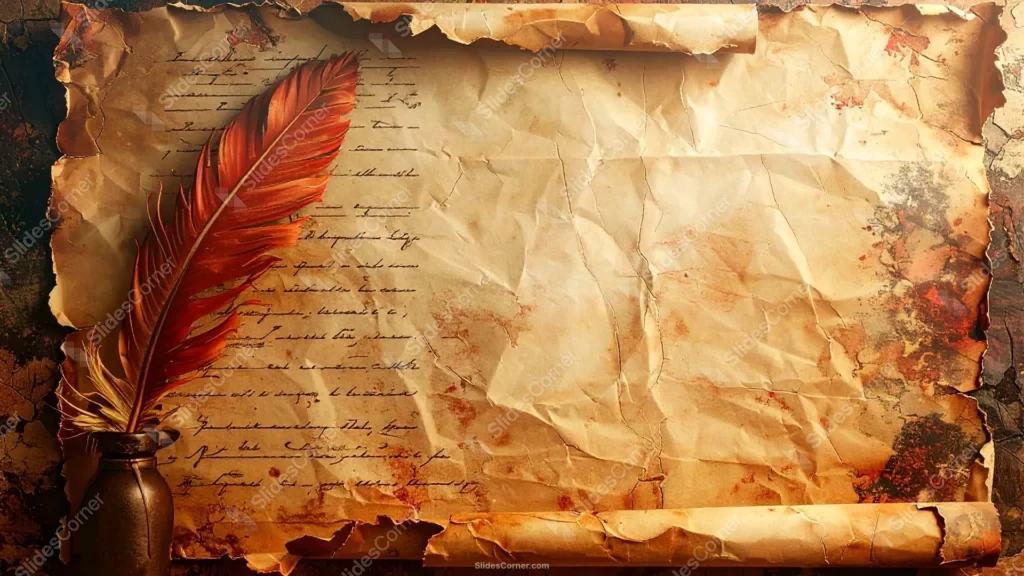
This background is for anyone who wants a slide that looks like it was pulled straight off a writer’s desk. It’s a full HD 16:9 worn manuscript background for presentations: an aged paper sheet covered in faded cursive script, curling into a scroll at the top and bottom edges, with a red feather quill resting in an inkwell on the left. Free to download, no watermark, ready for PowerPoint, Google Slides, or as a plain wallpaper.
What This Worn Manuscript Background Looks Like
The left third of the frame carries the story: rows of faded, illegible handwritten script running down the page, a rust-red feather quill standing up out of a dark glass inkwell, and torn, burnt paper edges that curl into a rolled scroll shape at the very top and bottom. Reddish-brown ink stains bleed across the paper here and there, and fine cracks run through the surface the way they would on a document that’s been unrolled a thousand times. The right two-thirds of the sheet is left deliberately bare — no handwriting, just warm cream and tan paper texture with soft creases, sitting against a dark, charred stone or wood surface visible around the parchment’s torn border.
Design Notes: Why I Left the Right Side Empty
The quill, the inkwell, and the handwriting do all the storytelling on their own, so I didn’t want text competing with them for space. I pushed all of that detail to the left and kept the entire right side of the sheet clear — a wide, low-contrast field of aged cream paper with nothing on it but light creasing. That’s the area built for your title and body copy. Placing text over the handwritten section would fight with the existing script and hurt legibility, so the composition is asymmetric on purpose.
The dark background surrounding the parchment matters too. It’s noticeably darker than the paper, which pushes the whole document forward visually and adds real depth — the scroll edges curling at top and bottom read as three-dimensional rather than flat, almost like the page is lifting off the slide. The one splash of saturated color, that red-orange quill, is placed off to the side rather than centered, so it draws the eye in without ever landing where your headline needs to go.
Where to Use This Manuscript Background for Presentations
- Literature, poetry, or creative-writing presentations
- History lectures on letters, diaries, or historical documents
- Author events, book launches, or storytelling decks
- Legal or archival document-style slides
- Genealogy, family history, or ancestry presentations
- Desktop or phone wallpaper for a classic writer’s-desk look
Key features at a glance:
- Full HD resolution, 16:9 aspect ratio
- No watermark, no logo, free for personal and commercial use
- Faded handwritten script, feather quill, and inkwell on the left side
- Curled, torn scroll edges with a dark background frame
- Wide, clean right-hand area built for your own text
- Works as a PowerPoint background, Google Slides background, or wallpaper
How to Apply This Background in PowerPoint
Once you’ve downloaded the file:
- Open your PowerPoint presentation and go to the Design tab
- Click Format Background on the right side of the ribbon
- Select Picture or texture fill, then Insert from a file
- Choose the downloaded manuscript image
- Click Apply to All if you want it on every slide, or leave it on just the current one
How to Apply It in Google Slides
- Open your presentation and click Background in the toolbar
- Click Choose image, then Upload from computer
- Select the manuscript file and confirm
- Click Done, or Add to theme to carry it across every slide automatically
Readability Tip
Keep your title and body text on the right-hand side, over the plain paper area, and avoid the left third where the handwriting and quill already sit. Dark brown, deep red, or black text in a serif or script-adjacent font matches the manuscript feel; place it too close to the quill and it’ll compete with a strong visual element instead of standing out.
FAQ
Is this worn manuscript background free?
Yes. It’s a single free download, no watermark, no account required.
Does it work in Google Slides, or only PowerPoint?
Both. It’s a plain image file, so it uploads the same way into either tool.
What resolution do I get?
Full HD, 1920×1080, in a 16:9 aspect ratio — sharp on any modern screen or projector.
Can I use it as a wallpaper instead of a slide background?
Yes, the same file works as a desktop or phone wallpaper without needing to resize it for most widescreen displays.
Specs
- 1920 x 1080 px · 16:9 widescreen
- JPG, high quality, no compression artefacts
- PowerPoint · Google Slides · Keynote · Canva
- No watermark · no sign-up
- Free for personal and commercial use
You can use this Rustic Manuscript Background Perfect for Literature and History Presentations as a Wallpaper or use it as a background for slides.
Looking for something different? Browse all our free PPT Backgrounds, or see how to set a background in PowerPoint and Google Slides.