



White Background For PowerPoint With Matte Paper-Like Curved Layers
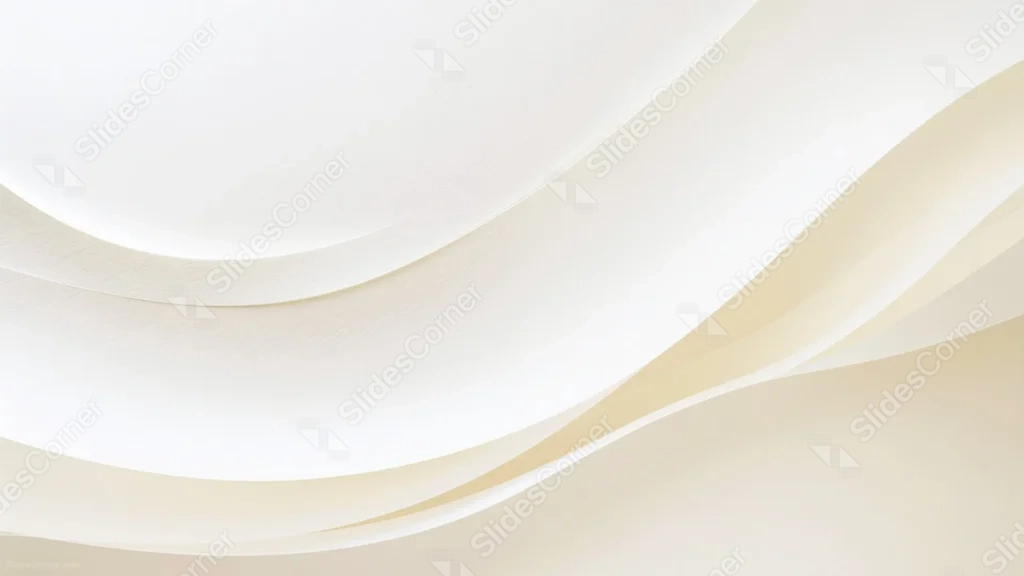
A clean white background for PowerPoint with soft, matte curved layers and a warm cream accent, free and HD.
This background is for anyone who needs a clean, corporate-safe slide that still has some quiet visual interest. It’s a white background built from soft, overlapping curved layers, like sheets of paper folded gently over each other, with a warm cream and tan tone creeping in along the bottom right. Free, HD, and watermark-free for PowerPoint or Google Slides.
What This White Background Looks Like
Two or three broad, curved bands sweep diagonally across the frame, each with a faint paper-like grain rather than a glossy sheen. The upper left stays nearly pure white and open, while the lower right layer picks up a soft cream-to-tan warmth where the curves overlap.
There’s no glare, no sharp highlight, nothing fighting for attention. The shading between the folds is soft enough that it reads as gentle depth rather than a dramatic light source, which keeps the whole thing feeling calm and matte rather than shiny.
Where This Background Fits
This one is built for business decks: quarterly reports, pitch decks, internal training slides, or any presentation where the brief is “keep it professional.” It also works well behind a resume or portfolio title page if you want something a step above plain white.
Design Choices Behind This Paper-Like Layered Background
I chose a matte paper texture instead of glossy silk on purpose. Glossy folds tend to pull focus toward the highlight, which is the opposite of what a background for dense business content needs. A flatter, paper-like grain lets the curves add shape without ever competing with a headline or a chart.
Keeping the upper left almost pure white was deliberate: it’s the natural spot for a title or logo, and it stays the brightest, least busy part of the frame. The warm cream tone in the lower right exists mostly to stop the image from feeling sterile, giving it just enough warmth to feel designed rather than default.
How to Apply This Background in PowerPoint
- Download and unzip the file, then open your PowerPoint presentation.
- Go to the Design tab and click Format Background.
- Choose Picture or texture fill, then Insert picture from a file, and select the downloaded image.
- Click Apply to All to use it across the whole deck, or leave it on a single slide.
How to Apply This Background in Google Slides
- Open your presentation and go to Slide, then Change background.
- Click Choose image and upload the downloaded file.
- Click Done to apply it to the current slide.
- To apply it to every slide, make the change from the master theme instead.
Legibility Tip for This Background
Place your text in the upper left where the white stays brightest and least busy. Dark gray or black text gives the cleanest contrast here, and this background is calm enough to also hold colored text if your brand needs it.
FAQ
Is this white background free? Yes, it’s a free download with no watermark and no attribution required.
Does it work in Google Slides? Yes, it uploads directly as a custom background image, no conversion needed.
What resolution is the file? It’s full HD at 1920×1080, so it holds up on any screen or projector.
Can I use this as a wallpaper? Yes, it’s subtle enough to work as a clean desktop background too.
Features at a Glance
- Free HD 1920×1080 download, no watermark
- Soft matte paper-like curved layers, no glossy sheen
- Bright open white zone in the upper left
- Warm cream and tan accent in the lower right
- Works in PowerPoint, Google Slides, and as a wallpaper
- Clean, professional mood suited to business and corporate decks
Specs
- 1920 x 1080 px · 16:9 widescreen
- JPG, high quality, no compression artefacts
- PowerPoint · Google Slides · Keynote · Canva
- No watermark · no sign-up
- Free for personal and commercial use
You can use this Sculptural White Background With Soft Curved Paper-Like Layers For Presentations as a Wallpaper or use it as a background for slides.
Looking for something different? Browse all our free PPT Backgrounds, or see how to set a background in PowerPoint and Google Slides.








