

Vintage History Background For PowerPoint With Carved Corners
Free vintage history background for PowerPoint with a stained parchment center and carved acanthus corners.
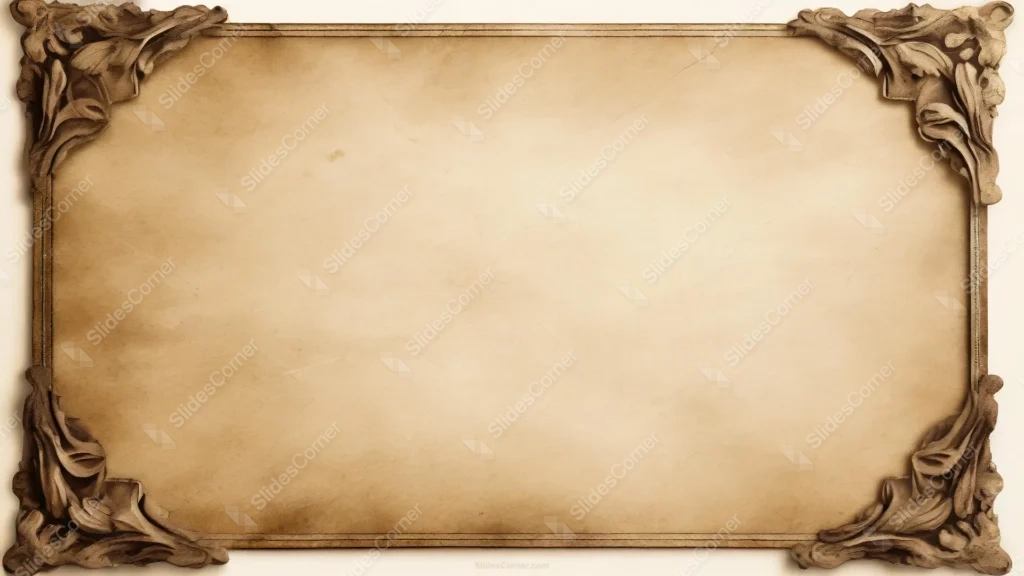
This vintage history background for PowerPoint pairs a stained, aged parchment center with four ornately carved brown wooden corners, each one detailed with acanthus leaf scrollwork.
A thin gold-toned border connects the corners, but it stays quiet, letting the carved details do the visual work.
What This Vintage History Background Looks Like
Each corner holds a raised, sculptural carving of curling leaves and scrolls, rendered with enough shading and texture to look like real aged wood or bronze.
Between the corners, a slim double-line border in muted gold runs along all four edges, framing the parchment without adding extra ornament.
The center itself is a warm, aged parchment tone with faint blotches, soft cracks, and gentle tonal variation, never a flat, uniform beige.
Where This Vintage History Background For PowerPoint Fits
It’s a natural fit for history lessons, museum or archive presentations, genealogy projects, literature classes, and any content that wants a sense of age and gravity.
It also works well for certificates, formal announcements, or storytelling decks that lean into an old-world aesthetic.
Design Choices Behind the Carved Frame
I carved the corners as raised, sculptural acanthus details instead of flat printed ornament, so the frame reads as a real object rather than a graphic overlay.
Keeping the connecting border thin and understated lets the four carved corners carry all the visual weight, instead of competing with a busy edge.
Letting the parchment keep its natural blotches, faint cracks, and soft tonal shifts matters here, a perfectly clean beige would undercut the sense of age the whole frame is built around.
How to Apply It in PowerPoint
- Go to Design > Format Background.
- Choose Picture or texture fill, then Insert from file.
- Click Apply to All for the whole deck.
How to Apply It in Google Slides
- Open Slide > Change background.
- Click Choose image and upload the downloaded file.
- Select Done, repeating on each slide you want to match.
Legibility Tip for This Vintage History Background
Keep text well inside the carved corners, in the open parchment area, using dark brown or black type for the strongest, most period-appropriate contrast.
Frequently Asked Questions
Is this vintage history background free?
Yes, it’s a free download with no watermark and no account required.
Does it work in Google Slides too?
Yes, it’s a standard image file, so it applies the same way in both PowerPoint and Google Slides.
What resolution is included?
1920×1080 px, HD 16:9, suited to slides and to a desktop or phone wallpaper.
Can I use it as a wallpaper?
Yes, the 16:9 ratio matches most laptop and desktop screens.
Features at a Glance
- HD 1920×1080 resolution, 16:9 ratio
- Free download, no watermark
- Four raised, carved acanthus leaf corners
- Thin gold-toned connecting border
- Naturally aged, stained parchment center
- Works as a PowerPoint background, Google Slides background, or wallpaper
Specs
- 1920 x 1080 px · 16:9 widescreen
- JPG, high quality, no compression artefacts
- PowerPoint · Google Slides · Keynote · Canva
- No watermark · no sign-up
- Free for personal and commercial use
You can use this Aged Parchment Background with Ornate Carved Wooden Corners as a Wallpaper or use it as a background for slides.
Looking for something different? Browse all our free PPT Backgrounds, or see how to set a background in PowerPoint and Google Slides.








