Vintage Grunge Background For PPT With An Ornate Carved Border
Download this free vintage grunge background for PPT with an ornate bronze border.
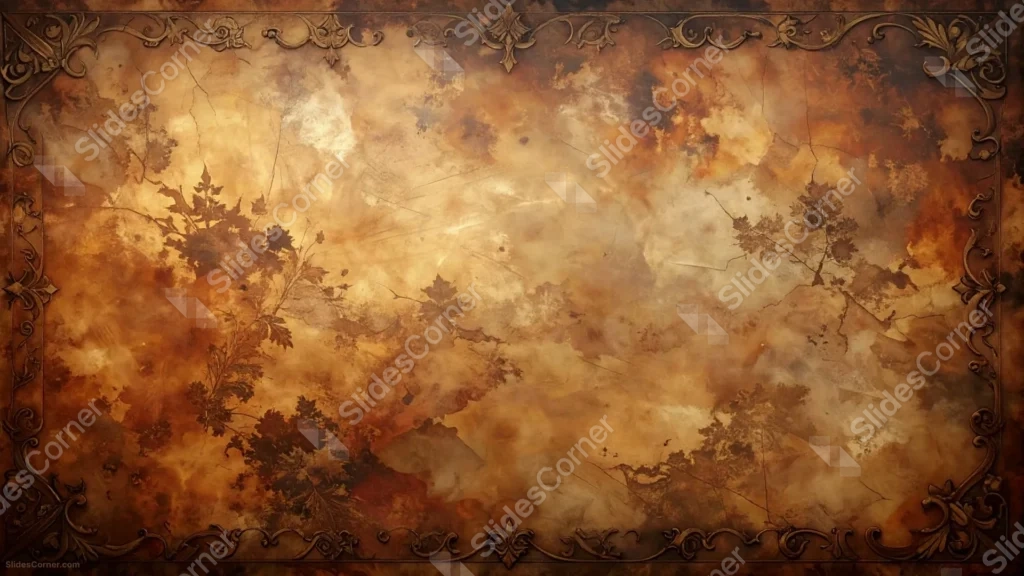
This vintage grunge background for PPT runs a fully carved, scrollwork border in aged bronze along all four edges, framing a mottled amber-brown center.
Faint fern and leaf silhouettes press into the lower-left corner, like a fossil impression against the marbled surface.
What This Vintage Grunge Background Looks Like
An ornate, baroque-style scrollwork border in dark bronze wraps continuously around every edge, with decorative fleur-de-lis flourishes at the corners.
The center is a mottled amber-brown surface, closer to marbled stone or aged leather than flat paper, with visible cracks and uneven pooling of tone.
Faint, dark fern and leaf silhouettes press into the lower-left area, resembling a natural fossil impression against the textured surface.
Where This Vintage Grunge Background For PPT Fits
It’s a strong fit for history and museum presentations, fantasy or medieval-themed decks, luxury heritage brand slides, and any deck wanting a regal, aged feel.
The open right side of the center works well for a formal title or an emblem.
Design Choices Behind the Ornate Carved Border
I ran a fully carved, scrollwork border in aged bronze along all four edges, rather than leaving the surface’s own edges torn, so the piece reads as a framed relic rather than a loose sheet.
Letting the amber-brown surface mottle and pool unevenly, closer to marbled stone or aged leather than flat paper, gives it real depth even in the empty middle.
I pressed faint fern and leaf silhouettes into the lower-left corner, like a fossil impression, adding a quiet natural detail against all that ornamentation.
How to Apply It in PowerPoint
- Go to Design > Format Background.
- Choose Picture or texture fill, then Insert from file.
- Click Apply to All to use it across the whole deck.
How to Apply It in Google Slides
- Open Slide > Change background.
- Click Choose image and upload the downloaded file.
- Select Done, repeating on any other slides you want to match.
Legibility Tip for This Vintage Grunge Background
Keep text on the open right side of the center, using a dark brown or black font, well clear of the leaf impressions on the left.
Frequently Asked Questions
Is this vintage grunge background free?
Yes, it’s a free download with no watermark and no account required.
Does it work in Google Slides too?
Yes, it’s a standard image file, so it applies the same way in both PowerPoint and Google Slides.
What resolution is included?
1920×1080 px, HD 16:9, suited to slides and to a desktop or phone wallpaper.
Can I use it as a wallpaper?
Yes, the 16:9 ratio matches most laptop and desktop screens.
Features at a Glance
- HD 1920×1080 resolution, 16:9 ratio
- Free download, no watermark
- Fully carved bronze scrollwork border on all four edges
- Mottled, marbled amber-brown center with visible cracks
- Faint fern and leaf silhouette impressions
- Works as a PowerPoint background, Google Slides background, or wallpaper
Specs
- 1920 x 1080 px · 16:9 widescreen
- JPG, high quality, no compression artefacts
- PowerPoint · Google Slides · Keynote · Canva
- No watermark · no sign-up
- Free for personal and commercial use
You can use this Regal Vintage Grunge Background For PPT Presentations as a Wallpaper or use it as a background for slides.
Looking for something different? Browse all our free PPT Backgrounds, or see how to set a background in PowerPoint and Google Slides.