





Slides Background Aesthetic Pastel Pink and Green
A free aesthetic slides background in soft pastel pink and green with gentle shapes — HD, no watermark, for PowerPoint, Google Slides, or wallpaper.
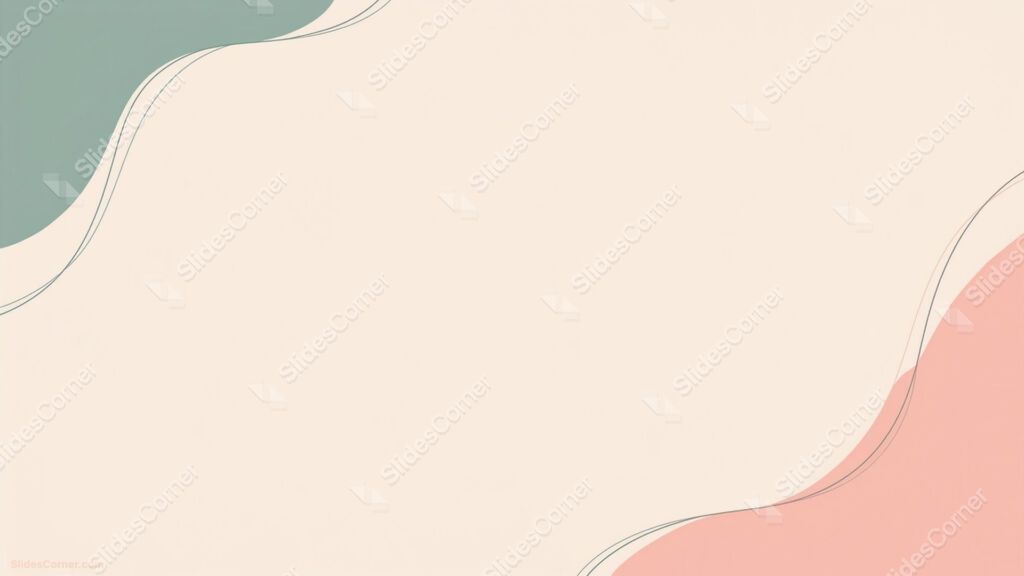
This aesthetic slides background blends soft pastel pink and green with a few gentle shapes, kept light so they frame your content instead of crowding it. The two tones sit close in softness, which gives the slide a calm, on-trend feel without looking childish or loud. It comes in 16:9 Full HD for PowerPoint, Google Slides, or as a desktop wallpaper.

What Makes This Aesthetic Slides Background Work
I paired pink and green on purpose, because the two balance each other. Pink alone can read as sweet, green alone as clinical; together at low saturation they feel fresh and grounded at the same time. I kept the shapes soft and pushed them toward the edges, so the middle of the slide stays open and easy to fill. The pastel tones are light enough that dark text sits comfortably on top, which is the part most “aesthetic” backgrounds get wrong. Every element is drawn in-house, so this exact pink-and-green composition won’t appear duplicated elsewhere.
Where This Pastel Slides Background Fits
This design suits projects that want to feel soft, modern, and approachable. It’s a natural fit for student and school presentations, creative portfolios, lifestyle and wellness decks, and beauty or self-care content. It also works for planners and journals, baby or spring-themed slides, casual team updates, and social media graphics. When you want a calm, pretty backdrop that still looks tidy and professional, this pastel background sets that tone.
How to Use This Background in PowerPoint and Google Slides
In PowerPoint, open the Design tab, choose Format Background, select Picture or texture fill, and insert the downloaded image — or right-click a slide, pick Format Background, and apply it to one slide or to all.
In Google Slides, open Slide in the top menu, choose Change background, click Choose image, upload the file, and use Add to theme to apply it across the deck. At 1920×1080, the soft tones and shapes stay clean even on large projector screens.
Keeping Your Text Readable on Pastel Tones
Pastels are forgiving, but a couple of choices keep them crisp. Use dark charcoal or deep green-gray text rather than mid-gray, which can wash out against light backgrounds. Place headlines and body text over the open center, away from the shapes. For a text-heavy slide, a plain white or very light panel behind the text keeps long passages easy to read while preserving the soft look.
What’s Inside the Download
You’ll get a Full HD 1920×1080 image in 16:9 widescreen, with no watermark, free for personal and commercial use. It drops straight into PowerPoint, Google Slides, or Keynote, and works as a wallpaper. The file arrives in a quick .zip download.
- Soft pastel pink and green tones with a modern, on-trend feel
- Gentle shapes kept to the edges for an open layout
- Light enough for comfortable, readable text
- Full HD 1920×1080, sharp on large screens
- No watermark, free for personal and commercial use
- Works in PowerPoint, Google Slides, Keynote, and as a wallpaper
Frequently Asked Questions
Is this aesthetic background free?
Yes — free to download and use in personal and commercial projects, with no watermark.
Does it work in Google Slides?
Yes, plus PowerPoint and Keynote.
What resolution is it?
Full HD, 1920×1080.
Can I use it as a wallpaper?
Yes — the 16:9 format fits most desktop screens.
Download your free pastel pink and green aesthetic slides background below and give your next presentation a soft, modern finish.
Specs
- 1920 x 1080 px · 16:9 widescreen
- JPG, high quality, no compression artefacts
- PowerPoint · Google Slides · Keynote · Canva
- No watermark · no sign-up
- Free for personal and commercial use
You can use this Soft Pastel Pink and Green Aesthetic Slides Background for Calm Creative Presentations as a Wallpaper or use it as a background for slides.
Looking for something different? Browse all our free PPT Backgrounds, or see how to set a background in PowerPoint and Google Slides.