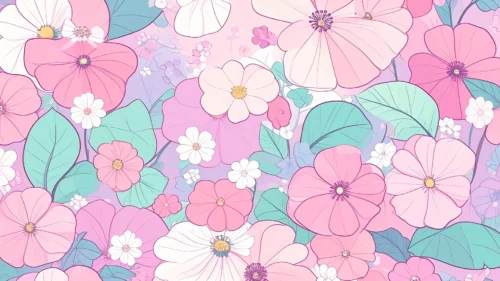






Simple Cute Background For PowerPoint With Vine-Trimmed Sky Clouds
Download this free simple cute background for PowerPoint with pink cloud corners and a soft blue sky.
This simple cute background for PowerPoint keeps its center a wide-open blue sky, fading gently into soft teal and white, with rounded pink cloud shapes tucked only into the four corners.
Two thin, wavy vines run down the left and right edges, each carrying small leaf sprigs and tiny pink berry buds.
What This Simple Cute Background Looks Like
Puffy, layered pink cloud shapes stack in each corner, some in a softer blush and some in a deeper rose, with a few tiny white blossoms and dots scattered near them.
Down both sides, a pair of thin wavy lines twist together like a vine, with small teal-green leaf sprigs and clusters of pink berry buds branching off partway down.
The sky itself shifts smoothly from a cooler blue at the top to a paler, warmer white toward the bottom, leaving the whole middle completely open.
Where This Simple Cute Background For PowerPoint Fits
It works well for kids’ presentations, baby shower or gender-reveal slides, spring-themed decks, and any title slide that wants a light, playful feel without heavy decoration.
The large open sky also leaves plenty of room for a logo or short quote.
Design Choices Behind the Vine-Trimmed Clouds
I kept the clouds confined to the corners, rather than scattering them across the whole scene, so the center stays a completely open sky for text or images.
Adding two thin wavy vines with small leaf sprigs down each side gave the piece a touch of botanical detail without competing with that open space.
I let the sky fade from a cooler blue to a warmer, paler tone toward the bottom, so the background feels bright at the top and calm and soft near the base.
How to Apply It in PowerPoint
- Go to Design > Format Background.
- Choose Picture or texture fill, then Insert from file.
- Click Apply to All to use it across the whole deck.
How to Apply It in Google Slides
- Open Slide > Change background.
- Click Choose image and upload the downloaded file.
- Select Done, repeating on any other slides you want to match.
Legibility Tip for This Simple Cute Background
Place your text in the open sky area, using a dark navy or charcoal font, and keep it clear of the corners where the clouds and vines sit.
Frequently Asked Questions
Is this simple cute background free?
Yes, it’s a free download with no watermark and no account required.
Does it work in Google Slides too?
Yes, it’s a standard image file, so it applies the same way in both PowerPoint and Google Slides.
What resolution is included?
1920×1080 px, HD 16:9, suited to slides and to a desktop or phone wallpaper.
Can I use it as a wallpaper?
Yes, the 16:9 ratio matches most laptop and desktop screens.
Features at a Glance
- HD 1920×1080 resolution, 16:9 ratio
- Free download, no watermark
- Soft pink cloud shapes stacked in each corner
- Thin wavy vines with leaf sprigs and berry buds down each side
- Wide-open blue-to-white gradient sky in the center
- Works as a PowerPoint background, Google Slides background, or wallpaper
Specs
- 1920 x 1080 px · 16:9 widescreen
- JPG, high quality, no compression artefacts
- PowerPoint · Google Slides · Keynote · Canva
- No watermark · no sign-up
- Free for personal and commercial use
You can use this Dreamy Simple Cute Background For PowerPoint Slides as a Wallpaper or use it as a background for slides.
Looking for something different? Browse all our free PPT Backgrounds, or see how to set a background in PowerPoint and Google Slides.