





Purple Floral Background For PowerPoint With Illustrated Vein Petals
Download this free purple floral background for PowerPoint with illustrated veined petals.
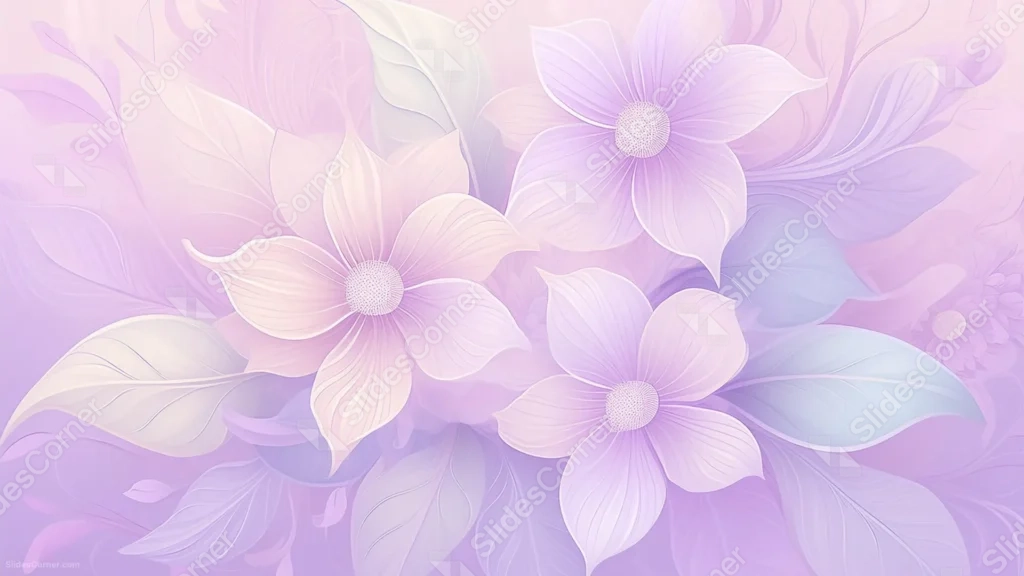
This purple floral background for PowerPoint illustrates four large blooms with fine, visible petal veining, filling the frame edge to edge in soft purple, pink, and lilac tones.
Broad leaves weave between the flowers, each rendered with the same delicate line detail as the petals themselves.
What This Purple Floral Background Looks Like
Two flowers sit large in the upper half, two more spread through the lower half, each with five pointed petals fanning out from a stippled center.
Every petal carries fine, hand-drawn veins, and the leaves behind them echo that same linework, all rendered in translucent layers over a pastel gradient.
The background shifts from a warm blush pink in the upper left to a deeper periwinkle purple in the lower right, with no plain, undecorated space left in the frame.
Where This Purple Floral Background For PowerPoint Fits
- Beauty, wellness, or botanical brand presentations
- Wedding, spring, or garden-themed decks
- Illustrated or editorial-style creative work
- Any wallpaper wanting a rich, hand-drawn floral pattern
Design Choices Behind the Vein Petals
I gave every petal and leaf the same fine veining, rather than leaving them flat, so the illustration reads as botanical study rather than a simplified icon set.
Letting the pastel gradient shift from pink to purple across the frame keeps four repeated flower shapes from feeling like a static, tiled pattern.
Because the flowers and leaves fill the whole canvas, I designed this one as a full wallpaper pattern rather than a background with a dedicated open panel.
How to Apply It in PowerPoint
- Go to Design > Format Background.
- Choose Picture or texture fill, then Insert from file.
- Click Apply to All to carry it across the whole deck.
How to Apply It in Google Slides
- Open Slide > Change background.
- Click Choose image and upload the downloaded file.
- Select Done, repeating on any other slides you want to match.
Legibility Tip for This Purple Floral Background
- Since the whole surface is illustrated, add a solid or semi-transparent text box in white or deep purple so your words don’t blend into the petals.
Frequently Asked Questions
Is this purple floral background free?
Yes, it’s a free download with no watermark and no account required.
Does it work in Google Slides too?
Yes, it’s a standard image file, so it applies the same way in both PowerPoint and Google Slides.
What resolution is included?
1920×1080 px, HD 16:9, suited to slides and to a desktop or phone wallpaper.
Can I use it as a wallpaper?
Yes, the full-frame illustrated pattern makes it especially well suited as a desktop or phone wallpaper.
Features at a Glance
- HD 1920×1080 resolution, 16:9 ratio
- Free download, no watermark
- Illustrated flowers with fine hand-drawn petal veining
- Pink-to-purple pastel gradient
- Full-frame, edge-to-edge floral pattern
- Works as a PowerPoint background, Google Slides background, or wallpaper
Specs
- 1920 x 1080 px · 16:9 widescreen
- JPG, high quality, no compression artefacts
- PowerPoint · Google Slides · Keynote · Canva
- No watermark · no sign-up
- Free for personal and commercial use
You can use this Delicate Purple Floral Background For PowerPoint as a Wallpaper or use it as a background for slides.
Looking for something different? Browse all our free PPT Backgrounds, or see how to set a background in PowerPoint and Google Slides.