Parchment Background for PowerPoint and Google Slides
Free HD 16:9 aged parchment background, no watermark, ready for PowerPoint, Slides or wallpaper.
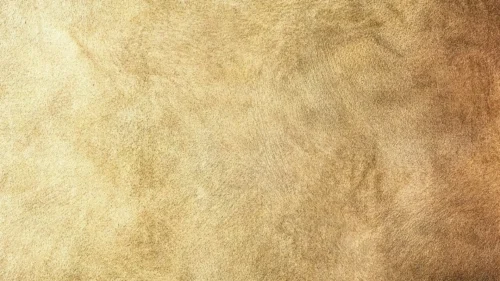
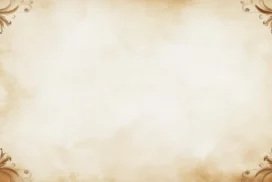
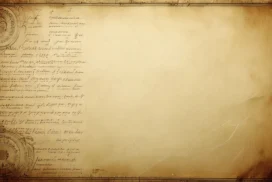
This background is for anyone who needs a slide deck to feel like it belongs in an old library instead of a corporate template folder. It’s a full HD 16:9 aged paper texture, warm brown and honey tones, cracked edges, and a soft, clean center where text stays perfectly readable. Free to download, no watermark, ready for PowerPoint, Google Slides, or as a plain wallpaper.
What This Parchment Background for PowerPoint Looks Like
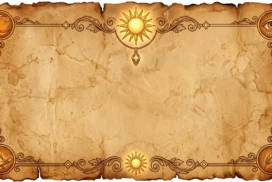
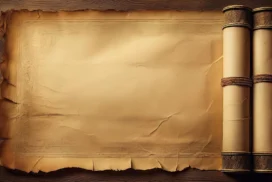
The base is a single sheet of weathered paper, photographed and treated to look decades old. The outer edges darken into burnt umber and near-black, with visible tearing along the left and right borders and a scatter of small ink-like spots across the surface. Toward the middle, the tone lifts into a pale caramel and cream, with fine creases and fold lines running through it — the kind of texture you’d expect from a document that’s been rolled up and unrolled a hundred times. There’s no text, no logo, no watermark baked into the file, just the raw texture at full HD resolution.
Design Notes: Why This Color and This Contrast
I built the palette around a narrow range of browns and tans on purpose. Too much color variation on a background fights with whatever content sits on top of it, so I kept everything within one warm family — burnt sienna at the frame, shifting into a lighter parchment tone at the core. That center is the important part: I deliberately flattened the contrast there and pulled the darkest, busiest texture out toward the corners, so a title in dark brown or black text has a calm, even surface to sit on. If you’ve ever tried to read white text over a background that’s dark in some spots and light in others, you know how quickly that ruins a slide. This one avoids that trap by design, not by accident.
The cracked, burnt-edge treatment also does a job beyond decoration. It signals a genre — history, literature, law, genealogy, storytelling — before a single word of your content shows up. That’s useful when you want the audience to shift mental gears the moment the slide appears.
Where to Use This Aged Paper Background
- History, archaeology, or literature class presentations
- Legal or genealogy documents and family-tree slides
- Storytelling decks, book launches, or author talks
- Restaurant or bar menus going for an old-world feel
- Certificates, invitations, or diploma-style slides
- Desktop or phone wallpaper if you just like the texture
Key features at a glance:
- Full HD resolution, 16:9 aspect ratio
- No watermark, no logo, free for personal and commercial use
- Warm brown and tan parchment palette with cracked, burnt edges
- Clean, low-contrast center built for text legibility
- Works as a PowerPoint background, Google Slides background, or wallpaper
- Delivered as a single high-resolution image file
How to Apply This Parchment Background in PowerPoint
Once you’ve downloaded the file:
- Open your PowerPoint presentation and go to the Design tab
- Click Format Background on the right side of the ribbon
- Select Picture or texture fill, then Insert from a file
- Choose the downloaded parchment image
- Click Apply to All if you want it on every slide, or leave it on just the current one
How to Apply It in Google Slides
- Open your presentation and click Background in the toolbar
- Click Choose image, then Upload from computer
- Select the parchment file and confirm
- Click Done, or Add to theme to carry it across every slide automatically
Readability Tip
Keep your title text in a dark brown, deep charcoal, or black. Because the center of this background stays light and low-contrast on purpose, dark serif fonts read especially well here and reinforce the vintage feel — think Georgia, Playfair Display, or a classic Garamond rather than a thin modern sans-serif.
FAQ
Is this parchment background really free?
Yes. It’s a single free download, no watermark, no account required.
Does it work in Google Slides, or only PowerPoint?
Both. It’s a plain image file, so it uploads the same way into either tool.
What resolution do I get?
Full HD, 1920×1080, in a 16:9 aspect ratio — sharp on any modern screen or projector.
Can I use it as a wallpaper instead of a slide background?
Absolutely. The same file works as a desktop or phone wallpaper without any resizing needed for most widescreen displays.
Specs
- 1920 x 1080 px · 16:9 widescreen
- JPG, high quality, no compression artefacts
- PowerPoint · Google Slides · Keynote · Canva
- No watermark · no sign-up
- Free for personal and commercial use
You can use this Weathered Parchment Background Perfect for History and Storytelling Presentations as a Wallpaper or use it as a background for slides.
Looking for something different? Browse all our free PPT Backgrounds, or see how to set a background in PowerPoint and Google Slides.