





Cute Heart Background For PowerPoint With Glossy 3D Hearts And Bokeh
A free cute heart background for PowerPoint with glossy 3D hearts and soft pink bokeh.
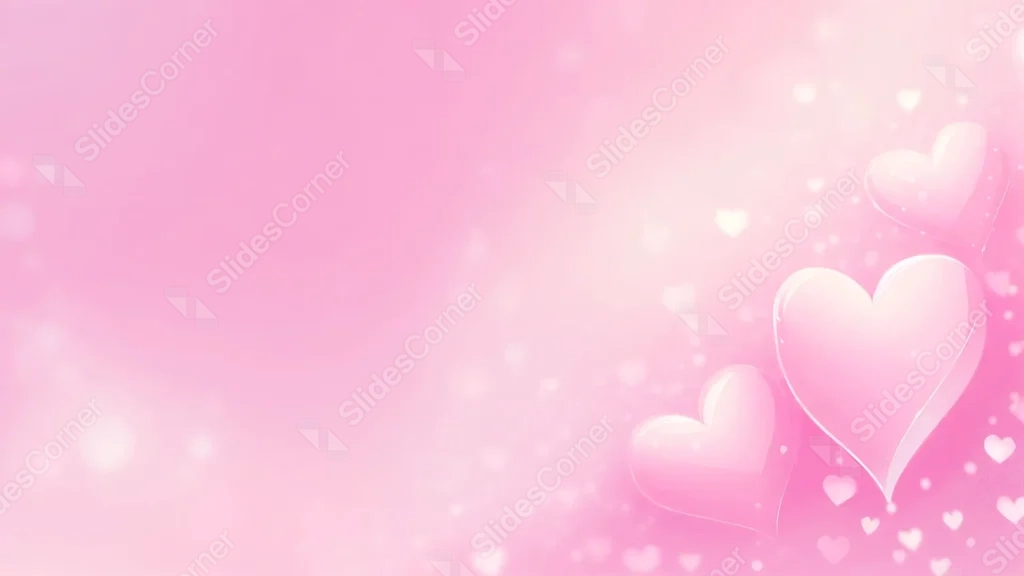
This background is for a slide that wants to say something sweet without shouting it. A cluster of glossy, 3D-style hearts glows in the lower right corner against a soft pink gradient, with tiny heart-shaped bokeh drifting across the light. Free, HD, and watermark-free for PowerPoint or Google Slides.
What This Cute Heart Background Looks Like
Three main hearts overlap in the bottom right, rendered with a smooth, glass-like sheen and a soft highlight along each curve, as if they were lit from just above.
Small heart-shaped bokeh lights and faint sparkle dots float upward from the cluster, fading out toward the left side of the frame, where the pink gradient stays smooth and completely clear.
Where This Background Fits
It works well for Valentine’s Day slides, wedding and anniversary presentations, love-themed social posts, and any content that wants a sweet, soft, romantic tone without heavy decoration.
Design Choices Behind This Glossy Heart Cluster
I pushed the hearts into the corner instead of spreading them across the frame, so the entire left two-thirds of the slide stays open, quiet, and genuinely usable for a headline.
Giving the hearts a glossy, dimensional finish rather than a flat vector look adds a bit of warmth and polish, and the scattered bokeh keeps the plain pink field from feeling too empty.
How to Apply This Background in PowerPoint
- Open your PowerPoint presentation and go to the Design tab.
- Click Format Background, then Picture or texture fill.
- Select Insert picture from a file and choose the downloaded image.
- Click Apply to All to use it on every slide.
How to Apply This Background in Google Slides
- Download and unzip the file, then open your Google Slides presentation.
- Go to Slide, then Change background.
- Click Choose image and upload the downloaded file.
- Click Done, or apply it from the master slide for a consistent look across the deck.
Legibility Tip for This Background
Keep your text on the left side of the slide, away from the hearts. Deep pink, burgundy, or dark gray text reads cleanly against the pale pink field.
FAQ
Is this heart background free? Yes, it’s a free download with no watermark and no attribution required.
Does it work in Google Slides? Yes, it’s a standard image file, so it applies the same way in both Google Slides and PowerPoint.
What resolution is the file? It’s full HD at 1920×1080, so it stays sharp on any screen or projector.
Can I use this as a wallpaper? Yes, the soft pink tone and glossy hearts make it a sweet desktop background too.
Features at a Glance
- Free HD 1920×1080 download, no watermark
- Glossy 3D hearts clustered in the corner
- Tiny heart-shaped bokeh and sparkle accents
- Smooth, clear pink gradient on the open side
- Works in PowerPoint, Google Slides, and as a wallpaper
- Suited to Valentine’s, wedding, and love-themed decks
Specs
- 1920 x 1080 px · 16:9 widescreen
- JPG, high quality, no compression artefacts
- PowerPoint · Google Slides · Keynote · Canva
- No watermark · no sign-up
- Free for personal and commercial use
You can use this Sweet Glossy Heart Background For PowerPoint as a Wallpaper or use it as a background for slides.
Looking for something different? Browse all our free PPT Backgrounds, or see how to set a background in PowerPoint and Google Slides.