





Colorful PPT Background With Scalloped Leafy Corners
Download this free colorful PPT background with bright organic shapes and leafy corners.
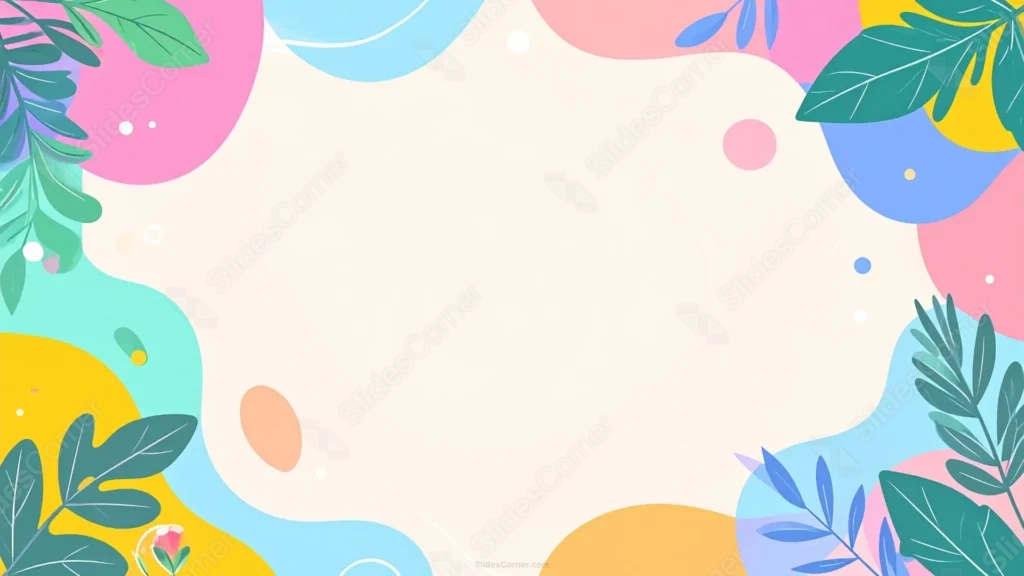
This colorful PPT background cuts a soft scalloped shape out of a bright ring of colorful organic blobs, in pink, blue, green, yellow, orange, and coral.
Fully colored leaf illustrations layer over the corners, along with small confetti dots and circles scattered near the edges.
What This Colorful PPT Background Looks Like
Large, saturated organic shapes in pink, sky blue, coral, yellow, mint, and orange overlap around the edges, each color bleeding softly into the next.
Solid green leaf illustrations layer over several corners, growing inward as if real plants were framing the scene, alongside a scattering of small confetti dots and circles.
The center is cut into a soft, scalloped cream shape, rather than a plain oval, making it feel like its own card sitting on top of the color.
Where This Colorful PPT Background Fits
- Children’s education and school presentations
- Birthday party invitations and event slides
- Playful brand or social media decks
- Any title slide wanting a bright, energetic first impression
Design Choices Behind the Scalloped Leafy Corners
I cut the center into a soft scalloped shape rather than a plain oval, so the cream space reads as its own distinct card sitting on top of the color.
Using a full range of bright, saturated hues instead of a muted palette gives the piece a playful, energetic feel rather than a quiet, calm one.
I filled the corner leaves in solid color rather than thin line art, layering them so they read as real foliage growing into the frame instead of a decorative outline.
How to Apply It in PowerPoint
- Go to Design > Format Background.
- Choose Picture or texture fill, then Insert from file.
- Click Apply to All to use it across the whole deck.
How to Apply It in Google Slides
- Open Slide > Change background.
- Click Choose image and upload the downloaded file.
- Select Done, repeating on any other slides you want to match.
Legibility Tip for This Colorful PPT Background
Keep your text on the cream scalloped center, using a dark charcoal or navy font, since the bright corner colors work best left uncluttered.
Frequently Asked Questions
Is this colorful PPT background free?
Yes, it’s a free download with no watermark and no account required.
Does it work in Google Slides too?
Yes, it’s a standard image file, so it applies the same way in both PowerPoint and Google Slides.
What resolution is included?
1920×1080 px, HD 16:9, suited to slides and to a desktop or phone wallpaper.
Can I use it as a wallpaper?
Yes, the 16:9 ratio matches most laptop and desktop screens.
Features at a Glance
- HD 1920×1080 resolution, 16:9 ratio
- Free download, no watermark
- Bright organic shapes in six saturated colors
- Solid-color leaf illustrations layered into the corners
- Soft scalloped cream center for text
- Works as a PowerPoint background, Google Slides background, or wallpaper
Specs
- 1920 x 1080 px · 16:9 widescreen
- JPG, high quality, no compression artefacts
- PowerPoint · Google Slides · Keynote · Canva
- No watermark · no sign-up
- Free for personal and commercial use
You can use this Playful Colorful Background For PPT Presentations as a Wallpaper or use it as a background for slides.
Looking for something different? Browse all our free PPT Backgrounds, or see how to set a background in PowerPoint and Google Slides.