You might also like:


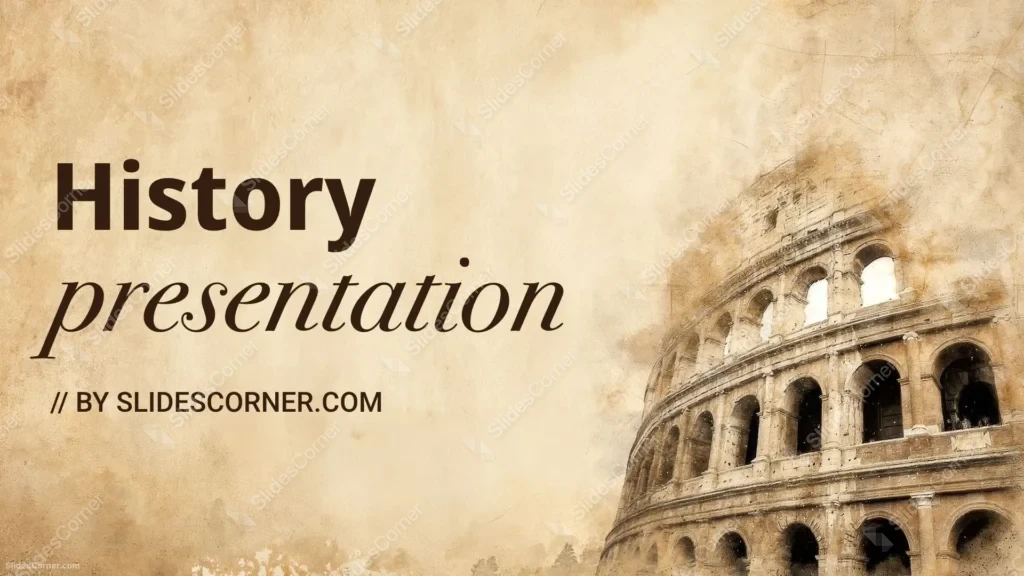
History presentations deserve more than plain slides. This ancient history background for PPT was created to bring the atmosphere of the ancient world into your presentation while keeping every title and paragraph easy to read. Inspired by the timeless architecture of the Roman Colosseum and the warm texture of aged parchment, it offers a professional backdrop for educational, academic, and creative projects without overwhelming the content.
Whether you’re preparing a classroom lesson, a university presentation, a history documentary, or simply looking for a historical wallpaper, this free Background combines authentic vintage aesthetics with a clean composition designed specifically for modern PowerPoint, Google Slides, and widescreen displays.
Why Choose This Ancient History Background for PPT?
Ancient civilizations often evoke weathered stone, faded manuscripts, and centuries of history. I wanted this background to reflect that feeling without becoming visually heavy. Instead of filling the entire canvas with monuments, I placed the Roman Colosseum on the right side, allowing the architecture to frame the slide while leaving generous open space for your content.
This composition works especially well for:
- Ancient Rome presentations
- World history lessons
- Archaeology projects
- Classical civilization lectures
- Museum exhibits
- Educational videos
- Historical timelines
- Literature related to antiquity
- History-themed wallpapers
Design Decisions Behind This Roman History Background
I intentionally kept the center and left side brighter and less textured, creating a natural reading area where headlines, bullet points, and charts remain highly legible. The Colosseum sits along the right edge, acting almost like a visual frame that reinforces the historical theme without covering important information.
The textured finish isn’t random either. Fine paper grain, faded brush strokes, and worn edges help avoid the flat appearance of a plain solid color while remaining subtle enough for professional use.
Features of This Free Presentation Background
This ancient history background for PPT includes several practical advantages:
- HD 16:9 widescreen resolution
- Free download without watermark
- Compatible with PowerPoint
- Works perfectly in Google Slides
- Suitable as desktop wallpaper
- Vintage parchment texture
- Roman Colosseum artwork integrated into the composition
- Large clean area for text placement
- Neutral warm colors that improve readability
- Professional appearance for educational and business presentations
How to Use This Ancient History Background in PowerPoint
Adding the background only takes a few moments.
- Download the HD image.
- Open your presentation in PowerPoint.
- Select Design → Format Background.
- Choose Picture or Texture Fill.
- Insert the downloaded image.
- Apply it to one slide or the entire presentation.
Because the text area is concentrated on the left side, align titles and body text there whenever possible. This preserves the visual balance while allowing the Colosseum illustration to remain visible as a decorative element.
How to Use It in Google Slides
The same background works perfectly in Google Slides.
- Open your presentation.
- Click Background.
- Select Choose Image.
- Upload the downloaded file.
- Apply it to the current slide or every slide.
For the best visual result, use dark brown or charcoal text instead of pure black. These colors harmonize naturally with the parchment palette while remaining highly readable.
Download a Free Ancient History Background for PPT
If you’re searching for a presentation background that immediately communicates the atmosphere of Ancient Rome, this design offers a balanced solution. The aged parchment texture creates historical character, while the partially illustrated Colosseum provides an iconic visual reference recognized around the world.
It’s suitable for students, teachers, historians, researchers, museums, educational creators, and anyone who wants their Presentation, Slides, or PPT project to feel polished and historically inspired.
Since the image is provided in HD 16:9 format without a watermark, it can also be used as a desktop wallpaper for anyone who appreciates classical architecture and vintage design.
FAQ
Is this ancient history background for PPT free?
Yes. You can download it completely free, with no watermark, and use it in your presentations.
Does it work in Google Slides?
Absolutely. The background is compatible with both Google Slides and PowerPoint.
What resolution does the background have?
It is provided in HD 16:9 widescreen format, making it suitable for modern displays, presentations, and wallpapers.
Can I use it as a desktop wallpaper?
Yes. The widescreen composition and high resolution also make it an excellent wallpaper for computers and laptops.
Specs
- 1920 x 1080 px · 16:9 widescreen
- JPG, high quality, no compression artefacts
- PowerPoint · Google Slides · Keynote · Canva
- No watermark · no sign-up
- Free for personal and commercial use
You can use this Elegant Ancient Roman Background for Educational History Presentations as a Wallpaper or use it as a background for slides.
Looking for something different? Browse all our free PPT Backgrounds, or see how to set a background in PowerPoint and Google Slides.