You might also like:


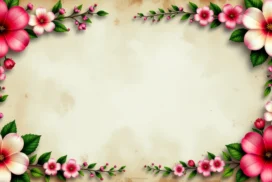
I designed this aesthetic history background to feel like a page lifted from a pressed-flower keepsake, and you can download it free, in HD 16:9, with no watermark. The file drops straight into PowerPoint, Google Slides, Keynote, or your desktop as a wallpaper. The whole center stays open and quiet, so your words carry the slide while the frame does the decorating.
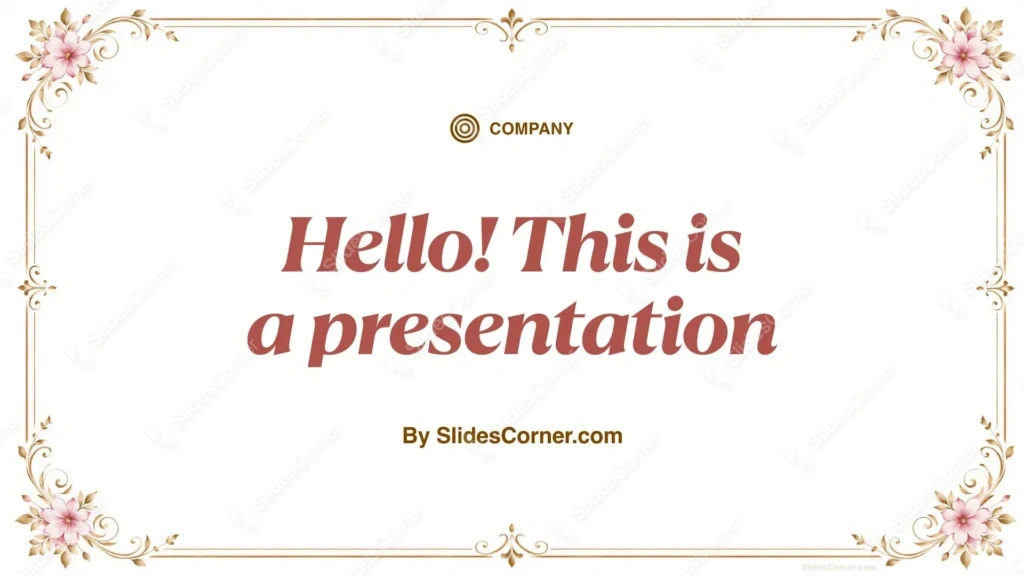
What Makes This Aesthetic History Background Different
The base is a soft cream-ivory, not stark white. I chose that warmer tone on purpose — pure white glares under projector light and reads cold, while ivory feels like aged paper and rests the eye. A slim antique-gold border traces the edge in a fine double line. At each of the four corners sits a small cluster of old-rose pink blossoms with gilded-brown leaves, and at the middle of every side a delicate fleur-de-lis flourish marks the axis. Nothing crowds the interior. That restraint is the point: the ornament lives on the perimeter, so the middle belongs to your content.
The Design Choices Behind the Frame
Color came first. I paired old-rose pink with antique gold because the two sit in the same muted, heritage register — the pink is dusty and grown-up rather than candy-bright, and the gold is warm brass rather than shiny yellow. Together they read vintage without shouting. I kept the palette narrow, three tones and their shades, so the background never fights whatever photos or charts you drop in.
Contrast drove the layout. I pushed every decorative element to the outer band and left the interior clean, which gives dark text — charcoal, deep brown, or ink navy — a bright, unbroken field to sit on. Readability holds up even on a mid-brightness projector. The centered fleur-de-lis at the top does quiet double duty: it frames a title line without needing a text box. I conceived this frame for slides that want a sense of the past — history lessons, literature units, museum-style timelines, wedding programs, certificates, and quote cards.
Features and Benefits at a Glance
- Free download with no watermark and no sign-up
- HD 16:9 resolution, crisp on large screens and projectors
- Cream-ivory canvas that cuts glare and feels like antique paper
- Antique-gold double-line border with fleur-de-lis side flourishes
- Old-rose pink floral corners with gilded-brown foliage
- Clean, open center built for high text legibility
- Works in PowerPoint, Google Slides, Keynote, and Canva
- Doubles as a soft, elegant desktop or tablet wallpaper
- Neutral enough for history, literature, wedding, and formal decks
- Balanced, symmetrical composition that never competes with your content
Where to Use This Vintage History Background
The frame suits any deck that leans classic or nostalgic. I use it for history and social-studies lessons, book reports on period novels, timeline slides, and anniversary or wedding recaps. It also shines on a single title slide or a closing quote, where the empty center and the corner flowers do all the styling for you.
How to Apply the Background in PowerPoint and Google Slides
In PowerPoint: open your deck, go to the Design tab, click Format Background, choose Picture or texture fill, then Insert and pick the downloaded file. Click Apply to All to place it on every slide.
In Google Slides: open the Slide menu, choose Change background, click Choose image next to Image, upload the file, and press Done. Hit Add to theme to apply it across the deck.
One legibility tip from my own testing: keep body text inside the gold border and give it real breathing room from the corner flowers. Dark type on the cream field reads cleanly on its own, though a semi-transparent white shape behind a paragraph helps whenever text lands near the ornament.
Frequently Asked Questions
Is this aesthetic history background free? Yes. You can download and use it at no cost, with no watermark and no account required.
Does it work in Google Slides? It does. Upload it through Change background, and it applies to one slide or the whole deck.
What resolution is the file? It ships in HD at a 16:9 ratio, sharp on monitors, TVs, and projectors.
Can I use it as a wallpaper? Yes — the 16:9 shape fits most laptop and desktop screens for a calm, decorative backdrop.
Specs
- 1920 x 1080 px · 16:9 widescreen
- JPG, high quality, no compression artefacts
- PowerPoint · Google Slides · Keynote · Canva
- No watermark · no sign-up
- Free for personal and commercial use
You can use this Elegant Rose-and-Gold History Background for Vintage Slide Decks as a Wallpaper or use it as a background for slides.
Looking for something different? Browse all our free PPT Backgrounds, or see how to set a background in PowerPoint and Google Slides.