You might also like:





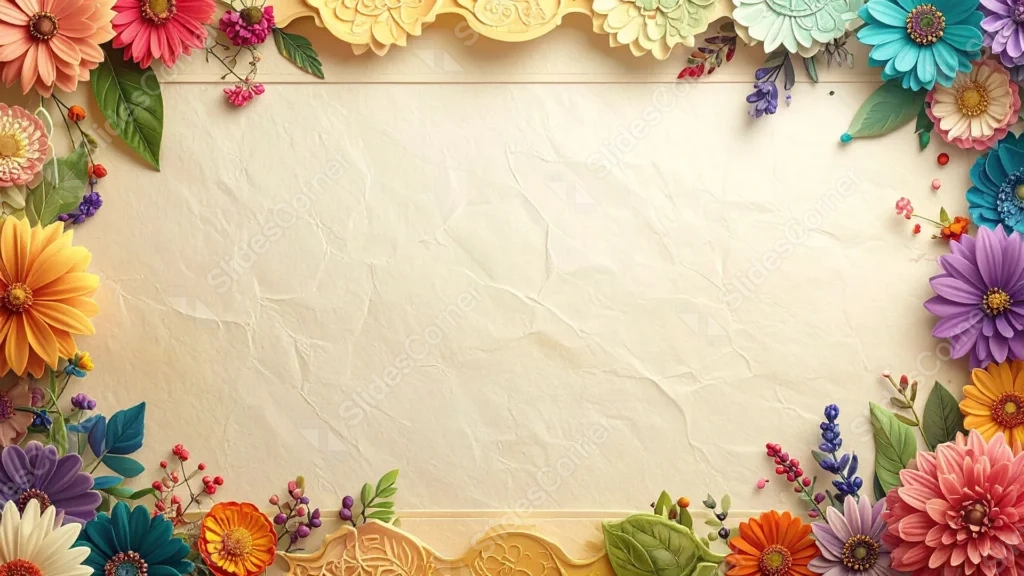
This background is for a slide that wants to feel like a garden party invitation. A dense, colorful border of gerberas, dahlias, and lavender sprigs wraps around a crumpled cream paper center, with carved gold cartouches anchoring the top and bottom edges. Free, HD, and watermark-free for PowerPoint or Google Slides.
What This Floral Frame Background Looks Like
Layered flowers in coral, teal, purple, orange, and pink pack every corner and edge, mixed with green leaves and small berry sprigs, giving the border real depth and dimension.
Two ornate, carved gold panels sit at the top-center and bottom-center like decorative plaques, adding a formal touch that keeps the busy floral border from feeling too casual.
Where This Background Fits
It suits wedding invitations, garden party and floral shop decks, spring event presentations, and any slide that wants an elegant, richly decorated border with a clear space for text.
Design Choices Behind This Floral Border
I packed the flowers densely at the edges but kept a hard line where the border stops, so the center stays completely clean rather than fading unpredictably into the flowers.
Adding the carved gold cartouches at top and bottom was meant to break up an otherwise all-floral border with a bit of structure, giving the eye a resting point among all that color.
How to Apply This Background in PowerPoint
- Open your PowerPoint presentation and go to the Design tab.
- Click Format Background, then Picture or texture fill.
- Select Insert picture from a file and choose the downloaded image.
- Click Apply to All to use it on every slide.
How to Apply This Background in Google Slides
- Download and unzip the file, then open your Google Slides presentation.
- Go to Slide, then Change background.
- Click Choose image and upload the downloaded file.
- Click Done, or apply it from the master slide for a consistent look across the deck.
Legibility Tip for This Background
Keep text inside the clean cream center, away from the flowers and gold panels. Dark gray or deep green text reads cleanly against the pale paper.
FAQ
Is this floral frame background free? Yes, it’s a free download with no watermark and no attribution required.
Does it work in Google Slides? Yes, it’s a standard image file, so it applies the same way in both Google Slides and PowerPoint.
What resolution is the file? It’s full HD at 1920×1080, so it stays sharp on any screen or projector.
Can I use this as a wallpaper? Yes, the dense colorful blooms and gold accents make it a striking desktop background too.
Features at a Glance
- Free HD 1920×1080 download, no watermark
- Dense, colorful floral border on all four sides
- Carved gold cartouches at top and bottom center
- Crumpled cream paper texture at the center
- Works in PowerPoint, Google Slides, and as a wallpaper
- Suited to wedding, garden party, and spring event decks
Specs
- 1920 x 1080 px · 16:9 widescreen
- JPG, high quality, no compression artefacts
- PowerPoint · Google Slides · Keynote · Canva
- No watermark · no sign-up
- Free for personal and commercial use
You can use this Elegant Colorful Floral Frame Background For PowerPoint as a Wallpaper or use it as a background for slides.
Looking for something different? Browse all our free PPT Backgrounds, or see how to set a background in PowerPoint and Google Slides.